> For the complete documentation index, see [llms.txt](https://help.aikido.dev/llms.txt). Markdown versions of documentation pages are available by appending `.md` to page URLs; this page is available as [Markdown](https://help.aikido.dev/container-image-scanning/container-reachability-analysis.md).
# Container Reachability Analysis
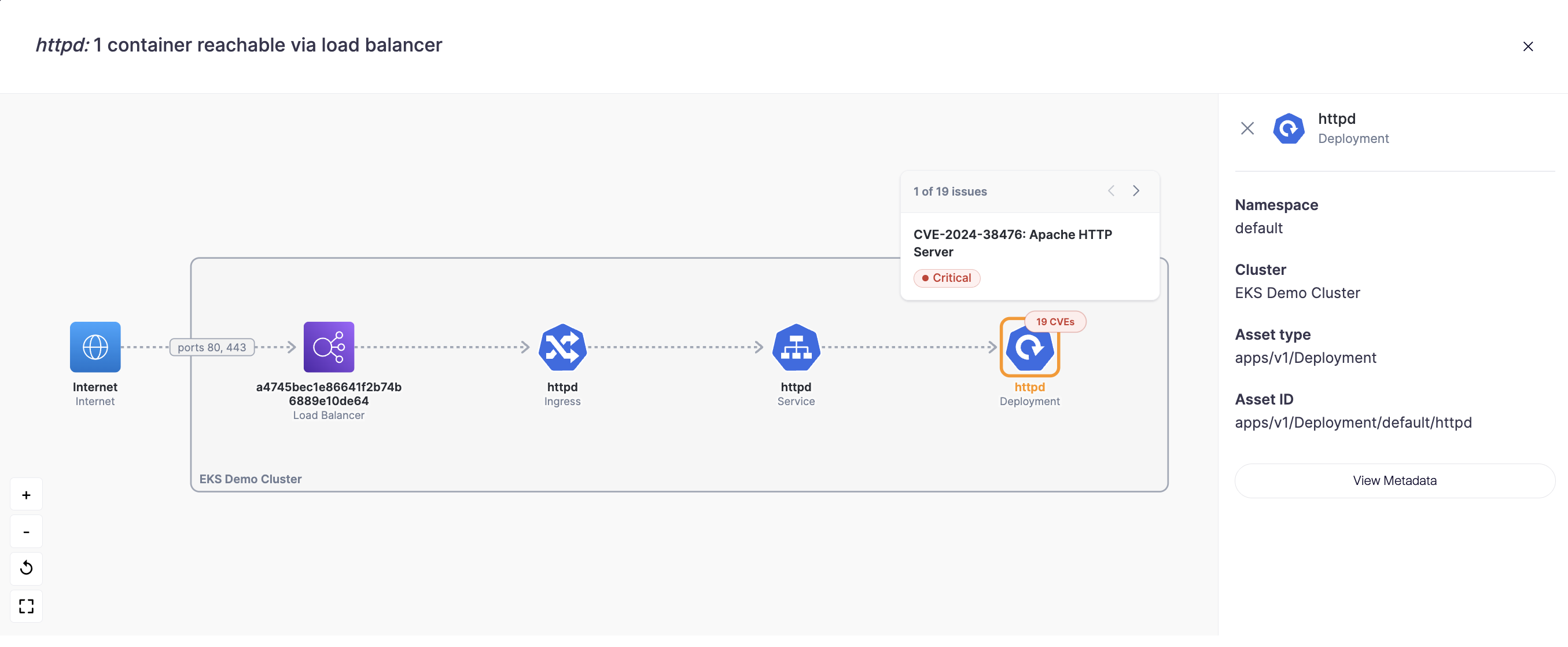
Container Reachability Analysis shows how a container can be reached inside your cloud network. For each container image, Aikido finds where the image is deployed and traces the network path from the internet to that workload, including every component and port along the way.
This works across environments. Aikido matches your container images to their deployments automatically, as long as the Kubernetes cluster or cloud environment is connected. The image itself can come from any registry: Docker Hub, ECR, GCR, or any other connected registry.
### What it helps you do
* See where your images are actually deployed: Not every container image is running somewhere. For those that are, Aikido shows which workloads use the image and how they can be reached.
* Trace the full attack path: See the exact route from the internet to your container. For example: Internet → AWS Load Balancer → Kubernetes Ingress → Service → Deployment. The diagram also shows which resources are AWS-level and which are Kubernetes-level.
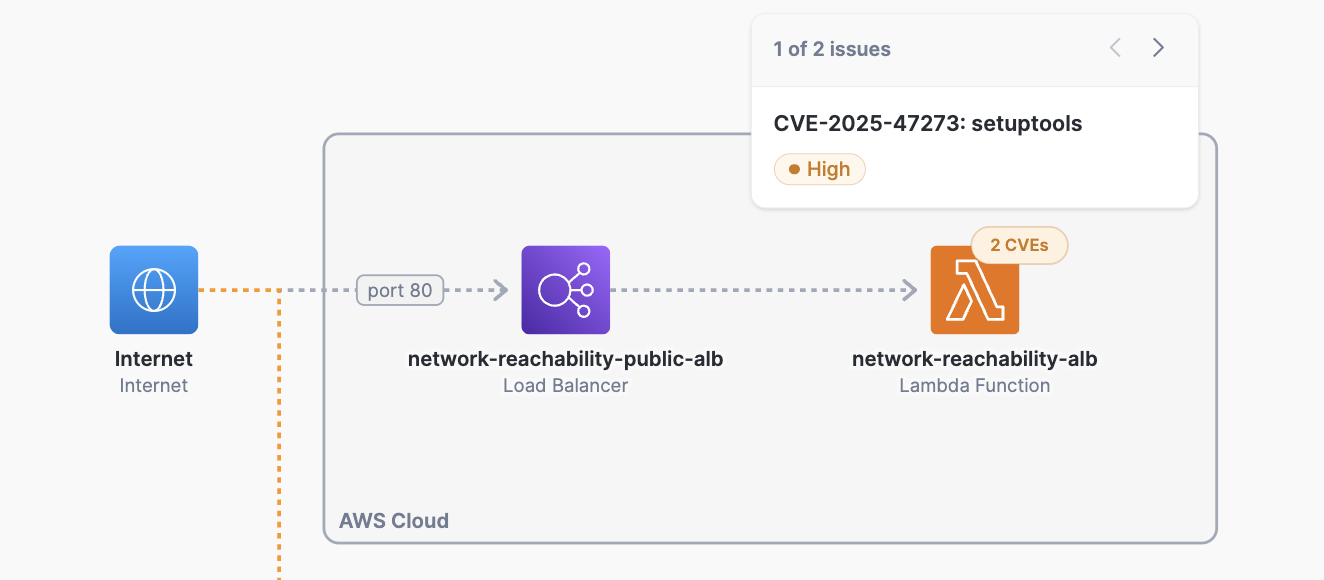
* Spot exposure across deployment types: A single image might be deployed on a Kubernetes cluster, an ECS service, and multiple Lambda functions, each with different exposure. Aikido shows reachability for each deployment separately.
* View CVEs in context: Click the badge on any component in the diagram to see the CVEs affecting that workload, in the context of where it's deployed and how it's exposed.
### Where to find it
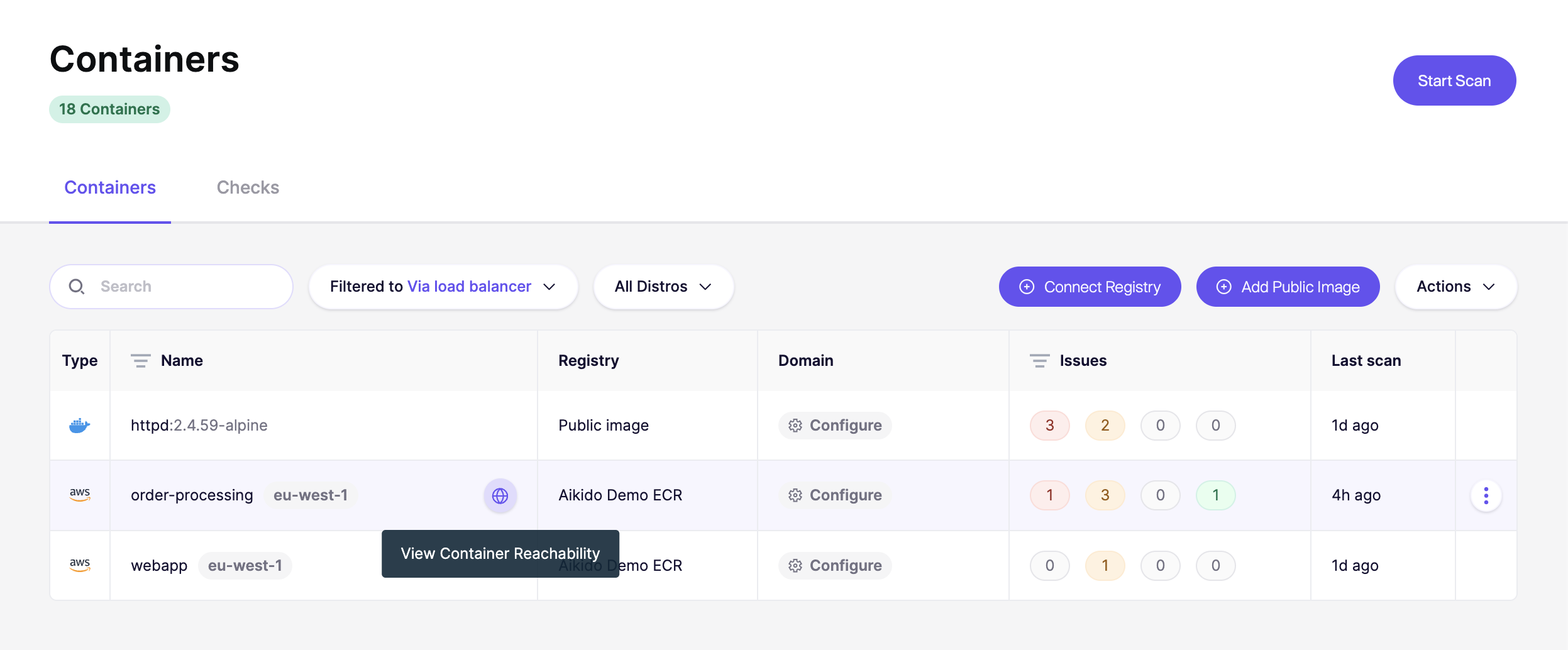
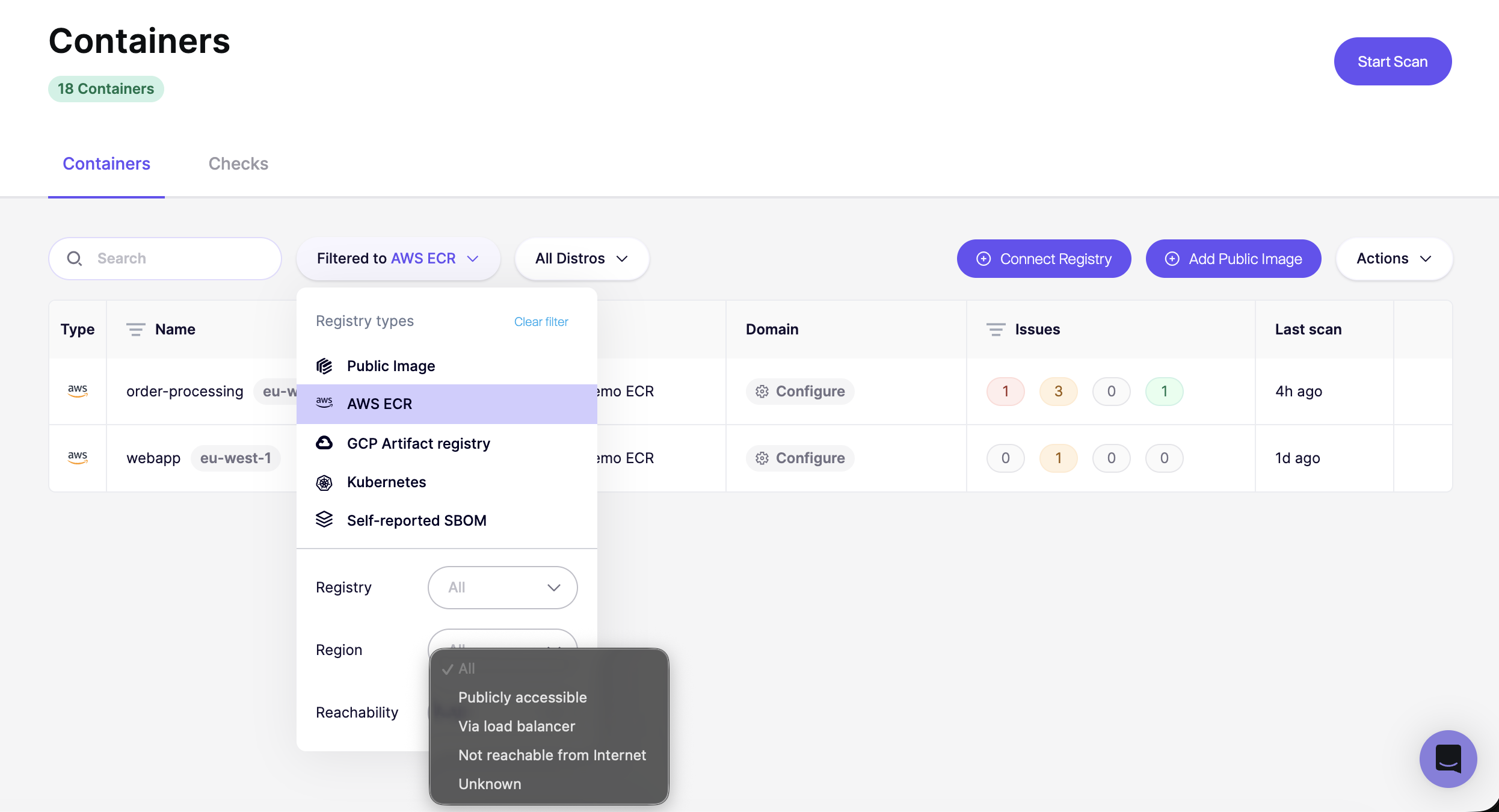
In [Containers](https://app.aikido.dev/containers), you'll see a reachability icon on each container. Hover over a container and select **"View Container Reachability"** to open the diagram.
Once you open the reachability view, you'll see an interactive diagram showing the network path to your container. Here's what you can do:
* **Click the CVE badge** on any component to see the vulnerabilities affecting it. From there, you can navigate directly to the finding in your feed.
* **View connected resources:** Aikido also shows what the workload has access to. For example, a VM or container connected to an RDS database will display that relationship, including the port.
* **Inspect deployment metadata:** Click into any deployment (Lambda function, ECS service, Kubernetes workload) to see its metadata and configuration details.
* **Browse multiple deployments:** If the same image is deployed in more than one place, each deployment appears as a separate entry. For example, an image running on three Lambda functions will show three paths, each with its own reachability status: some may be internet-facing, others may not.
{% hint style="info" %}
**Connected your AWS account before March 30th, 2026?** You may need to update your CloudFormation stack. See [Update AWS CloudFormation Stack](/cloud-scanning/connect-your-cloud/aws/connect-aws-account-to-aikido/update-aws-cloudformation-stack.md).
{% endhint %}
---
# Agent Instructions
This documentation is published with GitBook. GitBook is the documentation platform designed so that both humans and AI agents can read, navigate, and reason over technical content effectively. Learn more at gitbook.com.
## Querying This Documentation
If you need additional information that is not directly available in this page, you can query the documentation dynamically by asking a question.
Perform an HTTP GET request on the current page URL with the `ask` query parameter, and the optional `goal` query parameter:
```
GET https://help.aikido.dev/container-image-scanning/container-reachability-analysis.md?ask=&goal=
```
`ask` is the immediate question: it should be specific, self-contained, and written in natural language.
`goal` is optional and describes the broader end goal you are ultimately trying to accomplish on behalf of the user. GitBook uses it to tailor the answer towards what is most useful for that goal.
The response will contain a direct answer to the question and relevant excerpts and sources from the documentation.
Use this mechanism when the answer is not explicitly present in the current page, you need clarification or additional context, or you want to retrieve related documentation sections.