> For the complete documentation index, see [llms.txt](https://help.aikido.dev/llms.txt). Markdown versions of documentation pages are available by appending `.md` to page URLs; this page is available as [Markdown](https://help.aikido.dev/code-scanning/scanning-practices/custom-code-context-for-sast-rules.md).
# Custom Code Context for SAST Rules
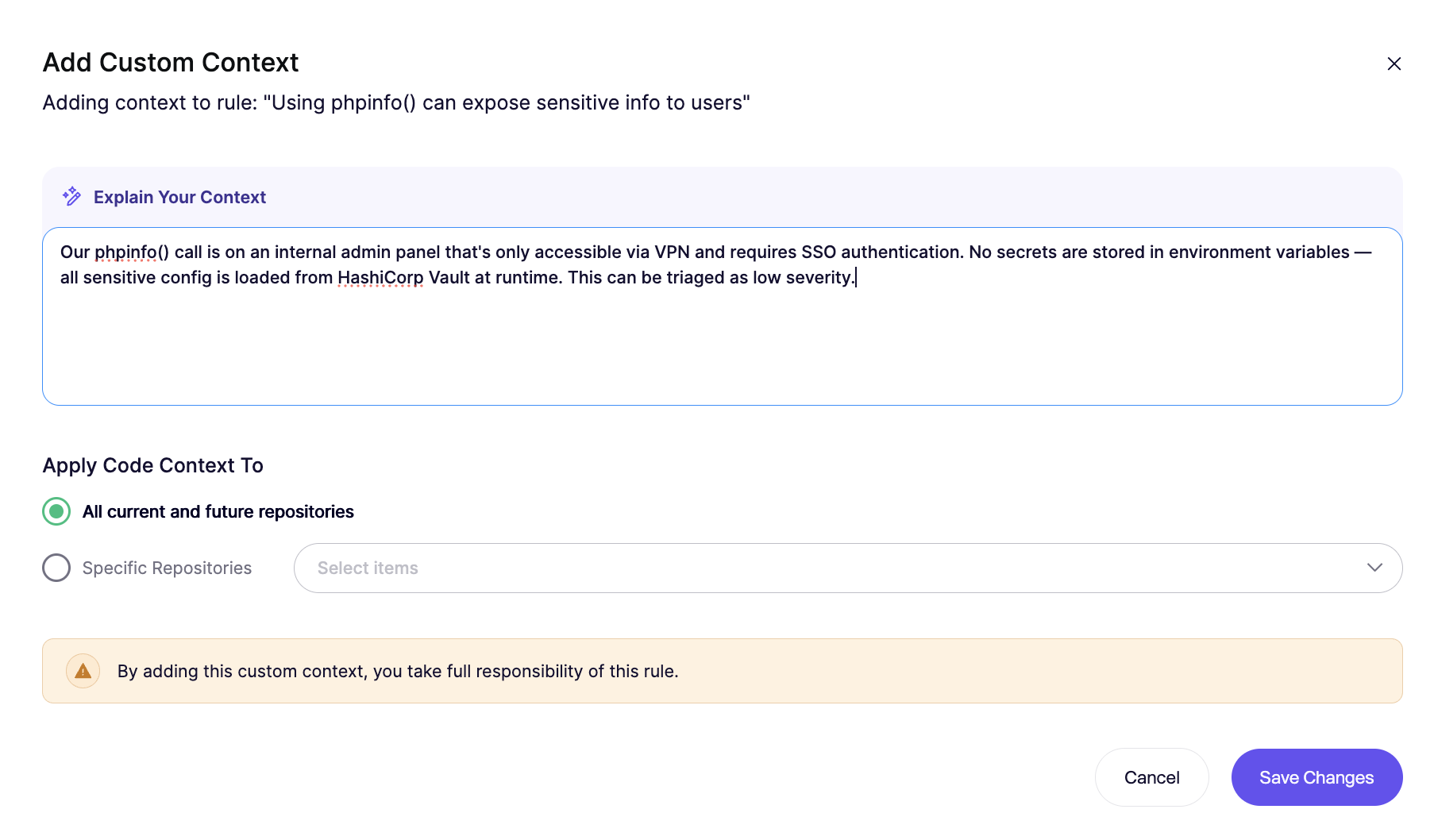
Custom Code Context lets you add plain-language guidance to a specific SAST rule. Aikido uses that guidance during [SAST AutoTriage](/aikido-agent/sast-autotriage.md) to make better true and false positive decisions. You can add context globally or at the repository level.
It does **not** change what the rule detects. It helps Aikido interpret findings more accurately.
### Use cases
Use Custom Code Context when a rule needs codebase-specific knowledge, such as:
* trusted sanitization libraries
* internal safe wrappers around risky APIs
* validation helpers that mark data as trusted
* patterns that are safe only in one repository
* Scripts running on isolated machines with trusted input
Show specific examples
**Trusted sanitization library**
{% code overflow="wrap" %}
```
We often use the public library for sanitization. Every variable returned by a function from this library is considered trusted.
```
{% endcode %}
**Internal validation helper**
{% code overflow="wrap" %}
```
For this rule, values returned by validateAndNormalizeUserInput() are considered sanitized. This helper rejects invalid characters and enforces a strict allowlist.
```
{% endcode %}
**Safe wrapper around a risky API**
{% code overflow="wrap" %}
```
For this rule, calls made through safeRedirect() are expected. This wrapper only allows redirects to URLs from our approved domain allowlist.
```
{% endcode %}
### How to add context
{% hint style="info" %}
Custom Code Context is only available for SAST rules that support AutoTriage.
{% endhint %}
**Step 1.** Open the Repositories Checks page and select '[View SAST Rules](https://app.aikido.dev/repositories/sast)'.
**Step 2.** Find the relevant SAST rule & open the action menu and select **Custom Code Context**.
**Step 3.** Add your context in plain language.
**Step 4.** Choose whether the context applies globally or only to that repository. Save the changes.
{% hint style="info" %}
A manual rescan is needed before the new context is applied.
{% endhint %}
### Writing tips
Keep the context narrow and concrete.
Do:
* name the exact library, function, wrapper, or folder
* explain why the data is trusted or sanitized
* keep it specific to the selected rule
Avoid:
* broad claims like “inputs are usually sanitized”
* vague statements without function names
* exceptions that apply to everything
Show good vs weak example
**Good example**
{% code overflow="wrap" %}
```
For this SQL injection rule, values returned by buildSafeQuery() are trusted. That helper only creates parameterized queries and never concatenates raw user input.
```
{% endcode %}
**Weak example**
{% code overflow="wrap" %}
```
Our team is careful with SQL queries, so these findings are often false positives.
```
{% endcode %}
### Custom Code Context vs custom SAST rules
Use Custom Code Context when you want to improve triage for an existing rule.
Use [custom SAST rules](/code-scanning/scanning-practices/add-custom-sast-iac-rules.md) when you need to detect a new pattern in your codebase.
In short:
* **Custom Code Context** refines interpretation
* **Custom SAST rules** expand detection
---
# Agent Instructions
This documentation is published with GitBook. GitBook is the documentation platform designed so that both humans and AI agents can read, navigate, and reason over technical content effectively. Learn more at gitbook.com.
## Querying This Documentation
If you need additional information that is not directly available in this page, you can query the documentation dynamically by asking a question.
Perform an HTTP GET request on the current page URL with the `ask` query parameter, and the optional `goal` query parameter:
```
GET https://help.aikido.dev/code-scanning/scanning-practices/custom-code-context-for-sast-rules.md?ask=&goal=
```
`ask` is the immediate question: it should be specific, self-contained, and written in natural language.
`goal` is optional and describes the broader end goal you are ultimately trying to accomplish on behalf of the user. GitBook uses it to tailor the answer towards what is most useful for that goal.
The response will contain a direct answer to the question and relevant excerpts and sources from the documentation.
Use this mechanism when the answer is not explicitly present in the current page, you need clarification or additional context, or you want to retrieve related documentation sections.