> For the complete documentation index, see [llms.txt](https://help.aikido.dev/llms.txt). Markdown versions of documentation pages are available by appending `.md` to page URLs; this page is available as [Markdown](https://help.aikido.dev/docs/docs-ja/aikido-device-protection/miscellaneous-aikido-endpoint/how-to-test-device-protection.md).

# Device Protection が動作しているかをテストする方法

以下の方法のいずれかを使って、Aikido Device Protection があなたのマシンで有効になっていることを確認してください。

## 簡単な確認（推奨）

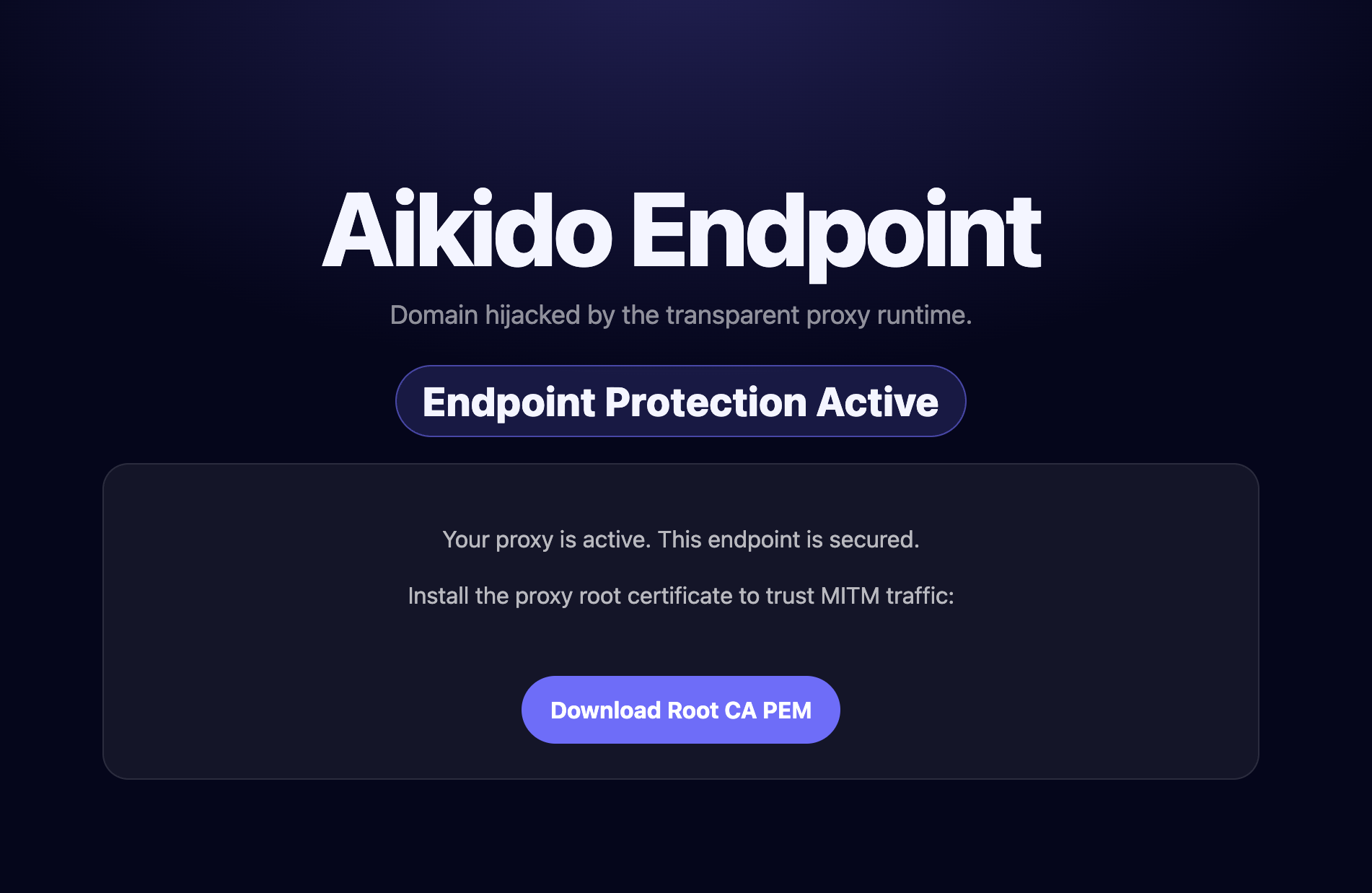
以下のリンクをブラウザで開いてください。ページには、あなたのデバイスが保護されているかどうかがすぐに表示されます。

{% embed url="<https://device-protection.aikido.help/>" %}

<figure><img src="/files/0be03bf89022cb547ab005b8f9b833d1970139c9" alt="" width="563"><figcaption></figcaption></figure>

## パッケージベースのテスト

お使いの言語で安全なテストパッケージをインストールしてください。これらのパッケージは無害で、検知を発生させるためだけに用意されています。

{% tabs %}
{% tab title="npm" %}

```bash
npm install aikido-endpoint-test
```

{% endtab %}

{% tab title="pip" %}

```bash
pip install safe-chain-pi-test
```

{% endtab %}

{% tab title="NuGet" %}
<https://www.nuget.org/packages/AikidoEndpointTest>
{% endtab %}

{% tab title="Go" %}

```
go install github.com/Aikido-demo-apps/endpoint-golang-test@latest
```

{% endtab %}
{% endtabs %}

## IDE拡張機能のテスト

エディタにテスト用拡張機能をインストールしてください。Device Protection が動作している場合、検知が発生します。

* **VS Code:** [Aikido Endpoint Test](https://marketplace.visualstudio.com/items?itemName=AikidoSecurity.aikido-endpoint-test)
* **Open VSX（例: Cursor、Windsurf）:** [Aikido Endpoint Test](https://open-vsx.org/extension/AikidoSecurity/aikido-endpoint-test)

## 自動テスト

```shellscript
#!/bin/bash
curl -s https://device-protection.aikido.help/ | grep -q "Device Protection Active"
```

このスクリプトは終了コードを返します `0` Device Protection が有効なときは終了コード `1` 有効でないときは終了コード


---

# Agent Instructions
This documentation is published with GitBook. GitBook is the documentation platform designed so that both humans and AI agents can read, navigate, and reason over technical content effectively. Learn more at gitbook.com.

## Querying This Documentation
If you need additional information that is not directly available in this page, you can query the documentation dynamically by asking a question.

Perform an HTTP GET request on the current page URL with the `ask` query parameter, and the optional `goal` query parameter:

```
GET https://help.aikido.dev/docs/docs-ja/aikido-device-protection/miscellaneous-aikido-endpoint/how-to-test-device-protection.md?ask=<question>&goal=<endgoal>
```

`ask` is the immediate question: it should be specific, self-contained, and written in natural language.
`goal` is optional and describes the broader end goal you are ultimately trying to accomplish on behalf of the user. GitBook uses it to tailor the answer towards what is most useful for that goal.

The response will contain a direct answer to the question and relevant excerpts and sources from the documentation.

Use this mechanism when the answer is not explicitly present in the current page, you need clarification or additional context, or you want to retrieve related documentation sections.