> For the complete documentation index, see [llms.txt](https://help.aikido.dev/llms.txt). Markdown versions of documentation pages are available by appending `.md` to page URLs; this page is available as [Markdown](https://help.aikido.dev/docs/docs-ja/miscellaneous-info/domain-verification.md).

# ドメインの確認

ドメイン検証は、Aikido がそのドメインを参照するスキャンや連携を許可する前に、そのドメインをあなたが所有または管理していることを確認します。

{% hint style="danger" %}
自分の組織に属するドメインのみを検証してください。検証により、そのドメインに関連付けられた資産をスキャンおよび分析する権限が付与されます。
{% endhint %}

この手順は、所有していないドメインに対してスキャン機能が悪用されるのを防ぎ、悪意のあるスキャンや誤ったスキャンから、あなたの組織と他者の双方を保護します。

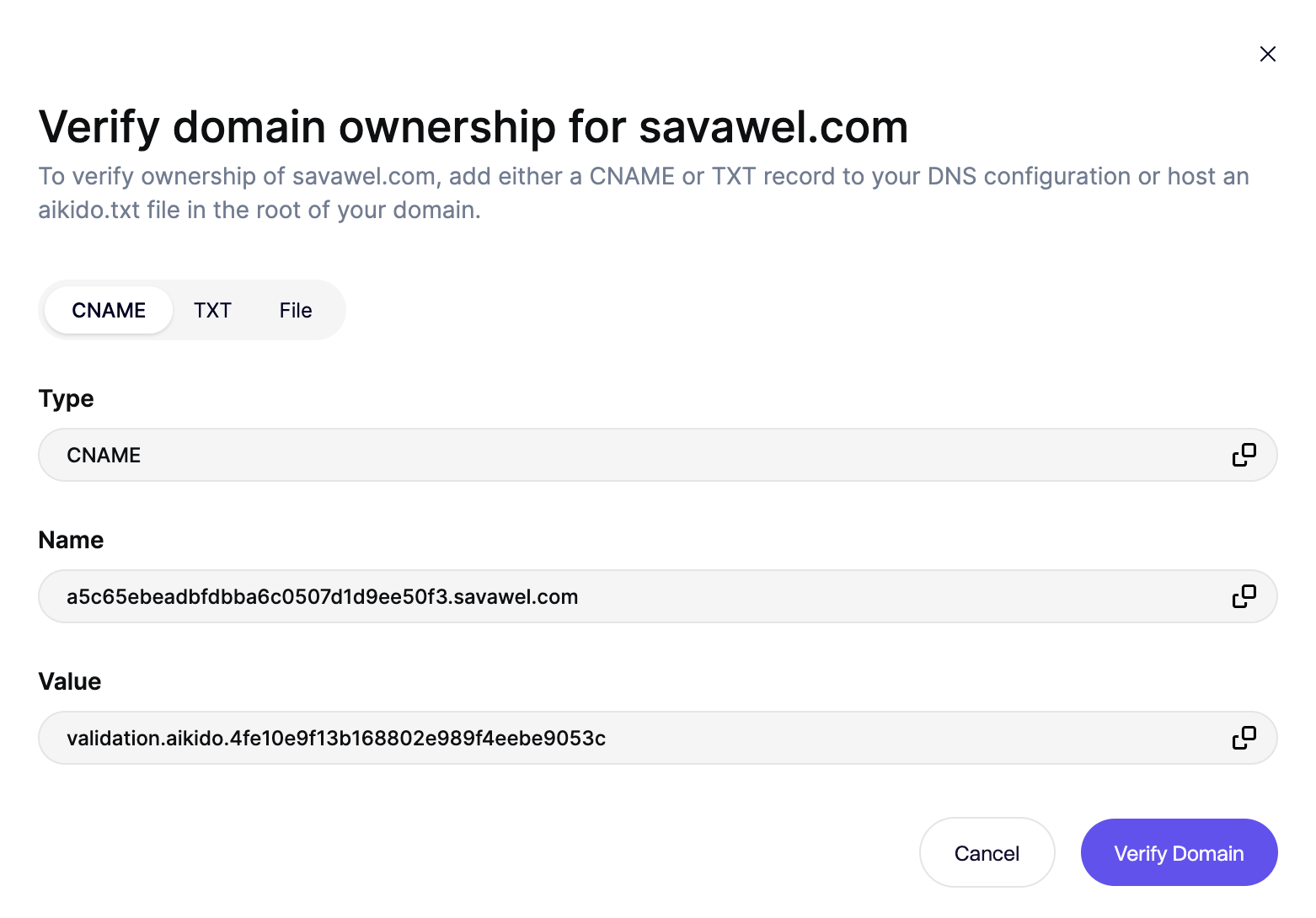
<div data-with-frame="true"><figure><img src="/files/fcdde2c8d1a2516902d62e4ebef567ec127fc382" alt=""><figcaption></figcaption></figure></div>

## 検証方法

以下のいずれかの方法でドメインを検証できます。すべての方法は、そのドメインに対する DNS またはホスティングの管理権限を証明します。

### オプション 1: CNAME レコード

ドメインの DNS 設定に CNAME レコードを追加します。

* Aikido が一意の CNAME 値を提供します
* DNS プロバイダーでレコードを作成します
* Aikido がレコードが正しく解決されることを確認します

### オプション 2: TXT レコード

ドメインの DNS 設定に TXT レコードを追加します。

* Aikido が一意の TXT 値を提供します
* DNS プロバイダーにレコードを追加します
* Aikido がレコードの存在を確認します

### オプション 3: ドメイン上の TXT ファイル（AI Pentest のみ）

{% hint style="warning" %}
TXT ファイルは次の場所からアクセスされます。 [コードおよびコンテナスキャンの IP](/docs/docs-ja/kdosukyan/miscellaneous/allowing-ip-addresses-for-code-container-scanning.md)。これらの IP を許可リストに追加してください。そうしないと、ドメイン検証は失敗します。
{% endhint %}

ドメインのルートパスに TXT ファイルをアップロードします。

* Aikido がファイル名と検証トークンを提供します
* 必要な URL でファイルをホストします
* Aikido がファイルが次の場所から公開アクセス可能であることを確認します。 [コードおよびコンテナスキャンで許可するIPアドレス](/docs/docs-ja/kdosukyan/miscellaneous/allowing-ip-addresses-for-code-container-scanning.md)検証を成功させるには、これらを追加してください

このオプションは、DNS を管理していないが、ドメインにファイルをデプロイできる場合に便利です。


---

# Agent Instructions
This documentation is published with GitBook. GitBook is the documentation platform designed so that both humans and AI agents can read, navigate, and reason over technical content effectively. Learn more at gitbook.com.

## Querying This Documentation
If you need additional information that is not directly available in this page, you can query the documentation dynamically by asking a question.

Perform an HTTP GET request on the current page URL with the `ask` query parameter, and the optional `goal` query parameter:

```
GET https://help.aikido.dev/docs/docs-ja/miscellaneous-info/domain-verification.md?ask=<question>&goal=<endgoal>
```

`ask` is the immediate question: it should be specific, self-contained, and written in natural language.
`goal` is optional and describes the broader end goal you are ultimately trying to accomplish on behalf of the user. GitBook uses it to tailor the answer towards what is most useful for that goal.

The response will contain a direct answer to the question and relevant excerpts and sources from the documentation.

Use this mechanism when the answer is not explicitly present in the current page, you need clarification or additional context, or you want to retrieve related documentation sections.