> For the complete documentation index, see [llms.txt](https://help.aikido.dev/llms.txt). Markdown versions of documentation pages are available by appending `.md` to page URLs; this page is available as [Markdown](https://help.aikido.dev/docs/docs-ja/autoship/monitoring.md).

# 監視

AutoShipはあなたの監視システムを使って、デプロイ中の回帰を検出します。

Sentry と AWS CloudWatch は現在サポートされています。グローバル設定でこれらの統合を接続した後、AutoShip では特定のリポジトリと環境の監視情報をどこで見つけるかを把握するために追加情報が必要です。

## Sentry

次の [グローバルな AutoShip 設定](https://app.aikido.dev/autoship/settings)、監視の下に Sentry を追加し、Sentry の URL に表示されている Sentry 組織のスラッグを指定してください（例: `slug.sentry.io`).

次のページで認証トークンを作成してください: [Sentry 認証トークン](https://sentry.io/settings/account/api/auth-tokens.) 。トークンには次の権限を付与してください:

* `event:read`
* `org:read`
* `project:read`

グローバル設定が完了したら、AutoShip のリポジトリ設定で Sentry 監視を有効にしてください。特定のリポジトリと環境の Sentry プロジェクトを指定してください。

## AWS CloudWatch

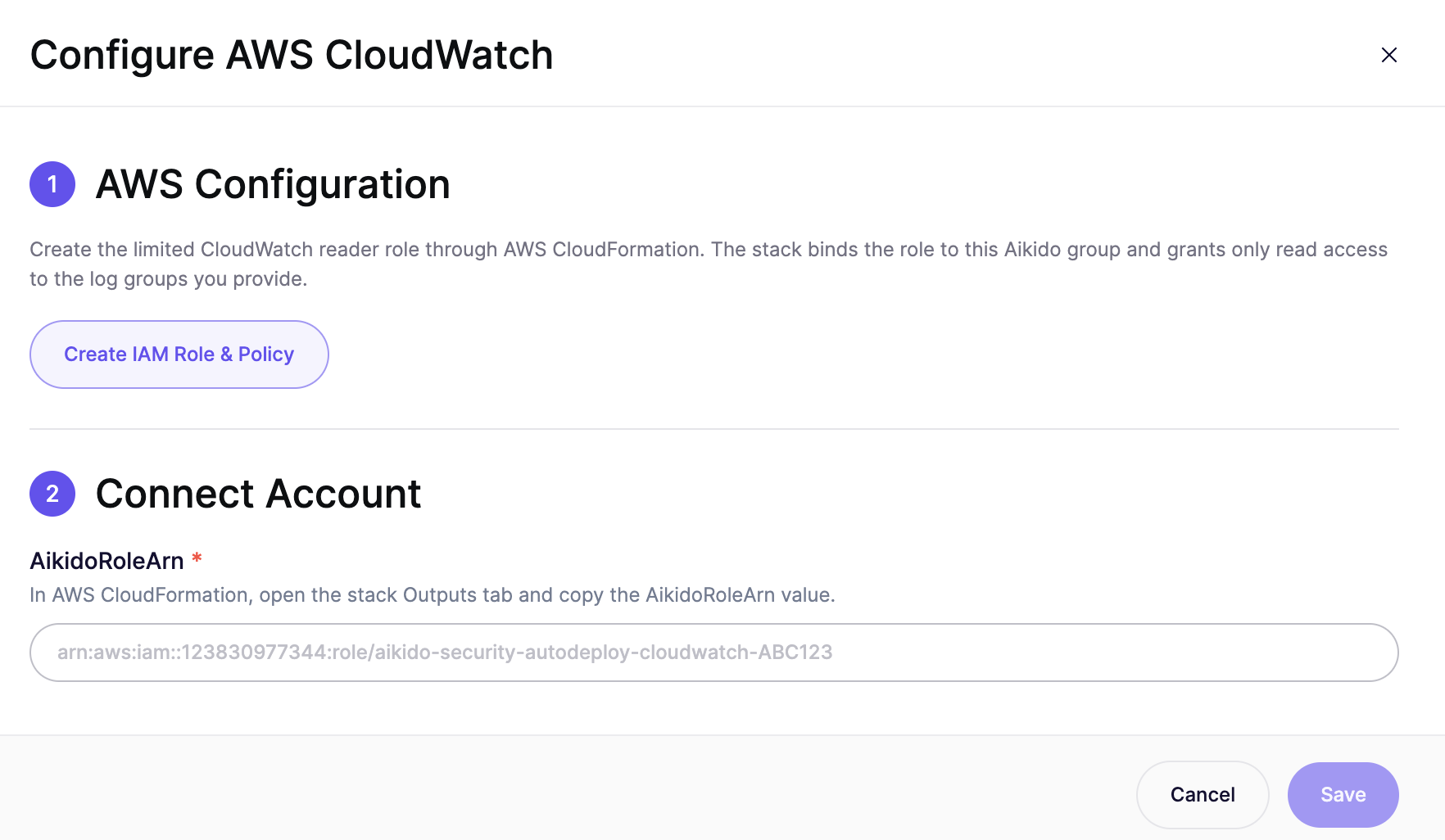
<figure><img src="https://715870456-files.gitbook.io/~/files/v0/b/gitbook-x-prod.appspot.com/o/spaces%2FyKbzcQGrx7UtrG0nPZZ7%2Fuploads%2F1EYHnVHmgDoT3eqEZwhH%2Fimage.png?alt=media&amp;token=6818cc09-3e66-4d11-a74b-5abf981ee029" alt=""><figcaption></figcaption></figure>

次の [グローバルな AutoShip 設定](https://app.aikido.dev/autoship/settings)を使用している場合は、 `IAM ロールとポリシーを作成` ボタンを使って CloudFormation テンプレートを適用し、AutoShip が CloudWatch ログを読み取れる IAM ロールを作成します。

グローバル設定が完了したら、AutoShip のリポジトリ設定で CloudWatch を有効にしてください。特定のリポジトリと環境のロググループを指定してください。


---

# Agent Instructions
This documentation is published with GitBook. GitBook is the documentation platform designed so that both humans and AI agents can read, navigate, and reason over technical content effectively. Learn more at gitbook.com.

## Querying This Documentation
If you need additional information that is not directly available in this page, you can query the documentation dynamically by asking a question.

Perform an HTTP GET request on the current page URL with the `ask` query parameter, and the optional `goal` query parameter:

```
GET https://help.aikido.dev/docs/docs-ja/autoship/monitoring.md?ask=<question>&goal=<endgoal>
```

`ask` is the immediate question: it should be specific, self-contained, and written in natural language.
`goal` is optional and describes the broader end goal you are ultimately trying to accomplish on behalf of the user. GitBook uses it to tailor the answer towards what is most useful for that goal.

The response will contain a direct answer to the question and relevant excerpts and sources from the documentation.

Use this mechanism when the answer is not explicitly present in the current page, you need clarification or additional context, or you want to retrieve related documentation sections.