> For the complete documentation index, see [llms.txt](https://help.aikido.dev/llms.txt). Markdown versions of documentation pages are available by appending `.md` to page URLs; this page is available as [Markdown](https://help.aikido.dev/docs/docs-ja/zen-firewall/zen-features/attack-wave-protection.md).

# 攻撃波保護

インターネットは自動化ツールによって常にスキャンされています。Nuclei、ZAP、Wapiti、SQLMapのようなセキュリティスキャナーは、アプリケーションの脆弱性を探り、機密ファイルを探し、隠しディレクトリをテストし、悪意のあるペイロードを注入します。こうした偵察の試みは、CPUサイクルを浪費し、延々と404エラーを発生させるリクエストでサーバーに殺到します。

## 仕組み

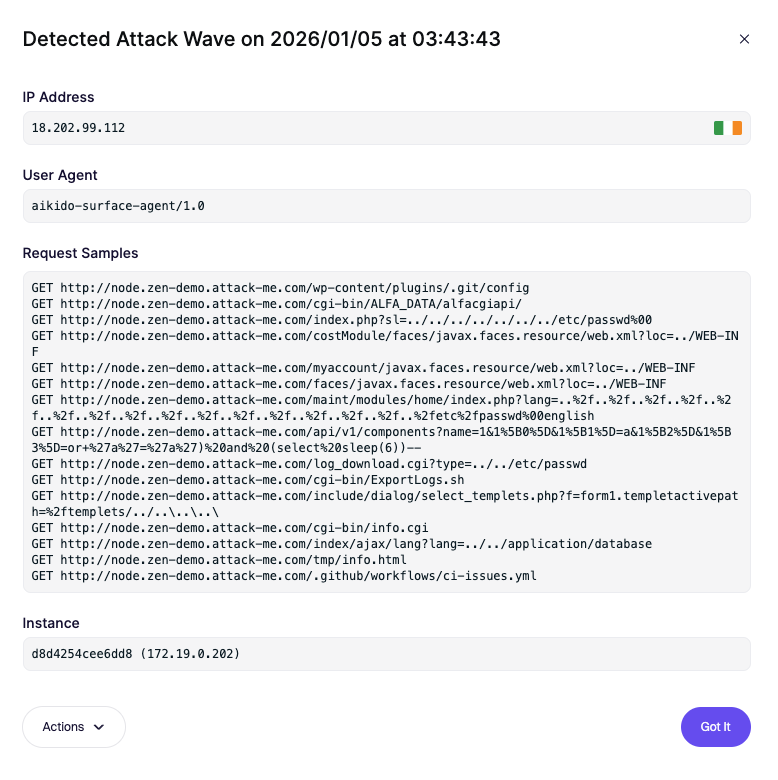
Zenは、探索パターンを検出することで、こうした攻撃の波をリアルタイムで自動的に識別します。たとえば：

* 1分以内に15件の不審なリクエストを送るIP。
* .env や wp-config.php のようなファイルへのアクセス試行。
* .git/config のような隠しディレクトリへのリクエスト。
* SQLインジェクションエラーを引き起こすよう設計されたペイロード。<br>

この挙動が検出されると、Zenはそれを攻撃の波としてフラグ付けします。これにより、セキュリティ体制は事後対応型から予防型へと移行し、誰が体系的にアプリケーションを調査しているのかを即座に可視化できます。<br>

## 表示される内容

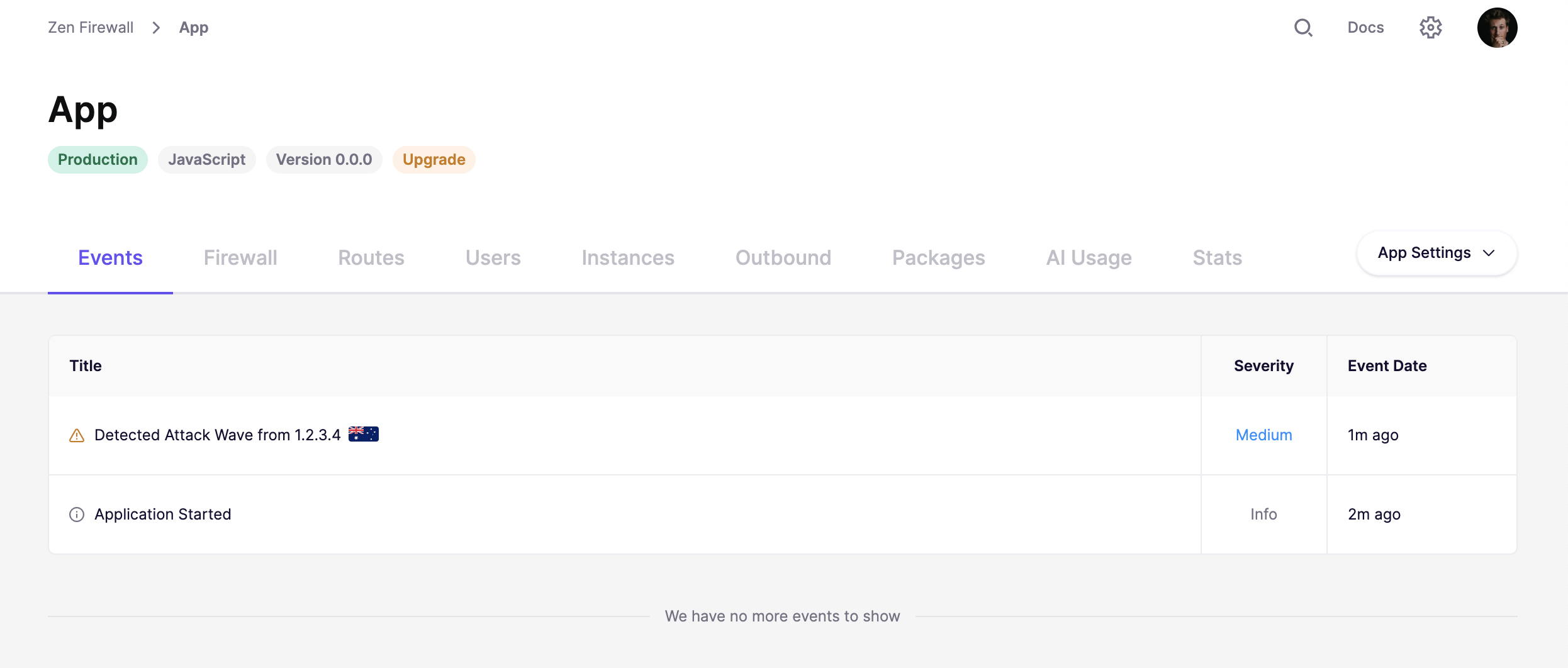
Aikidoダッシュボード内のライブフィードで、どのIPがアプリケーションを狙っているかを表示します。

<figure><img src="/files/ffbdf75cfefe77f3ed51f05c8508886d1658c741" alt=""><figcaption></figcaption></figure>

<figure><img src="/files/9f925b83562c69f4f6319deb6c25018de3f9c8b5" alt=""><figcaption></figcaption></figure>

### 自分で試してみる

攻撃の波を簡単にシミュレーションして、Zenが正常に動作していることを確認できます。ダッシュボードの「攻撃をシミュレート」をクリックするだけで、イベントが表示されるのを見ることができます。

<figure><img src="/files/0aea1c8f3e013c6802d2c8d258423a78cae2e97b" alt=""><figcaption></figcaption></figure>


---

# Agent Instructions
This documentation is published with GitBook. GitBook is the documentation platform designed so that both humans and AI agents can read, navigate, and reason over technical content effectively. Learn more at gitbook.com.

## Querying This Documentation
If you need additional information that is not directly available in this page, you can query the documentation dynamically by asking a question.

Perform an HTTP GET request on the current page URL with the `ask` query parameter, and the optional `goal` query parameter:

```
GET https://help.aikido.dev/docs/docs-ja/zen-firewall/zen-features/attack-wave-protection.md?ask=<question>&goal=<endgoal>
```

`ask` is the immediate question: it should be specific, self-contained, and written in natural language.
`goal` is optional and describes the broader end goal you are ultimately trying to accomplish on behalf of the user. GitBook uses it to tailor the answer towards what is most useful for that goal.

The response will contain a direct answer to the question and relevant excerpts and sources from the documentation.

Use this mechanism when the answer is not explicitly present in the current page, you need clarification or additional context, or you want to retrieve related documentation sections.