
Containers and WSL2 Distros
When Device Protection protects a Docker container or a WSL2 distro on a device, Aikido links it to that device. The device's Containers tab lists every container and distro the device protects, so you can see what runs on each developer's machine.
#Prerequisites
- Protect Containers, Protect WSL2, or both turned on. See Device Protection in Docker Containers and Device Protection in WSL2.
#How it works
- Each container or distro is its own device. A protected container or WSL2 distro reports to Aikido as a separate Linux device, linked to the host that protected it.
- The host lists what it protects. The host's Containers tab shows every linked container and distro.
- Stopped containers stay listed. A container that stops stays in the tab, and Last seen shows when it last reported to Aikido.
#View a device's containers
- Go to Device Protection → Devices.
- Click the device.
- Open the Containers tab.
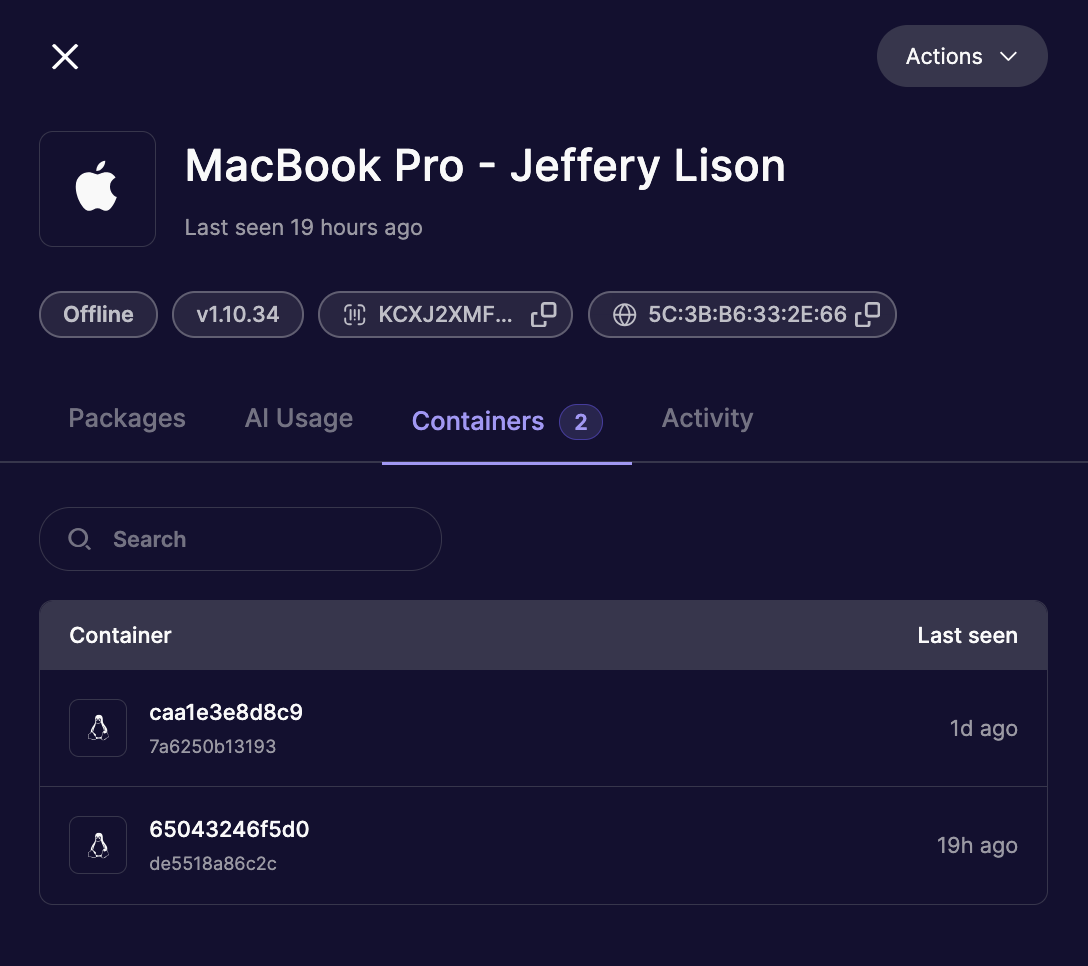
The tab label shows how many containers and distros the device protects. Each row shows the container or distro and when it was last seen. Use Search to find one by name.
The tab is empty until Protect Containers or Protect WSL2 is on and a supported container or distro is running on the device.