
Aikido Deploy Overview
Aikido Deploy ships security fixes so you can focus on shipping features. It takes a fix pull request from AutoFix and tests it in a live environment before it goes to production. For each pull request, Aikido Deploy:
- Checks the CI/CD results
- Deploys to a test environment
- Checks the test environment for new errors or regressions
- Runs a smoke test to confirm nothing is broken
Aikido Deploy connects to your CI/CD, monitoring, and alerting tools to do this. Add your trigger label to a pull request to start.
#Getting started
Go to Aikido Deploy in the Aikido UI and first configure the global settings: provide write access, the label to trigger on and your environments to deploy to. After connecting the CI/CD, Monitoring and Alerting integrations, you can start enabling Aikido Deploy on your repositories. For each repository you need to configure which CI/CD they use and what environments Aikido Deploy should deploy to. For each environment you can specify where the monitoring information can be found to detect regressions and how to smoke test that environment.
#Global Configuration
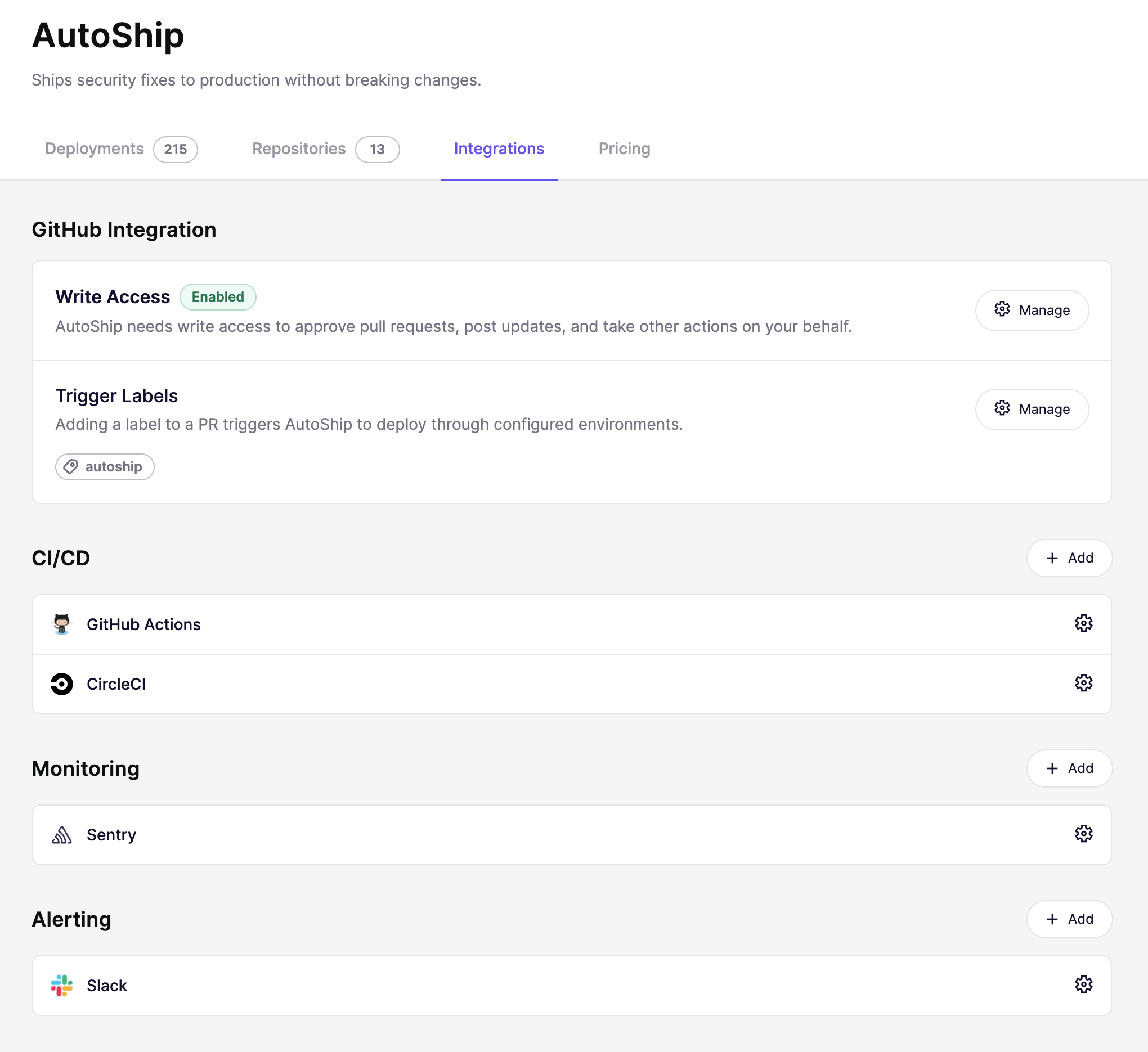
On the Aikido Deploy > Integrations page you can setup the integrations used by Aikido Deploy:
#Write Access for Aikido Deploy
Supports GitHub, GitLab, BitBucket and Azure Devops.
For GitHub, write access is provided through the Aikido Deploy GitHub app. This app is separate from the Aikdio AutoFix GitHub app. You can configure independently on which repos AutoFix is enabled and on which repos Aikido Deploy is enabled.
For GitLab, BitBucket and Azure Devops, Aikido Deploy requires a personal access token, service account token or equivalent to access the repositories.
#Trigger label
Aikido Deploy triggers on pull requests that have a designated label, the default label is deploy.
Since BitBucket does not support labels, by default Aikido Deploy will pick up pull requests that have @deploy in the PR description. If the label is changed, Aikido Deploy will trigger on @<label> .
Azure DevOps does not support labels either. To trigger Aikido Deploy on an Azure DevOps pull request, add a comment on the pull request with / followed by the label, for example /deploy. The comment must contain only this command. If the label is changed, comment /<label>. Azure DevOps does not notify Aikido when a pull request description is edited, so mentioning the label in the description does not trigger Aikido Deploy.
#CI/CD
Aikido Deploy connects to your CI/CD system to check whether the build is passing. When build problems arise, Aikido Deploy will fix them and push the fix on the pull request branch.
In the global configuration you connect your CI/CD system. In most cases this requires an API key, see the CI/CD page for details per system. We current support:
- GitHub Actions
- GitLab CI
- BitBucket Pipelines
- Azure Pipelines
- CircleCI
Additional configuration per repository can be provided when configuring the repository.
#Monitoring
Once the deploy to an environment succeeded, Aikido Deploy will look at the data from your monitoring system to verify there are no new errors. If a regression is detected, Aikido Deploy will roll back the changes.
In the global configuration you connect your monitoring systems. In most case this requires an API key, see the Monitoring page for details per system. We currently support:
- Sentry
- CloudWatch
Additional configuration per repository can be provided when configuring the repository.
#Alerting
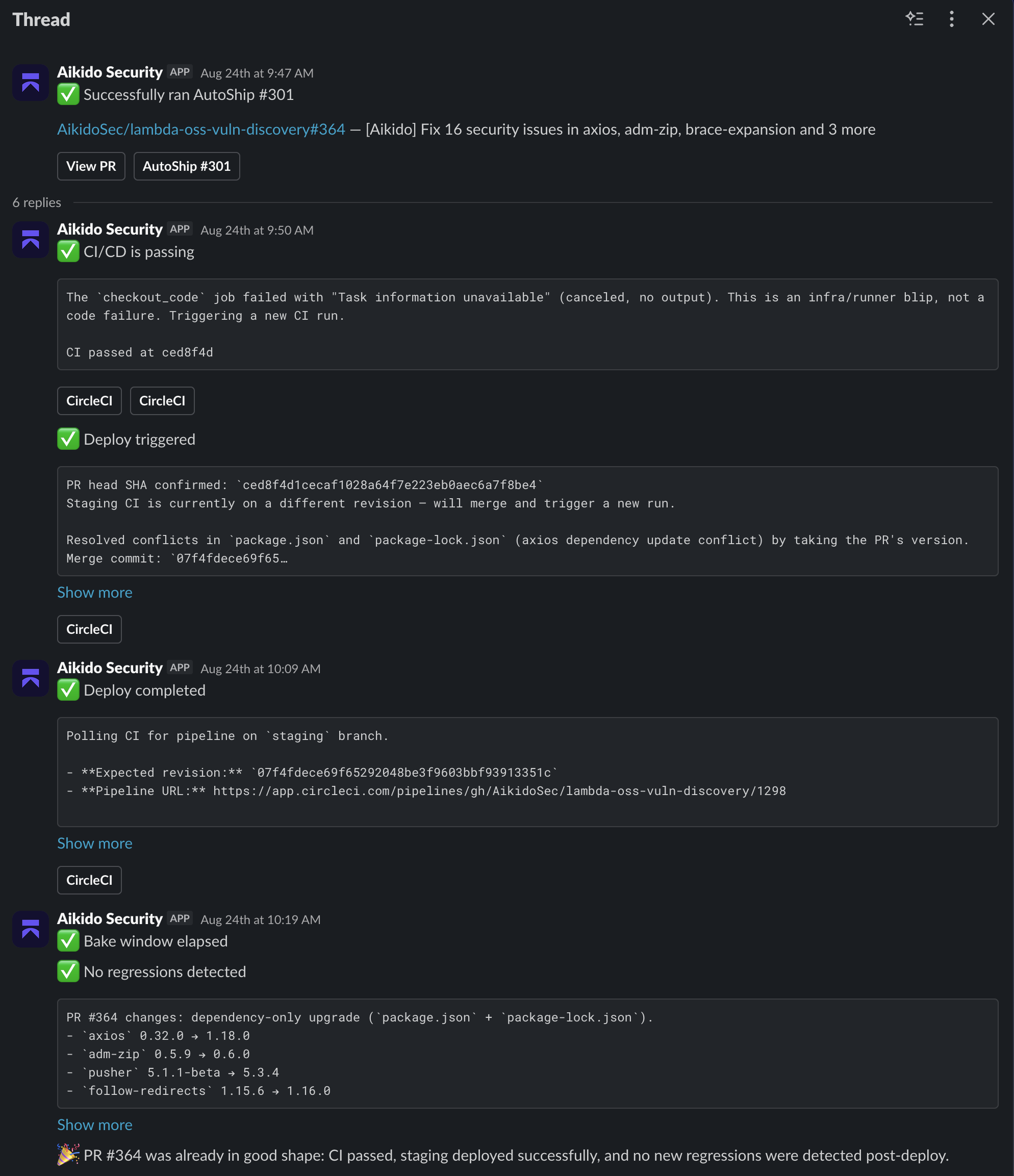
Aikido Deploy keeps you informed about its progress. This can be done through Slack. Aikido Deploy creates a thread per deployment and posts progress messages:
#Repository Settings
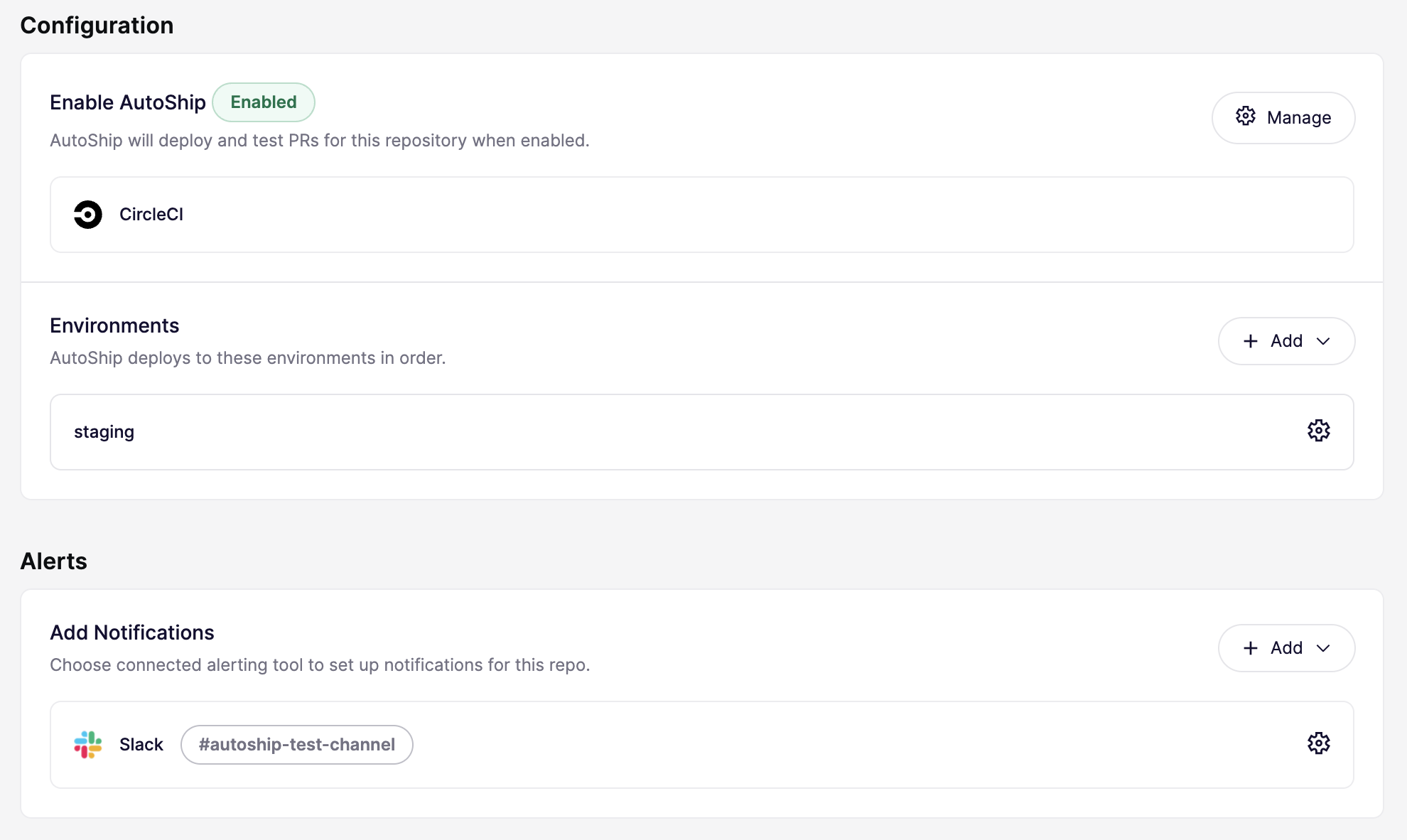
Once the integrations are configured, you need to enable them for your repositories.
#CI/CD
Choose the CI/CD system that is used for this particular repository. No further configuration required.
#Environments
Define the environments for Aikido Deploy to deploy. You can deploy to multiple environments in sequence, for example first deploying and testing to a staging environment before deploying and testing to a production environment.
This can be configured per repository, for critical repositories you probably want to deploy to a staging enviroment and perform a manual verifcation before deploying to production.
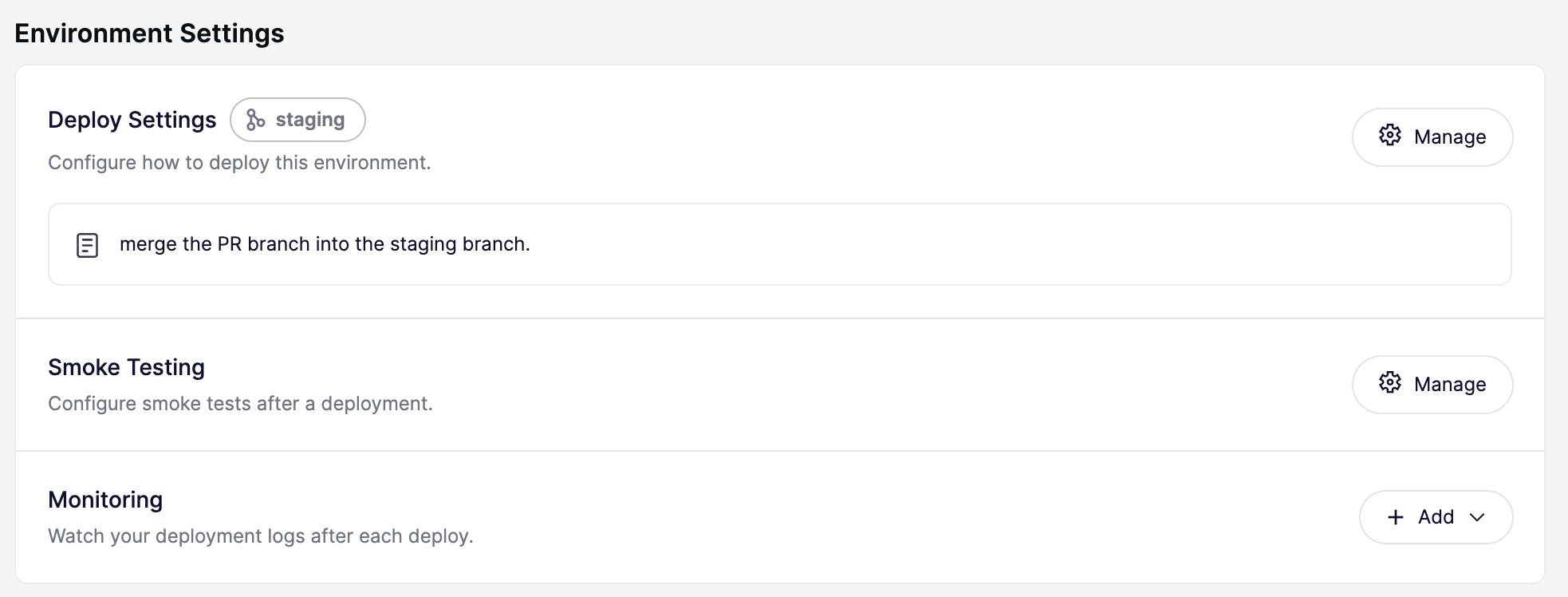
In the environment configuration you can specify:
- How Aikido Deploy should deploy to this environment. These are a free-text instructions, eg.
merge the PR branch into the staging branch. - How Aikido Deploy should test the functionality. Here you configure which domain should be tested, how to authenticate to the domain and provide free-text instructions on how to test, eg.
add a product to the basket and check it is present on the checkout page. More information about smoke testing. - How Aikido Deploy should detect regressions. Point Aikido Deploy to the monitoring system used for this particular repository & environment. Eg. where to find the Cloudwatch logs for the service in staging.
#Alerting
Specify on which Slack channel you want to be notified about the Aikido Deploy progress.
#IP addresses for Aikido Deploy
Make sure your CI/CD and monitoring tools allow access from these IP addresses:
-
18.200.42.253 -
52.51.229.214 -
52.214.244.18 -
18.202.209.180 -
52.50.198.227 -
52.51.98.186
The IP addresses for Smoke Testing can be found here.
#Try it!
Add the label you specified (eg. deploy) on a pull request.
- The Aikido Deploy app will show up in the GitHub checks
- A Slack message will be posted