> For the complete documentation index, see [llms.txt](https://help.aikido.dev/llms.txt). Markdown versions of documentation pages are available by appending `.md` to page URLs; this page is available as [Markdown](https://help.aikido.dev/getting-started/task-management-systems/all-supported-task-trackers/jetbrains-youtrack.md).

# JetBrains YouTrack

This one-time setup *per workspace* allows everyone in your Aikido organization to create issues directly in YouTrack.

Following use cases are supported :

* **Automated Ticket Creation**: Automatically create and push tickets to specified YouTrack projects for seamless tracking of security issues.
* **Manual Ticket Addition**: Manually add security issue tickets to YouTrack, ensuring targeted attention for critical vulnerabilities.

## Connecting the Aikido App to YouTrack <a href="#connecting-the-aikido-app-to-youtrack" id="connecting-the-aikido-app-to-youtrack"></a>

1. Navigate to [Integration Settings](https://app.aikido.dev/settings/integrations) within the Aikido app.
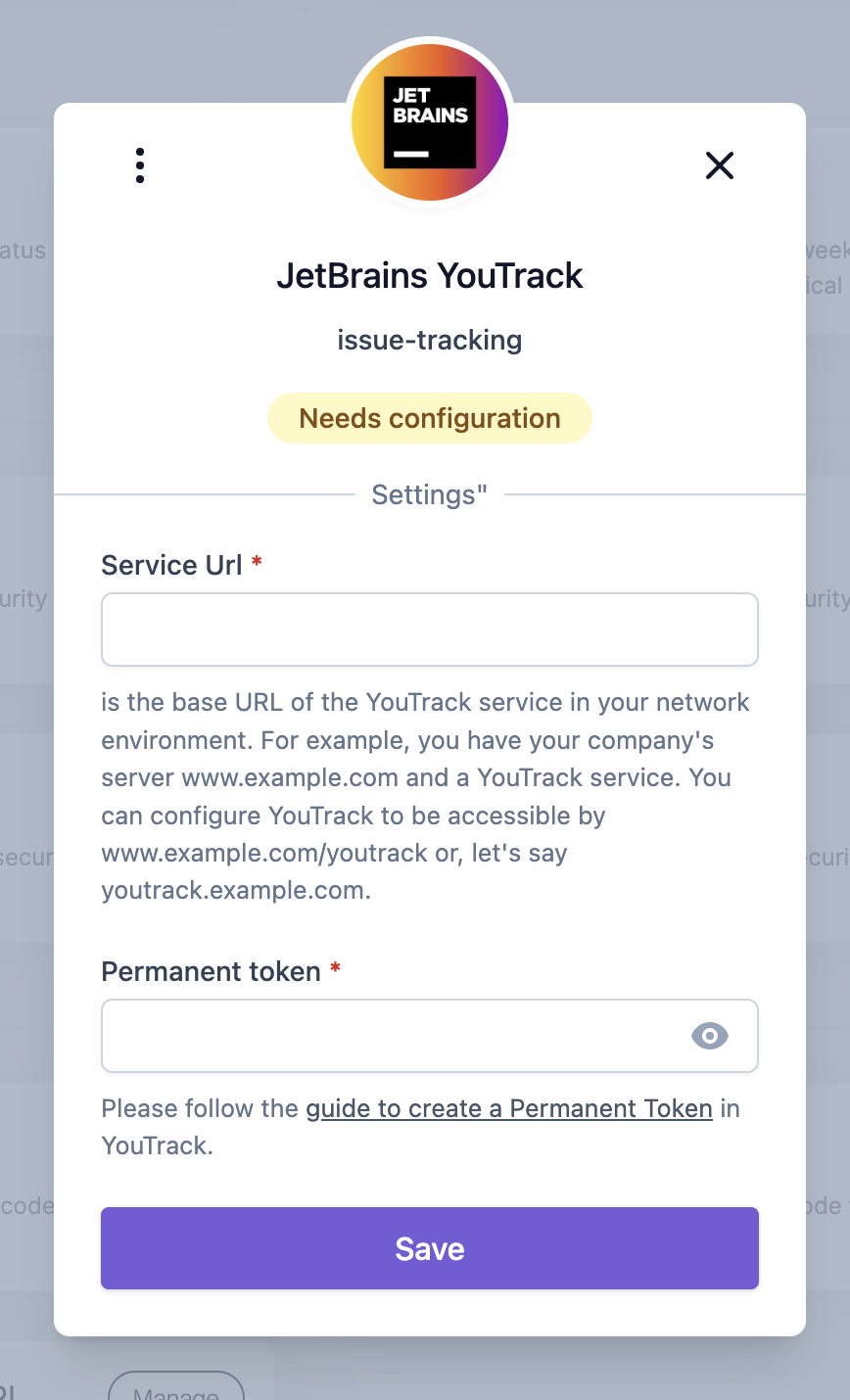
2. In the 'Task Trackers' section, select 'YouTrack'\
   A modal will request the **Service URL** (of your YouTrack space) and the **Permanent Token**. The permanent token can be generated inside Profile -> Account Security in YouTrack.\
   ​

   ![JetBrains YouTrack integration setup screen requiring configuration for Service URL and token.](/files/nR8yBRFDPq7Ds5qRFEhj)
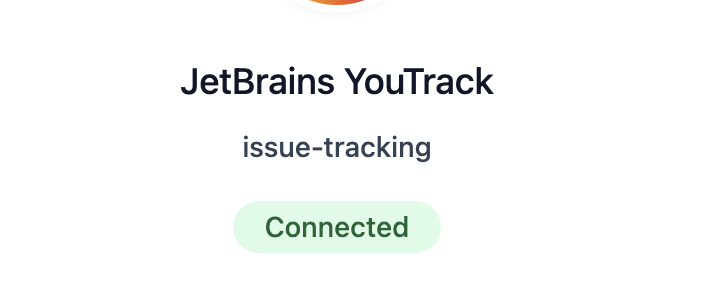
3. When you have filled in the credentials correctly, the 'Connected' status will appear.\
   ​

   ![JetBrains YouTrack issue-tracking integration is successfully connected.](/files/PI4L18HBnaT58d92RvLL)
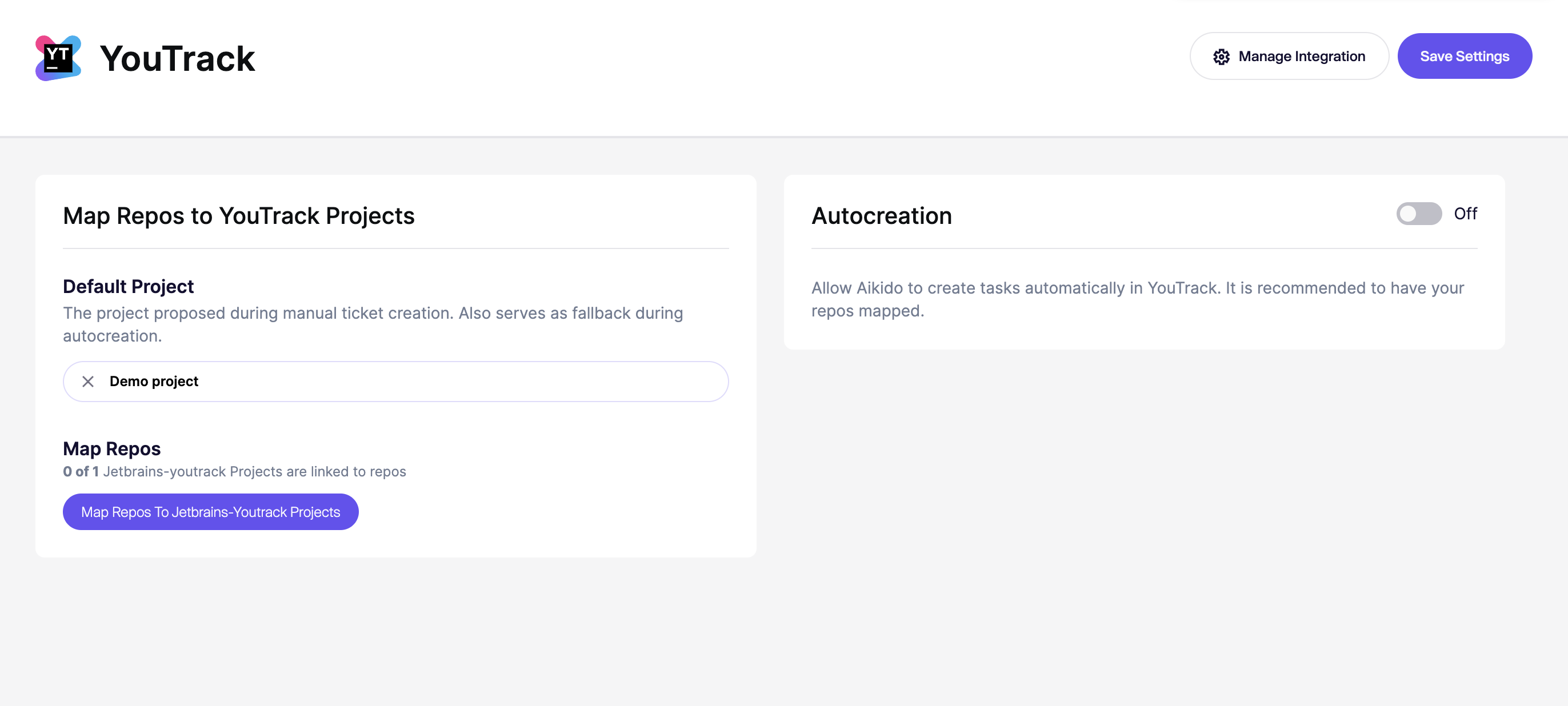
4. Close the modal & open the YouTrack Integration page.\
   ​

![Map Git repositories to YouTrack projects and enable automatic task creation.](/files/sXRyzFb9HfkYAefHN4zN)

## Options for Task Creation in YouTrack via Aikido <a href="#options-for-task-creation-in-youtrack-via-aikido" id="options-for-task-creation-in-youtrack-via-aikido"></a>

There are two different options to create new tasks from Aikido into YouTrack.

1. Manually create tasks from the Aikido interface
2. Automatically create new tasks via Aikido's auto creation functionality.

### 1. Manual Task Creation <a href="#id-1-manual-task-creation" id="id-1-manual-task-creation"></a>

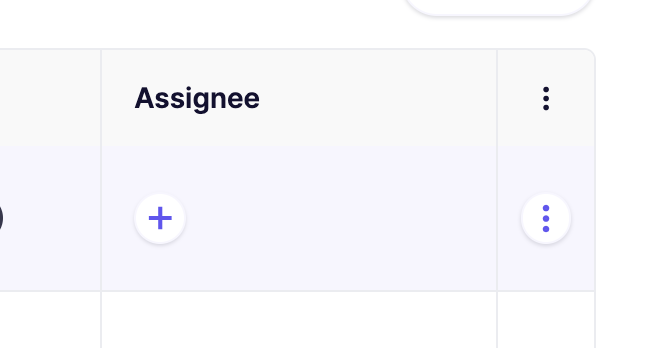
1. Hover over any issue in your feed and click the ***+*** in the **assignee column.**\
   ​

   ![Task assignment table section with options to add or manage assignees.](/files/qHdYxduZ8eHuhsF9A0fa)

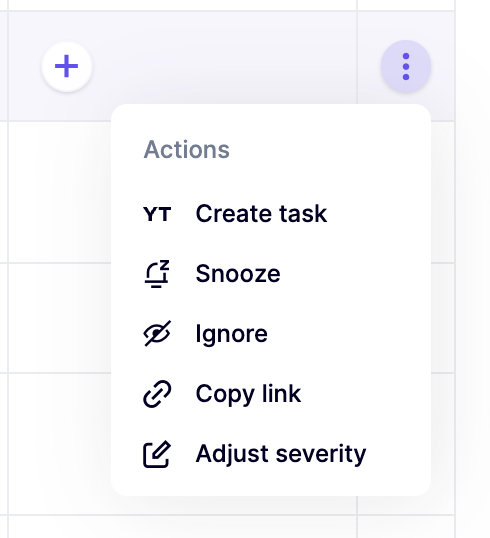
   Alternatively, you can click the triple dots in the last columns to open up the action menu. If you have grouped issues, the triple dot action menu is available on every subissue.\
   ​

   ![Action menu with options: create task, snooze, ignore, copy link, adjust severity.](/files/dmoFPYsMahfGkaO0NHiV)

   ​
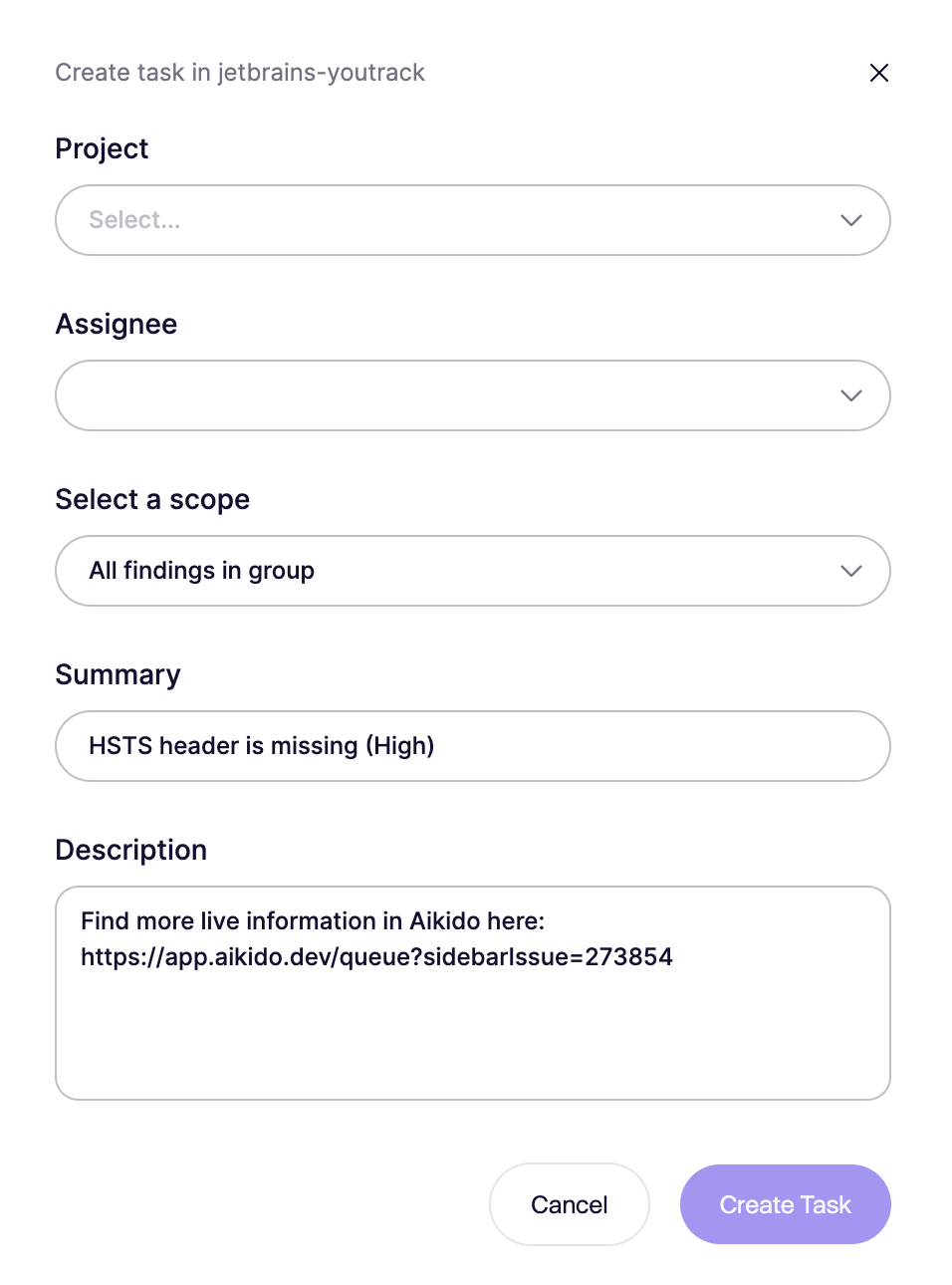
2. Fill in the required details in the popup modal.\
   ​

   ![Form for creating a security task in JetBrains YouTrack with summary and details.](/files/suUfg9cnlmmDTE2ZARzq)
3. The newly created task in YouTrack will be linked in the Aikido Issue Detail under the 'Tasks' tab (sidepanel).\
   ​

   ![Security alert: HSTS header missing, high severity, reported by admin.](/files/SzC6c0VnjA64HsJ4vAyS)

### 2. Automated Task Creation <a href="#id-2-automated-task-creation" id="id-2-automated-task-creation"></a>

{% hint style="info" %}
Aikido will automatically create tasks **every hour in bulk.** There is at the moment no option to trigger this manually.
{% endhint %}

1. Go to the [YouTrack Integration](https://app.aikido.dev/settings/integrations/tasktracker) settings page
2. Make sure to enable '**Autocreation**' by clicking the toggle to **On.**
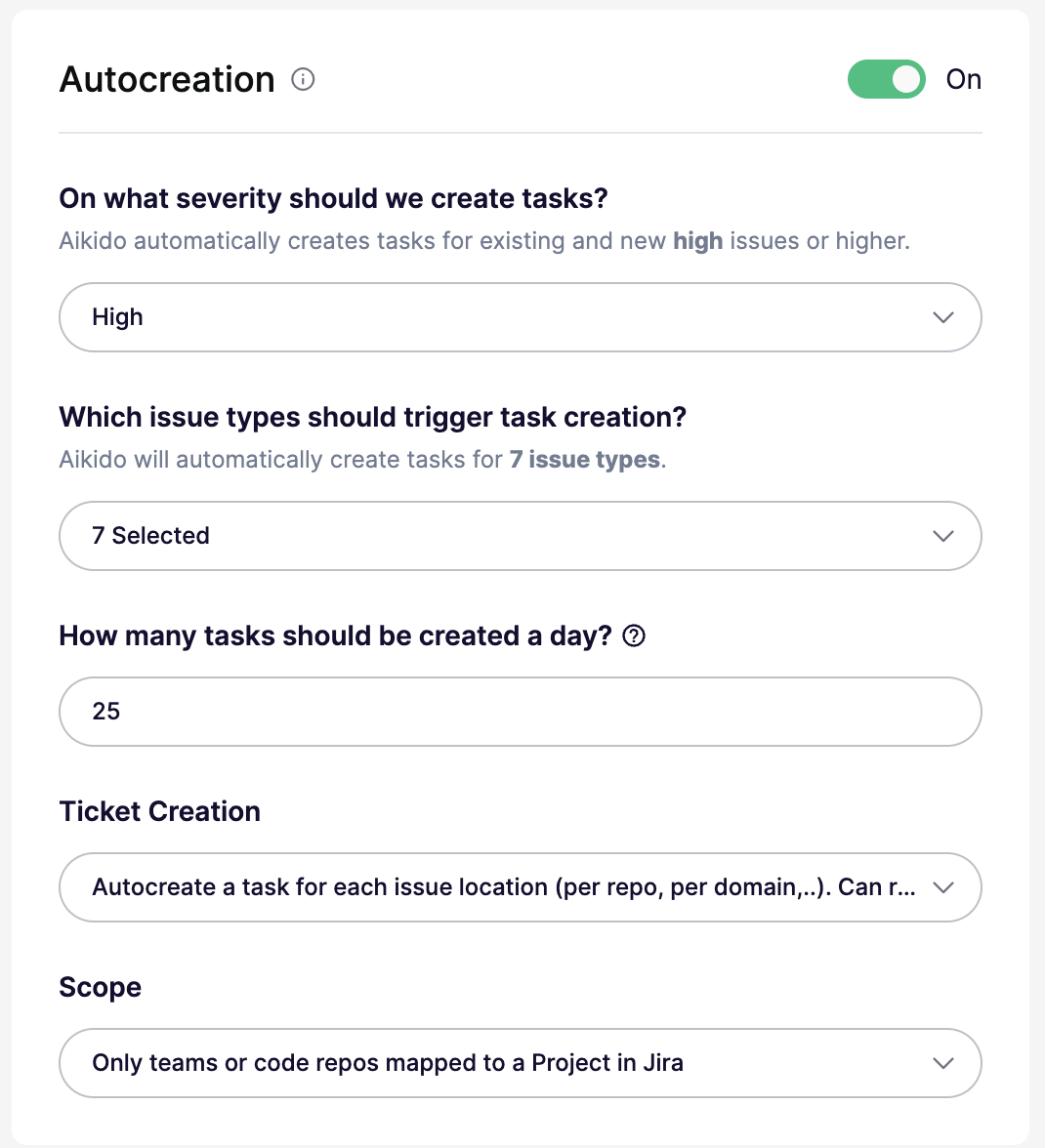
3. Define the criteria for automatic task creation.

You can configure all of these settings in the autocreation modal:

* **On/Off** — Enable or disable autocreation. When off, the threshold is effectively set to `None`.
* **Severity threshold** — Create tickets for issues at `Critical`, `High`, `Medium`, or `Low` and above. For example, `High` creates tickets for `High` and `Critical`.
* **Issue types** — Create tickets for all issue types, or limit them to specific types like `SCA`, `SAST`, `Secrets`, `Cloud`, `IaC`, `Malware`, or `License`.
* **Daily limit** — Set the maximum number of tickets created per day. The default is `25`. Some plans support higher limits.
* **Ticket creation mode** — Create one ticket per issue group, or create separate tickets per location or scope. Per-location mode can create more tickets.
* **Scope** — Available only in per-location mode. Target all repos or clouds, only mapped repos or teams, or specific repos or clouds with include and exclude lists.
<figure><img src="/files/j8Ks4x8224kIfTgKPXEk" alt=""><figcaption></figcaption></figure>

4. Aikido will then autonomously generate YouTrack tickets based on these settings 🚀\
   ​


---

# Agent Instructions
This documentation is published with GitBook. GitBook is the documentation platform designed so that both humans and AI agents can read, navigate, and reason over technical content effectively. Learn more at gitbook.com.

## Querying This Documentation
If you need additional information that is not directly available in this page, you can query the documentation dynamically by asking a question.

Perform an HTTP GET request on the current page URL with the `ask` query parameter, and the optional `goal` query parameter:

```
GET https://help.aikido.dev/getting-started/task-management-systems/all-supported-task-trackers/jetbrains-youtrack.md?ask=<question>&goal=<endgoal>
```

`ask` is the immediate question: it should be specific, self-contained, and written in natural language.
`goal` is optional and describes the broader end goal you are ultimately trying to accomplish on behalf of the user. GitBook uses it to tailor the answer towards what is most useful for that goal.

The response will contain a direct answer to the question and relevant excerpts and sources from the documentation.

Use this mechanism when the answer is not explicitly present in the current page, you need clarification or additional context, or you want to retrieve related documentation sections.