> For the complete documentation index, see [llms.txt](https://help.aikido.dev/llms.txt). Markdown versions of documentation pages are available by appending `.md` to page URLs; this page is available as [Markdown](https://help.aikido.dev/pentests/configure-a-pentest/setting-up-authenticated-testing/handling-files-for-authentication.md).
# Authenticate Via Scripts
This is the **Login via Script** flow. Use it when your authentication needs a file the agent can run, sign with, or read - for example a login script, a client certificate, or a reference document that drives the login.
**Use this feature if:**
* You have a **script** that performs login and emits session tokens, cookies, or headers.
* You authenticate via **client certificates or signed requests** (`.pem`, `.crt`, `.key`, `.p12`, `.pfx`, `.csr`, `.pub`).
* The agent needs **reference material** to authenticate (`.pdf`, `.md`, `.txt`, `.csv`, `.json`, `.yaml`, `.yml`) - e.g. KYC documents, GraphQL trusted documents, or account lists.
{% hint style="info" %}
Only `.py` files are **executed** (Python 3, in a sandboxed environment). All other supported file types are made available to the agent as reference inputs - the agent reads them and uses them to follow your instructions.
{% endhint %}
### Setup Guide
{% stepper %}
{% step %}
**Add a Test User**
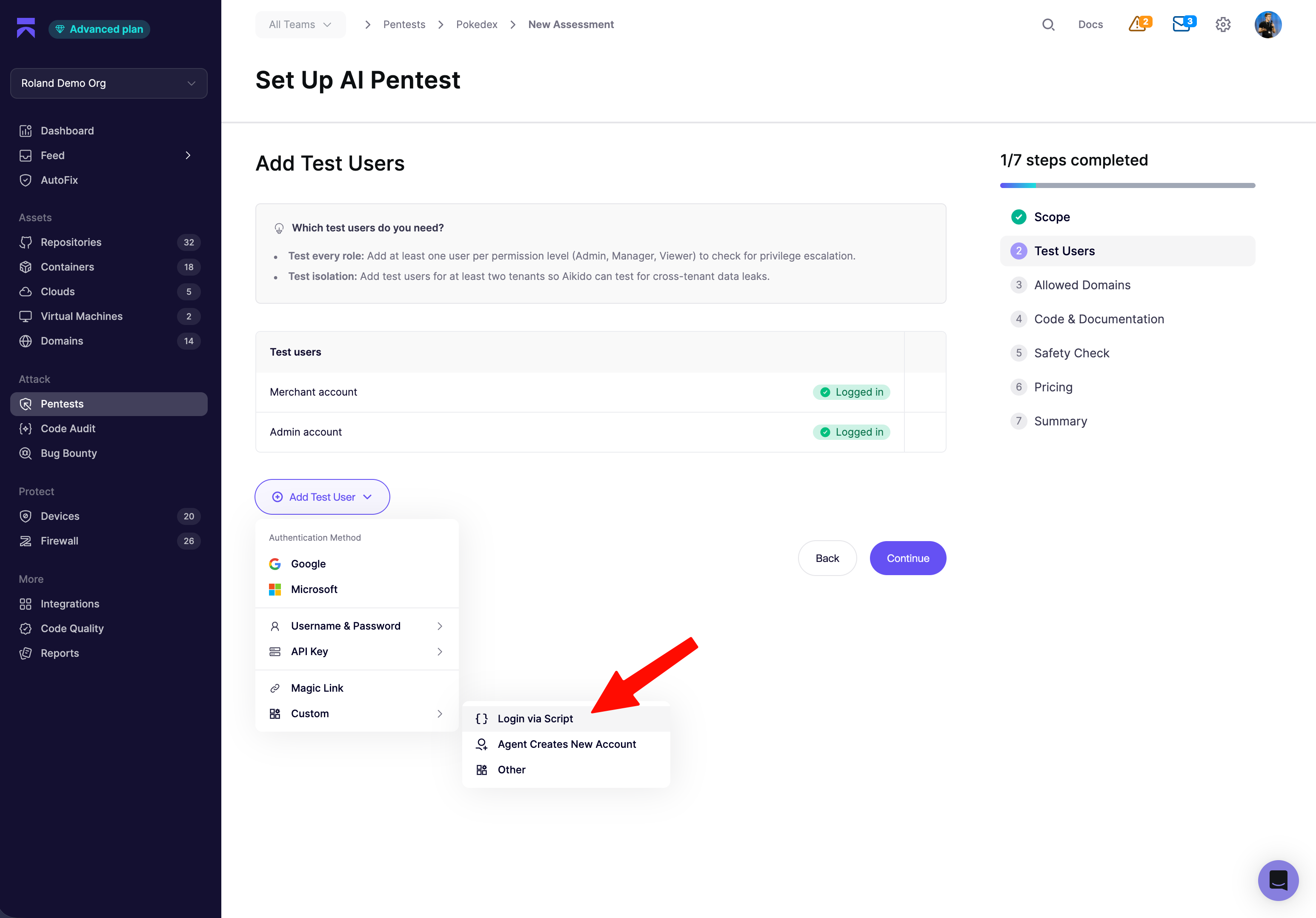
In the assessment wizard, click **Add Test User** → **Custom** → **Login via Script**.
{% endstep %}
{% step %}
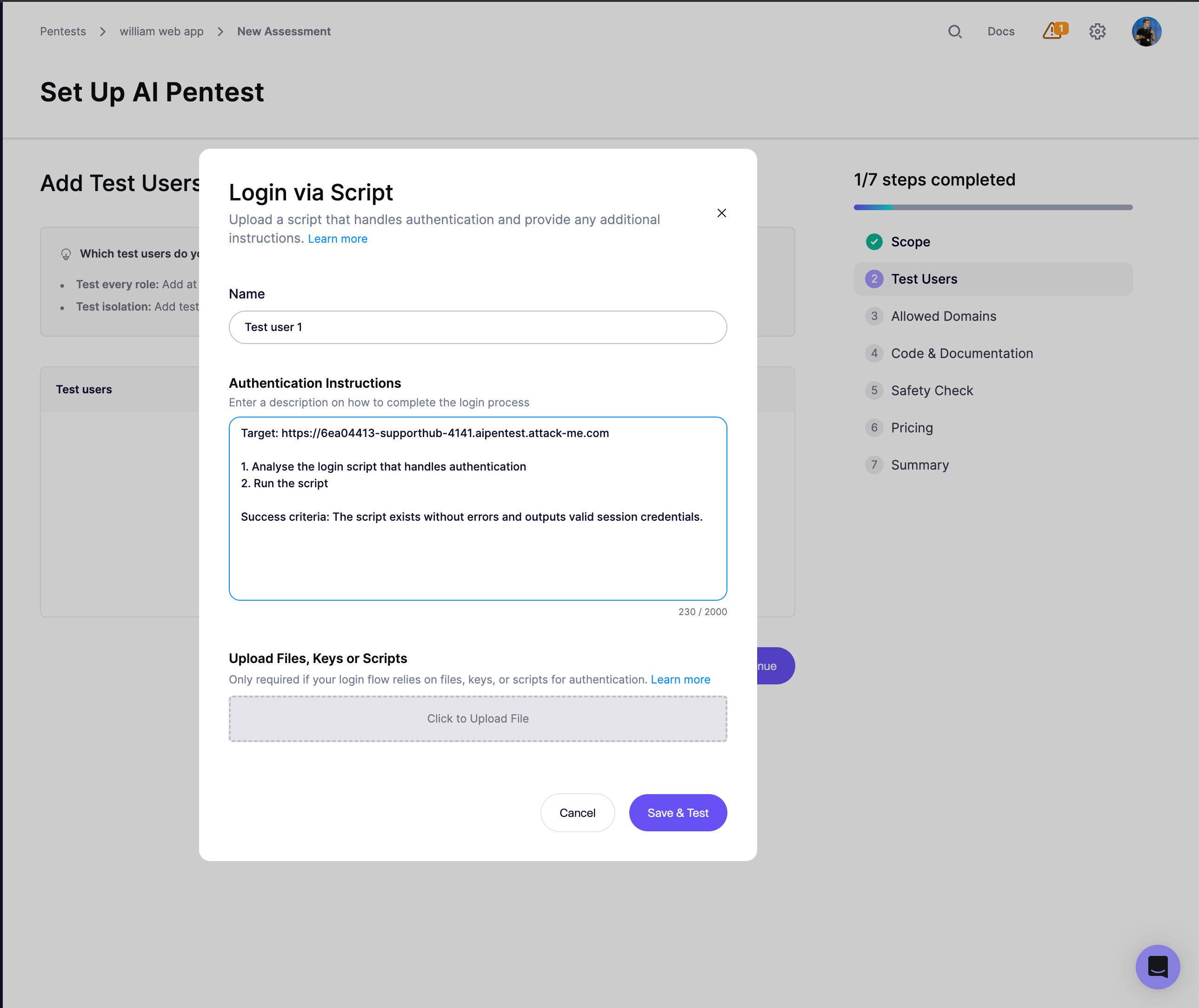
**Write Authentication Instructions**
Aikido pre-fills the **Authentication Instructions** field with a starting template:
Edit it to describe exactly what the agent should do with your file. Keep the **Success criteria** line unambiguous - a visible string on the post-login page or a specific status code works well, so the agent can self-verify.
{% endstep %}
{% step %}
**Upload Files, Keys or Scripts**
Drop your file into the upload box. Only one file per test user; max **2 MB**; extensions limited to the list above.
If you're uploading a Python script, the agent adapts it as needed and runs it with `python3`.
{% endstep %}
{% step %}
**Save & Test**
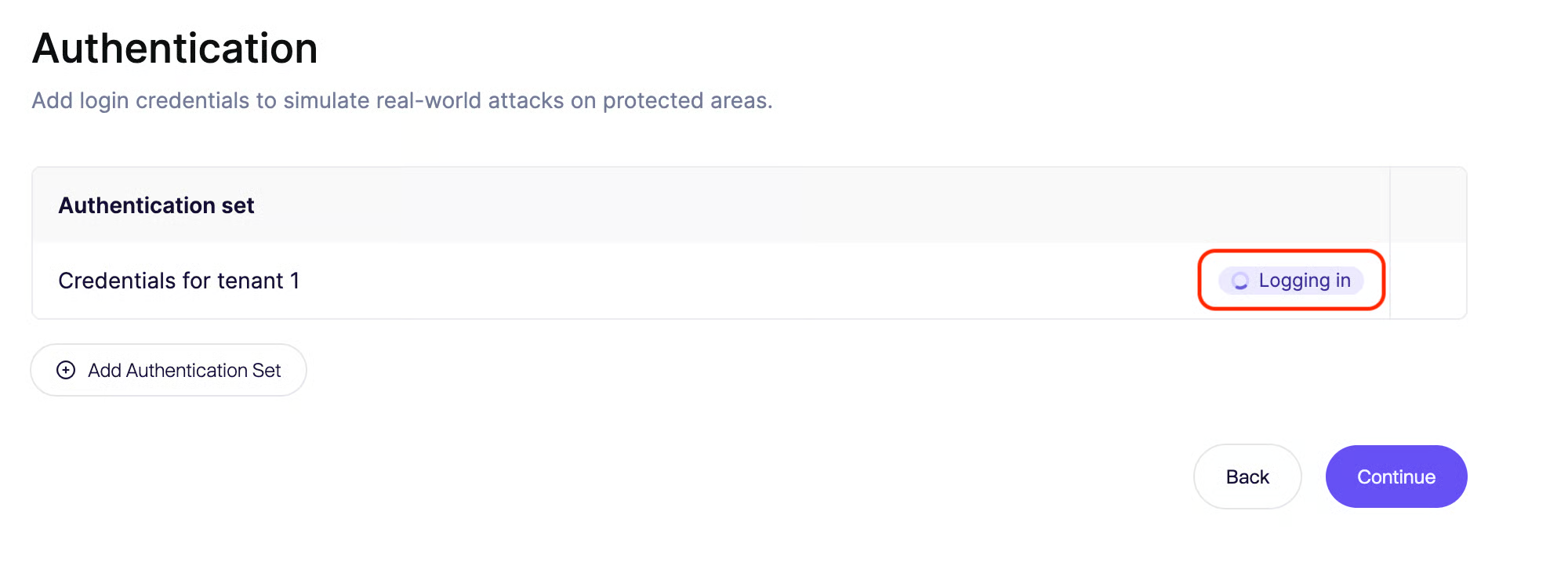
Click **Save & Test**. Preflight launches the agent, which follows your instructions (running the script or consulting the uploaded file) and confirms it reaches the post-login state. If preflight passes, the session is captured for the main pentest.
{% endstep %}
{% endstepper %}
### Tips & Best Practices
* **Keep scripts self-contained.** Use only the Python3 standard library where possible - there's no `pip install` step at runtime.
* **For certificates,** mention the filename and path conventions in your instructions - e.g. *"Use the uploaded `client.p12` with passphrase `` to sign requests to `/api`."*
* **Passkeys** are not yet supported. In case you need this capability, contact us so we are aware!
---
# Agent Instructions
This documentation is published with GitBook. GitBook is the documentation platform designed so that both humans and AI agents can read, navigate, and reason over technical content effectively. Learn more at gitbook.com.
## Querying This Documentation
If you need additional information that is not directly available in this page, you can query the documentation dynamically by asking a question.
Perform an HTTP GET request on the current page URL with the `ask` query parameter, and the optional `goal` query parameter:
```
GET https://help.aikido.dev/pentests/configure-a-pentest/setting-up-authenticated-testing/handling-files-for-authentication.md?ask=&goal=
```
`ask` is the immediate question: it should be specific, self-contained, and written in natural language.
`goal` is optional and describes the broader end goal you are ultimately trying to accomplish on behalf of the user. GitBook uses it to tailor the answer towards what is most useful for that goal.
The response will contain a direct answer to the question and relevant excerpts and sources from the documentation.
Use this mechanism when the answer is not explicitly present in the current page, you need clarification or additional context, or you want to retrieve related documentation sections.