> For the complete documentation index, see [llms.txt](https://help.aikido.dev/llms.txt). Markdown versions of documentation pages are available by appending `.md` to page URLs; this page is available as [Markdown](https://help.aikido.dev/code-scanning/connect-your-source-code/connect-github-enterprise.md).
# Connect GitHub Enterprise (Cloud & Server)
Aikido integrates with [Github Enterprise Cloud](https://docs.github.com/en/get-started/onboarding/getting-started-with-github-enterprise-cloud) and [GitHub Enterprise Server](https://docs.github.com/en/enterprise-server@3.19/admin/overview/about-github-enterprise-server) through a secure, app-based connection. This allows Aikido to access the repositories you choose while keeping full control.
{% hint style="warning" %}
Please make sure that you have sufficient permissions in the GitHub Server Organizations to install apps. This can usually only be done by organization admin and owners.
{% endhint %}
### Installation
Aikido connects to your GitHub Enterprise setup by creating a GitHub App on your server. The app includes the permissions and callbacks needed for Aikido to work. After it is created, you can install it in any organisation on your GitHub Server instance that you want to link to Aikido.\
\
To create the GitHub app on your instance, follow the steps below.
{% stepper %}
{% step %}
**Create your account**
If you don’t have an Aikido account yet, create one through Google or Microsoft first. This is required before you can connect your GitHub Enterprise Server.
Open the [onboarding page](https://app.aikido.dev/onboarding/self-managed/select-onboarding-type) and select "GitHub Enterprise", this should bring you to the installation page. Enter the URL of your GitHub Enterprise and click `Next, Install App`.
{% hint style="warning" %}
If your GitHub Enterprise Server is not reachable from the internet, enable the Broker setting.
For details about how the Aikido Broker works, [see the documentation.](/miscellaneous-info/aikido-broker-for-internal-applications.md)
{% endhint %}
{% endstep %}
{% step %}
**Install Aikido Github App on your Github Enterprise**
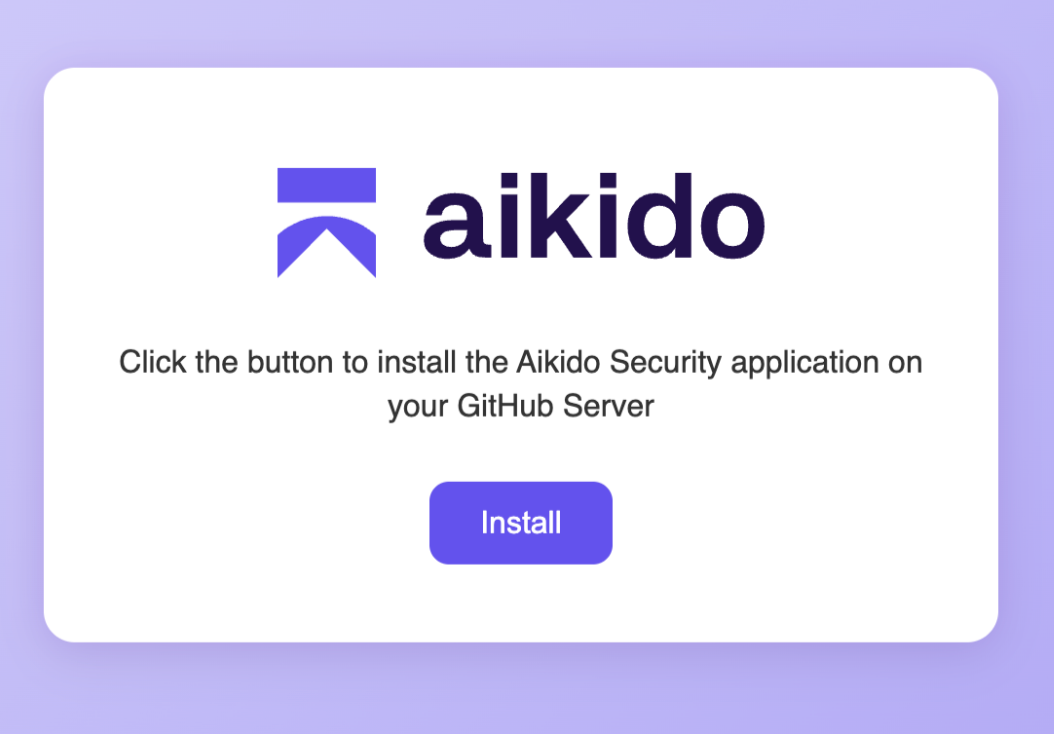
A file named `install.html` is downloaded to your machine. It contains an HTML page with a form that sends a JSON payload to your GitHub Enterprise to create the GitHub App.
Open the file in your browser and select Install to continue the setup process.
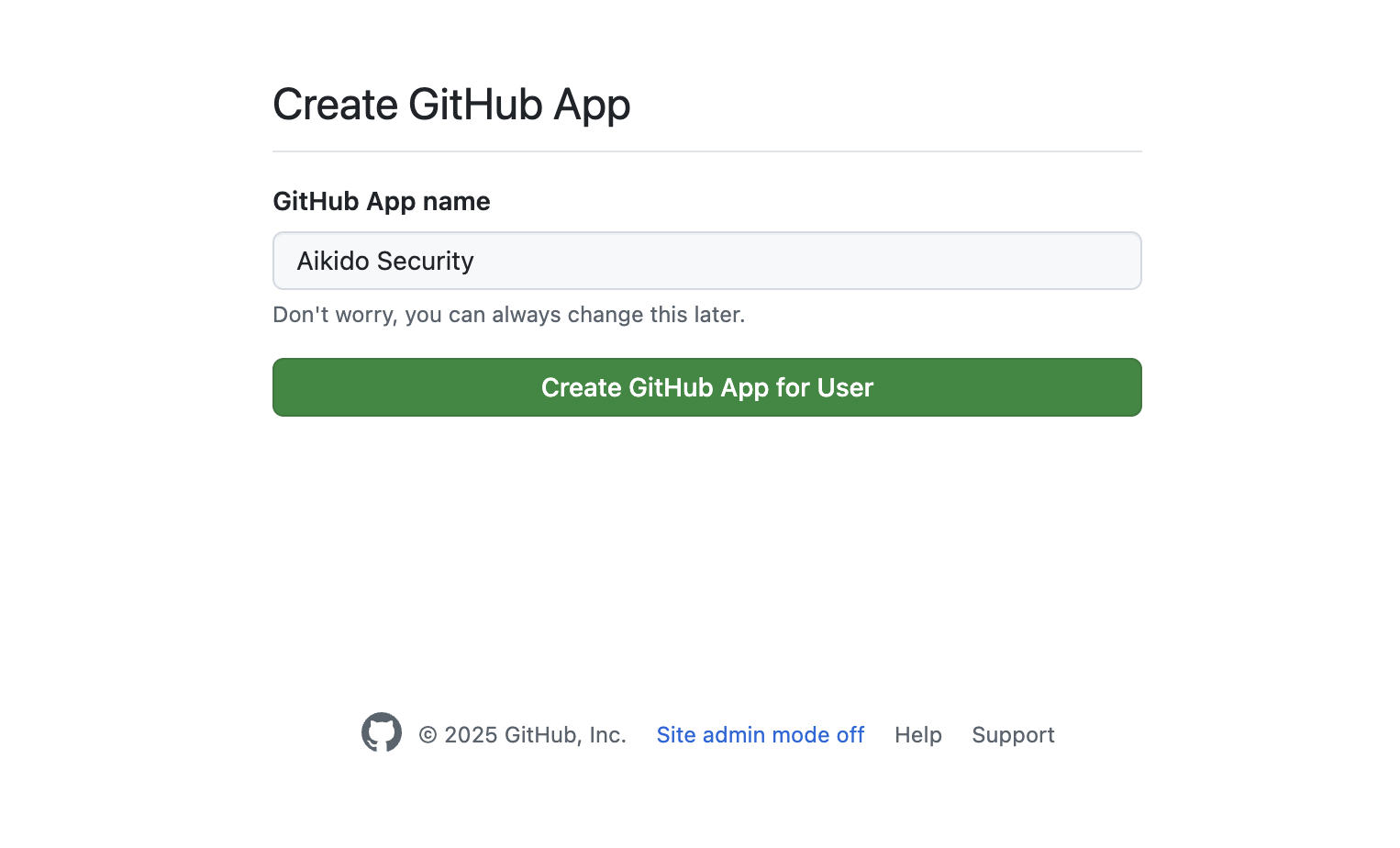
After clicking "Install" you are redirected to a page on your GitHub Enterprise that prompts you to install the app. Choose `Create GitHub App for User` to create the app on your server.
{% endstep %}
{% step %}
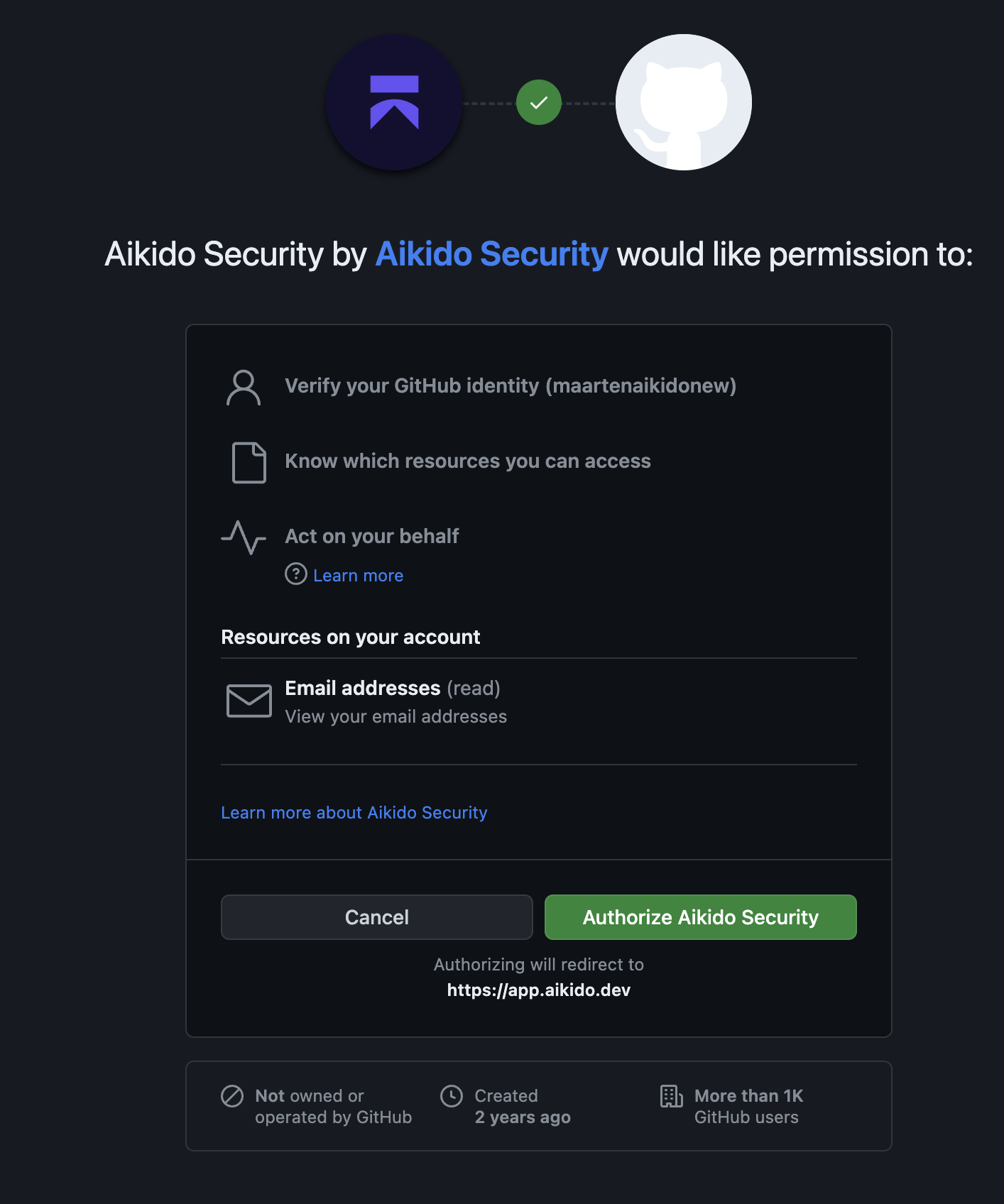
**Authorize Aikido Github app**
Now you need to authorize the new GitHub App with your user account through OAuth. This step confirms that the app was created correctly and that you have permission to use it. The screen you see will be similar to the example below.
{% endstep %}
{% step %}
**Connect Github organization**
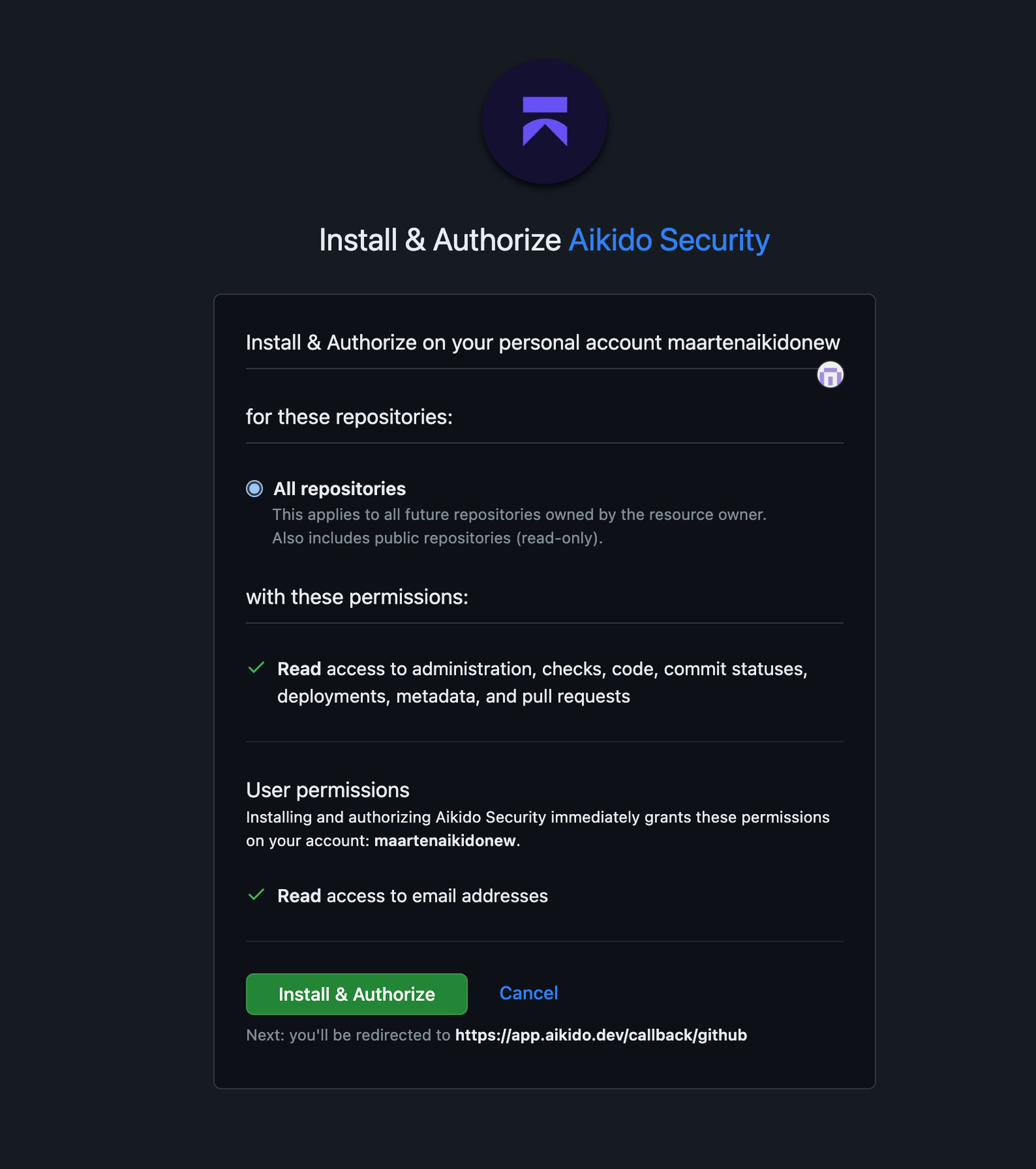
Choose the GitHub organisation where you want to install the application and link it to Aikido. You can add more organisations later. After selecting the organisation, confirm the authorization for the GitHub App.
You are now redirected back to Aikido where you can choose which repositories should be scanned. Select the repositories you want and continue. Aikido will start scanning the chosen applications.
{% endstep %}
{% step %}
**Explore Aikido**
After granting access and validating the repositories you want to scan, Aikido will automatically start scanning. After about 1 minute, you should see the first results come in
{% endstep %}
{% endstepper %}
#### Managing the GitHub Enterprise App
{% content-ref url="/pages/5YL34gWIMKDGXRu439cp" %}
[Connect additional organizations to Aikido](/code-scanning/connect-your-source-code/connect-github-enterprise/connect-additional-organizations-to-aikido.md)
{% endcontent-ref %}
{% content-ref url="/pages/a6y6CCo8IlNrKKxZfNFp" %}
[Transferring Ownership of the Aikido App in Github Enterprise (Cloud & Server)](/code-scanning/connect-your-source-code/connect-github-enterprise/transferring-ownership-of-the-aikido-app-in-github-enterprise.md)
{% endcontent-ref %}
---
# Agent Instructions
This documentation is published with GitBook. GitBook is the documentation platform designed so that both humans and AI agents can read, navigate, and reason over technical content effectively. Learn more at gitbook.com.
## Querying This Documentation
If you need additional information that is not directly available in this page, you can query the documentation dynamically by asking a question.
Perform an HTTP GET request on the current page URL with the `ask` query parameter, and the optional `goal` query parameter:
```
GET https://help.aikido.dev/code-scanning/connect-your-source-code/connect-github-enterprise.md?ask=&goal=
```
`ask` is the immediate question: it should be specific, self-contained, and written in natural language.
`goal` is optional and describes the broader end goal you are ultimately trying to accomplish on behalf of the user. GitBook uses it to tailor the answer towards what is most useful for that goal.
The response will contain a direct answer to the question and relevant excerpts and sources from the documentation.
Use this mechanism when the answer is not explicitly present in the current page, you need clarification or additional context, or you want to retrieve related documentation sections.