# Trends Over Time Report

The [Trends Over Time](https://app.aikido.dev) Report shows how your security posture evolves week by week. It focuses on volume and movement, not just a static snapshot.

This report has two main views:

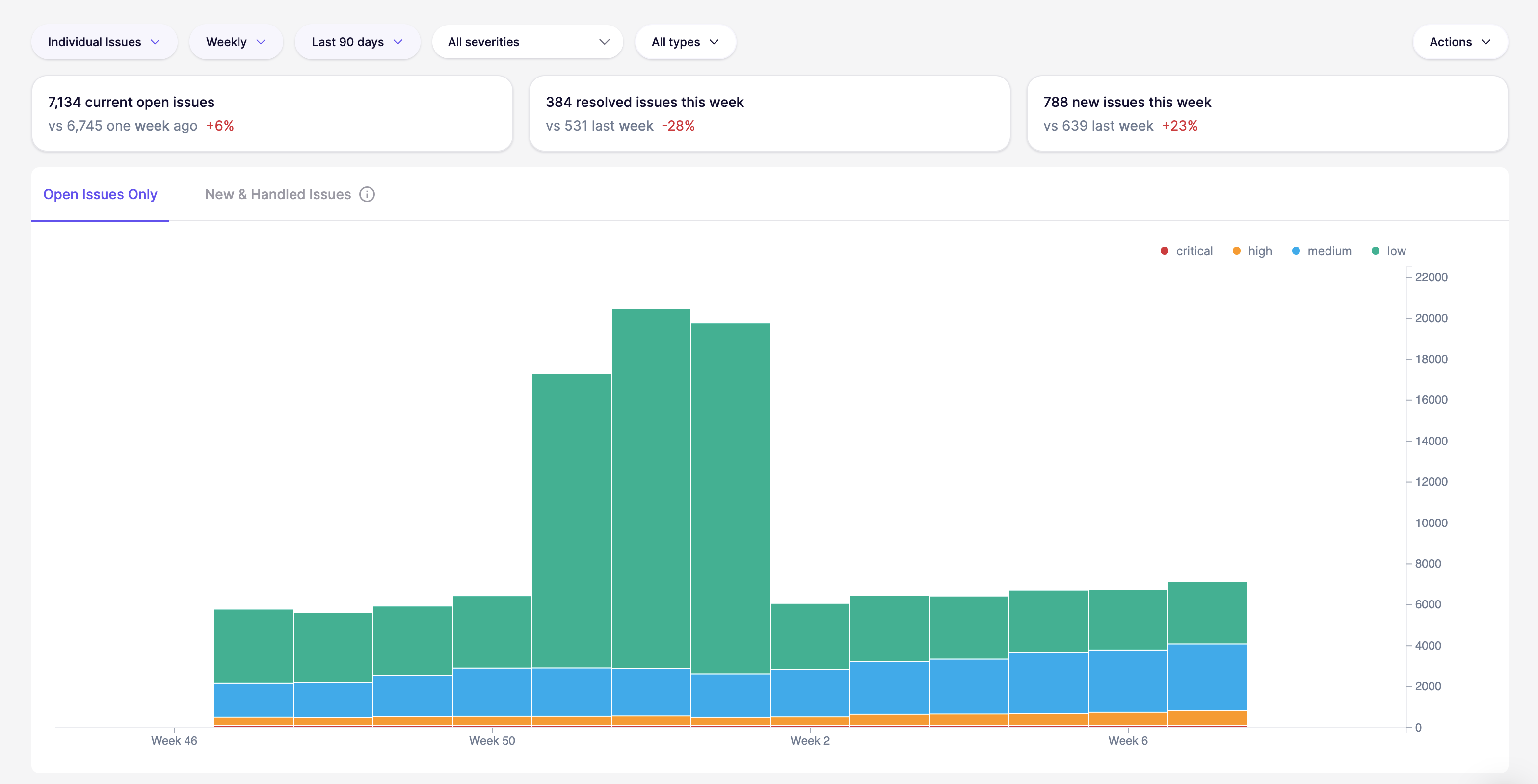
**Open issues**

<figure><img src="/files/mujXc0z38l6cBiKTP9Gd" alt=""><figcaption></figcaption></figure>

Track your outstanding backlog over time. It’s the quickest way to see whether risk is accumulating, flattening out, or dropping.

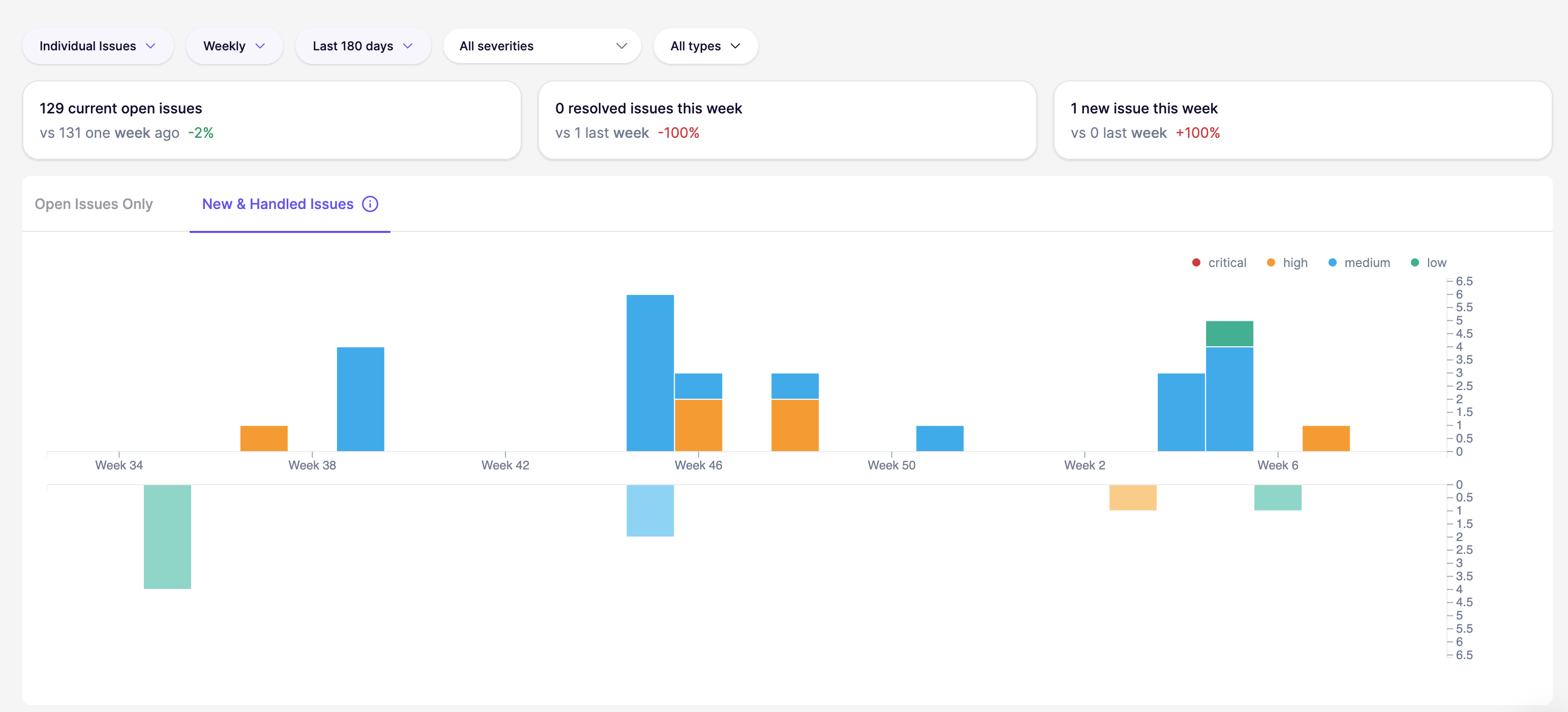
**New & Handled issues**

<figure><img src="/files/2CQM3aCzibB4KA45p5qC" alt=""><figcaption></figcaption></figure>

Compare the inflow of new issues to the number of issues handled in the same period. It helps answer: “Are we reducing the backlog, or just treading water?”

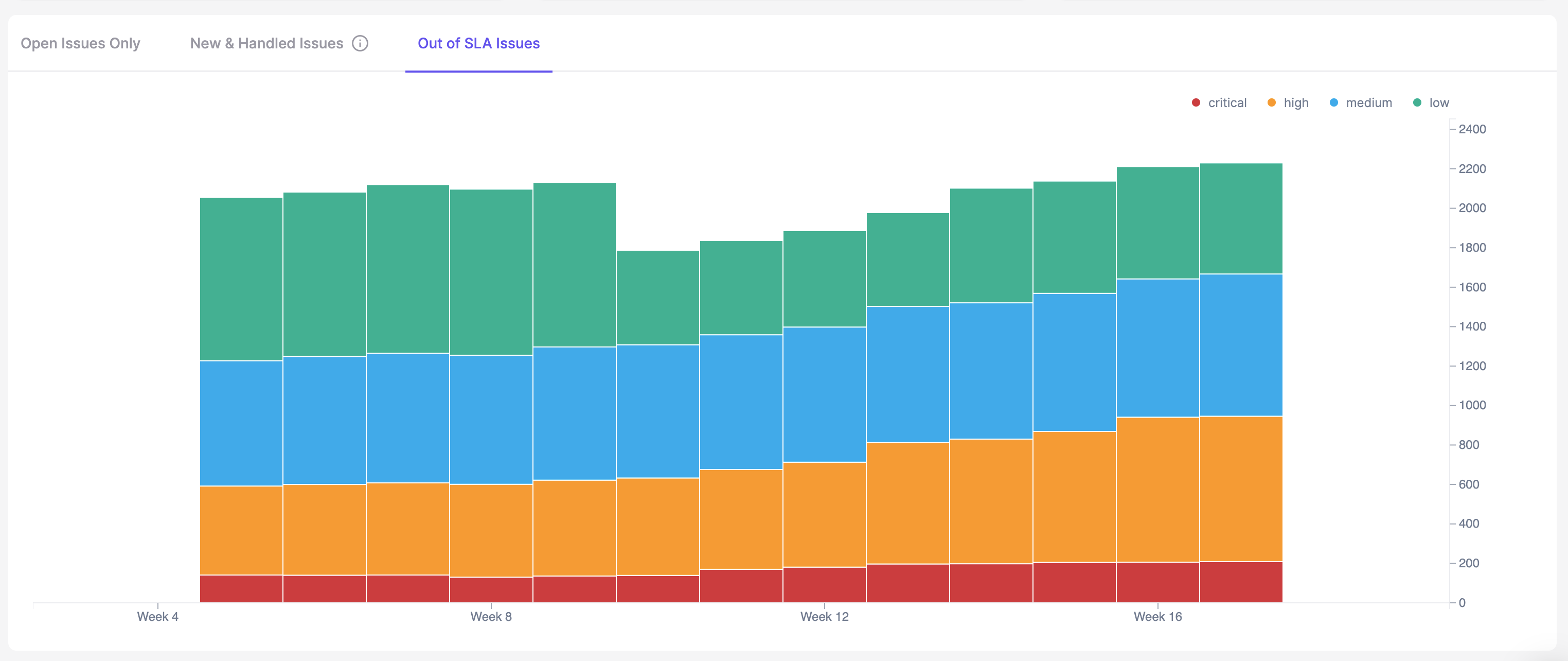
**Out of SLA**

<figure><img src="/files/fWLN72hl1YgtpLcaMQJK" alt=""><figcaption></figcaption></figure>

The Out of SLA chart visually depicts the number of issues that have surpassed their service level agreement (SLA) timelines over a selected period. By analyzing this graph, teams can identify when SLA breaches peak and link them to operational factors to determine root causes.

## When to use this report

Use the Trends report when you need to:

* Track the impact of security initiatives
* Identify recurring spikes in issues
* Understand if teams are keeping up with new findings ￼
* Verify that handled issues consistently match or exceed new issues


---

# Agent Instructions: Querying This Documentation

If you need additional information that is not directly available in this page, you can query the documentation dynamically by asking a question.

Perform an HTTP GET request on the current page URL with the `ask` query parameter:

```
GET https://help.aikido.dev/compliance-and-reporting/reports/trends-over-time-report.md?ask=<question>
```

The question should be specific, self-contained, and written in natural language.
The response will contain a direct answer to the question and relevant excerpts and sources from the documentation.

Use this mechanism when the answer is not explicitly present in the current page, you need clarification or additional context, or you want to retrieve related documentation sections.