> For the complete documentation index, see [llms.txt](https://help.aikido.dev/llms.txt). Markdown versions of documentation pages are available by appending `.md` to page URLs; this page is available as [Markdown](https://help.aikido.dev/cloud-scanning/connect-your-cloud/connect-supabase-organization.md).

# Connect Supabase Organization

### Why connect my Supabase organization?

Securing your cloud infrastructure is crucial to protecting your user data. You can leverage Aikido's security checks to detect and address any misconfigurations in your Supabase projects.

#### **Main use cases**

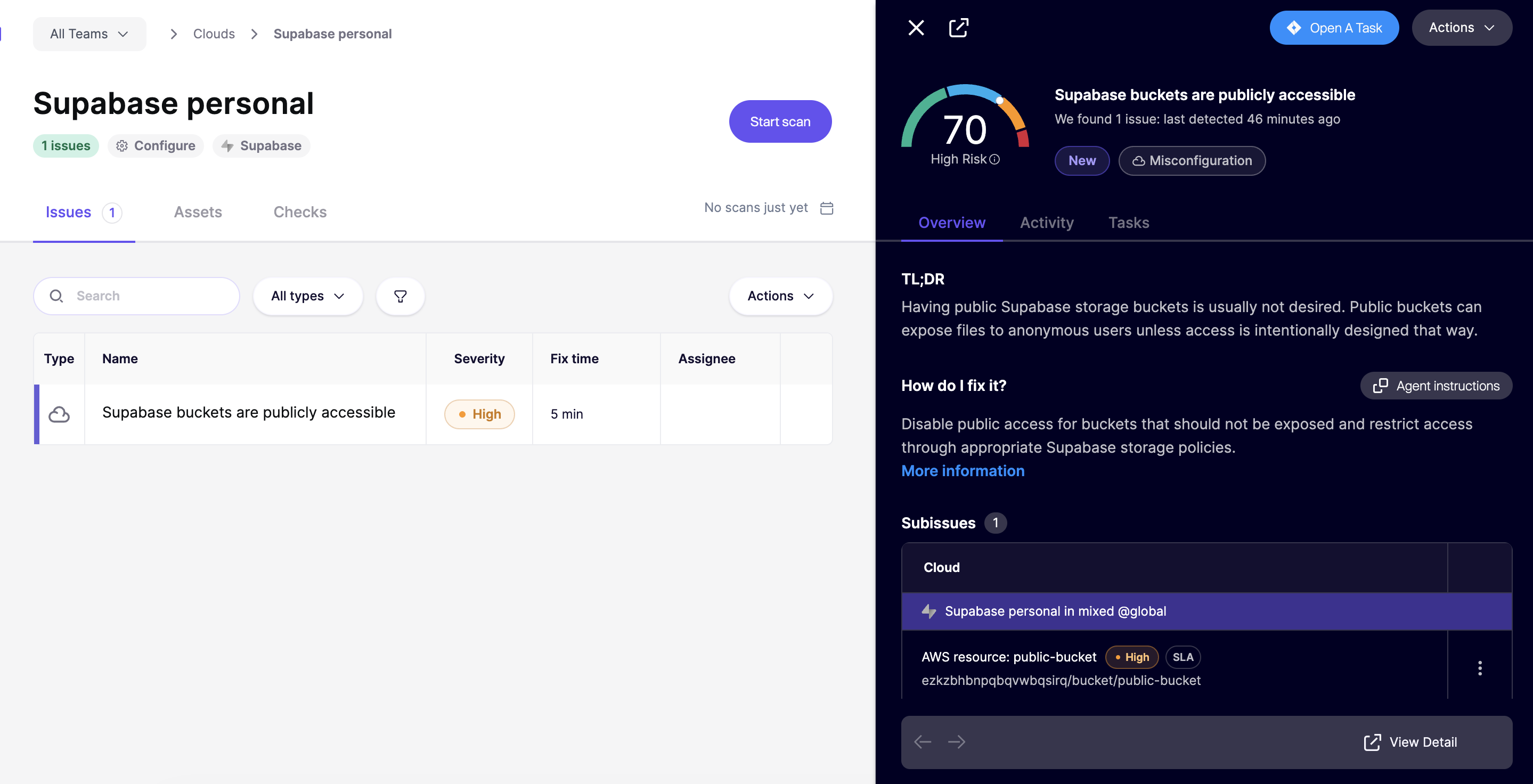
* Aikido surfaces critical cloud misconfigurations that could expose your Supabase projects to attackers - things like overly permissive policies, weak authentication settings, or misconfigured storage buckets. All configuration checks can be found [here.](https://app.aikido.dev/clouds/checks)
* Aikido continuously monitors your Supabase organization for new risks as your setup evolves.

Aikido performs daily compliance scans on the above.
<figure><img src="/files/hbil8ruHYAp4hXbtAfth" alt=""><figcaption></figcaption></figure>

### Getting started <a href="#getting-started" id="getting-started"></a>

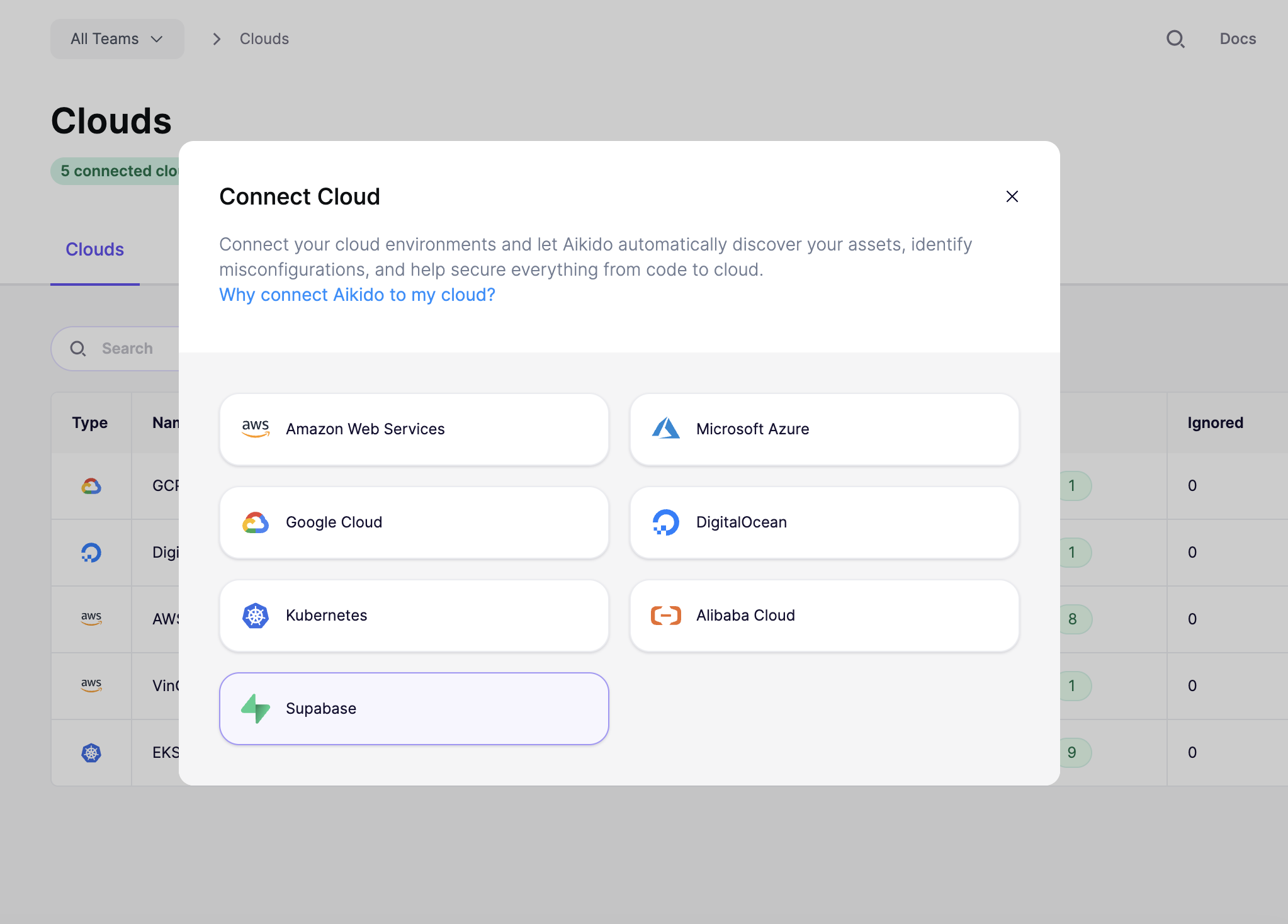
To get started, head to the [cloud overview page](https://app.aikido.dev/clouds) on Aikido and click **"Connect Cloud"**. Select **Supabase** from the list and follow the step-by-step setup wizard.
<figure><img src="/files/2oNzSEqm3uqcH8V7KzLx" alt=""><figcaption></figcaption></figure>

{% stepper %}
{% step %}
**Authorize Aikido in Supabase**

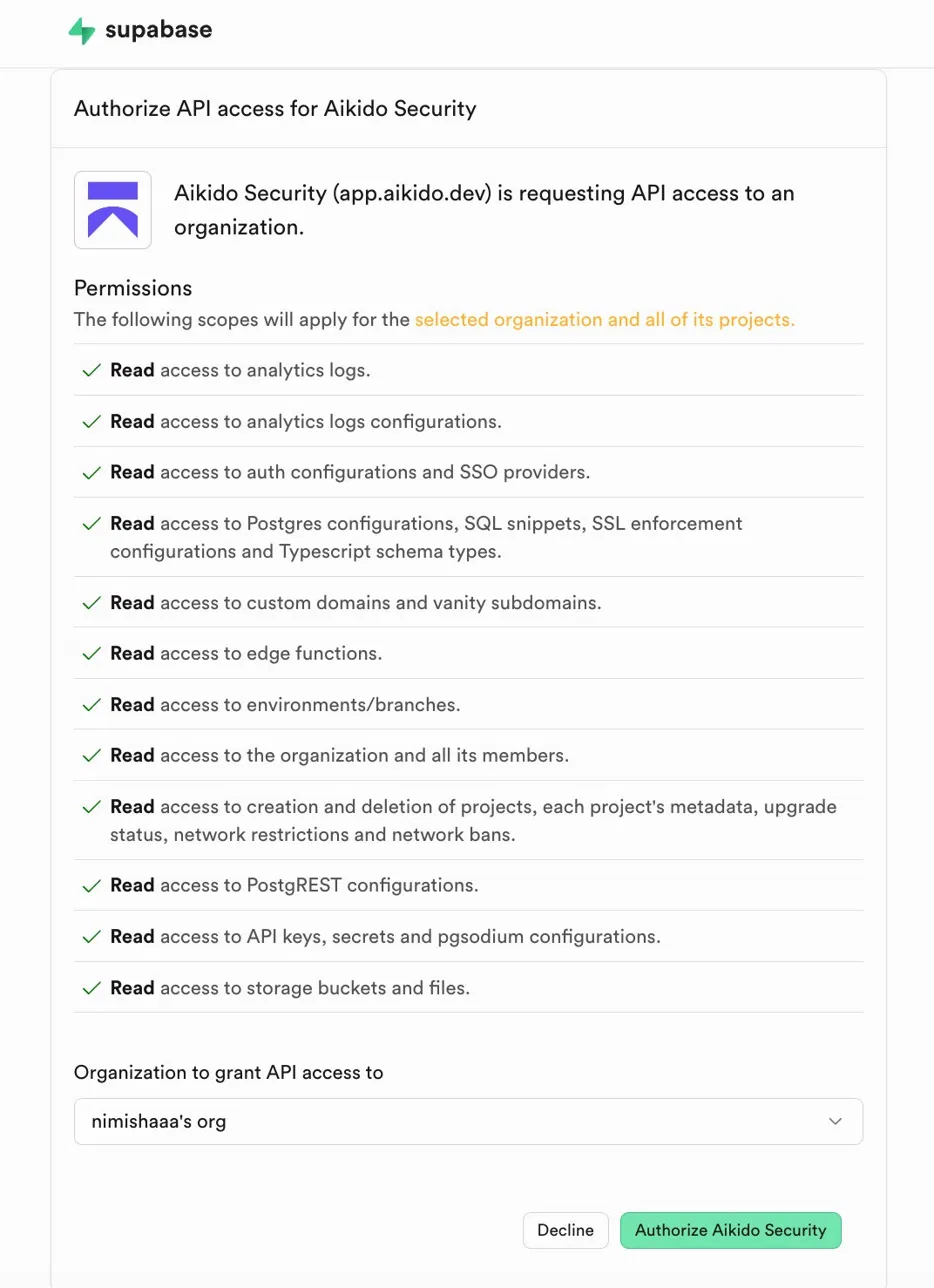
Aikido will redirect you to Supabase to authorize API access. Review the permissions, select the organization you want to connect from the dropdown, and click **"Authorize Aikido Security"**.\
\
![](/files/Qsiw95icAtoBzEa2YRfn)
{% endstep %}

{% step %}
**Name your cloud configuration**

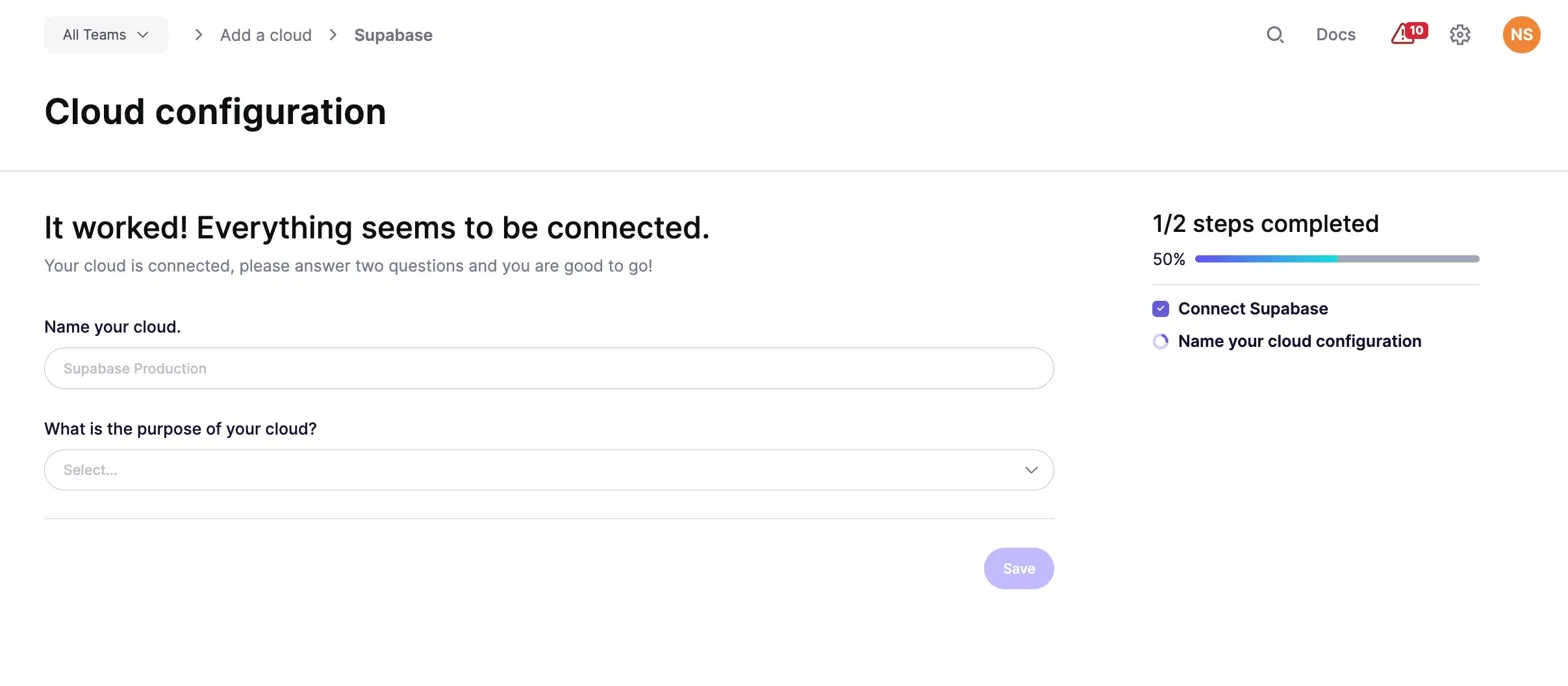
Give your connected project a name in Aikido and specify the environment it operates in (production, staging, etc.). This helps Aikido prioritize findings based on severity and business impact. Click **"Save"**.\
\
![](/files/2TJCZCm3CH4Z4u5CVK18)
{% endstep %}
{% endstepper %}

Within 1-2 minutes after connecting your account, Aikido will report misconfigurations that could pose a threat.


---

# Agent Instructions
This documentation is published with GitBook. GitBook is the documentation platform designed so that both humans and AI agents can read, navigate, and reason over technical content effectively. Learn more at gitbook.com.

## Querying This Documentation
If you need additional information that is not directly available in this page, you can query the documentation dynamically by asking a question.

Perform an HTTP GET request on the current page URL with the `ask` query parameter, and the optional `goal` query parameter:

```
GET https://help.aikido.dev/cloud-scanning/connect-your-cloud/connect-supabase-organization.md?ask=<question>&goal=<endgoal>
```

`ask` is the immediate question: it should be specific, self-contained, and written in natural language.
`goal` is optional and describes the broader end goal you are ultimately trying to accomplish on behalf of the user. GitBook uses it to tailor the answer towards what is most useful for that goal.

The response will contain a direct answer to the question and relevant excerpts and sources from the documentation.

Use this mechanism when the answer is not explicitly present in the current page, you need clarification or additional context, or you want to retrieve related documentation sections.