Slack Notifications
Aikido posts security notifications to Slack so your team can see new issues, a weekly recap, and SLA deadlines in the channels you choose.
Use cases
- 🚨 Instant issue alerts: Notify a channel as soon as Aikido finds issues that match the severity and issue type you choose
- 📅 Weekly digest: Send a Friday recap of open issues, new critical findings, and what changed that week
- ⏱️ SLA alerts: Ping a channel when an issue is due soon or has breached its SLA
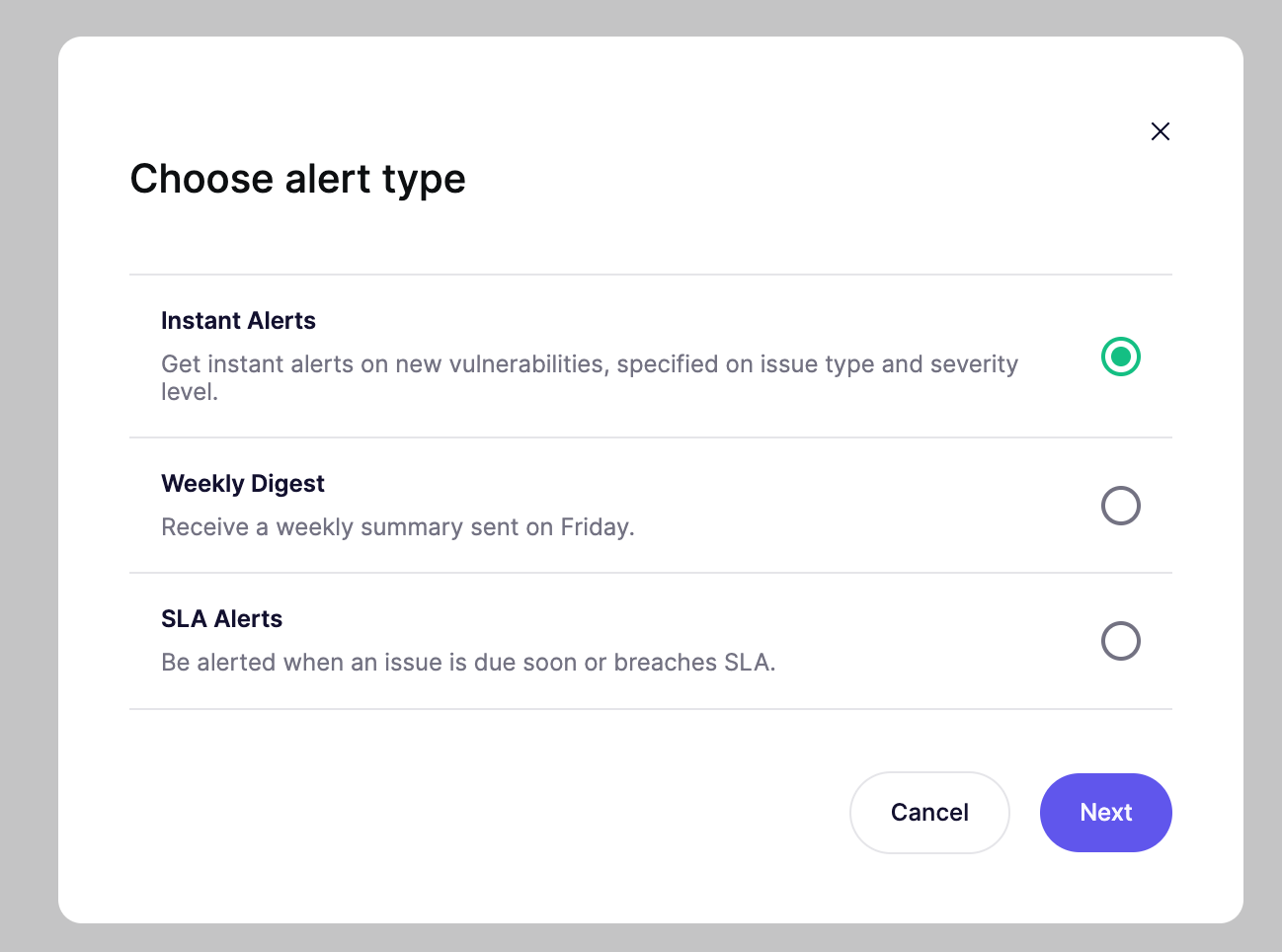
The Developer plan includes one Slack alert. On the Basic, Pro, Advanced, and Enterprise plans you can create multiple alerts, so different teams and channels get the notifications that apply to them.
Connecting the Aikido Slack app to Slack
Go to the Slack integrations settings inside of the Aikido app.
- Click "Add integration"
- Select the Slack workspace you'd like to use on the top right dropdown
- Select the channel you'd like to post to from the dropdown menu
- Click "Allow"
To use another channel later, open an alert and choose Link a different channel in the channel dropdown.
Notification types
On the Slack integration page, click Create alert and choose an alert type. Each alert has its own options. After you save an alert, you can send a test message from its actions menu.
Instant alerts
Aikido sends a message when it finds a new issue that matches the criteria you set.
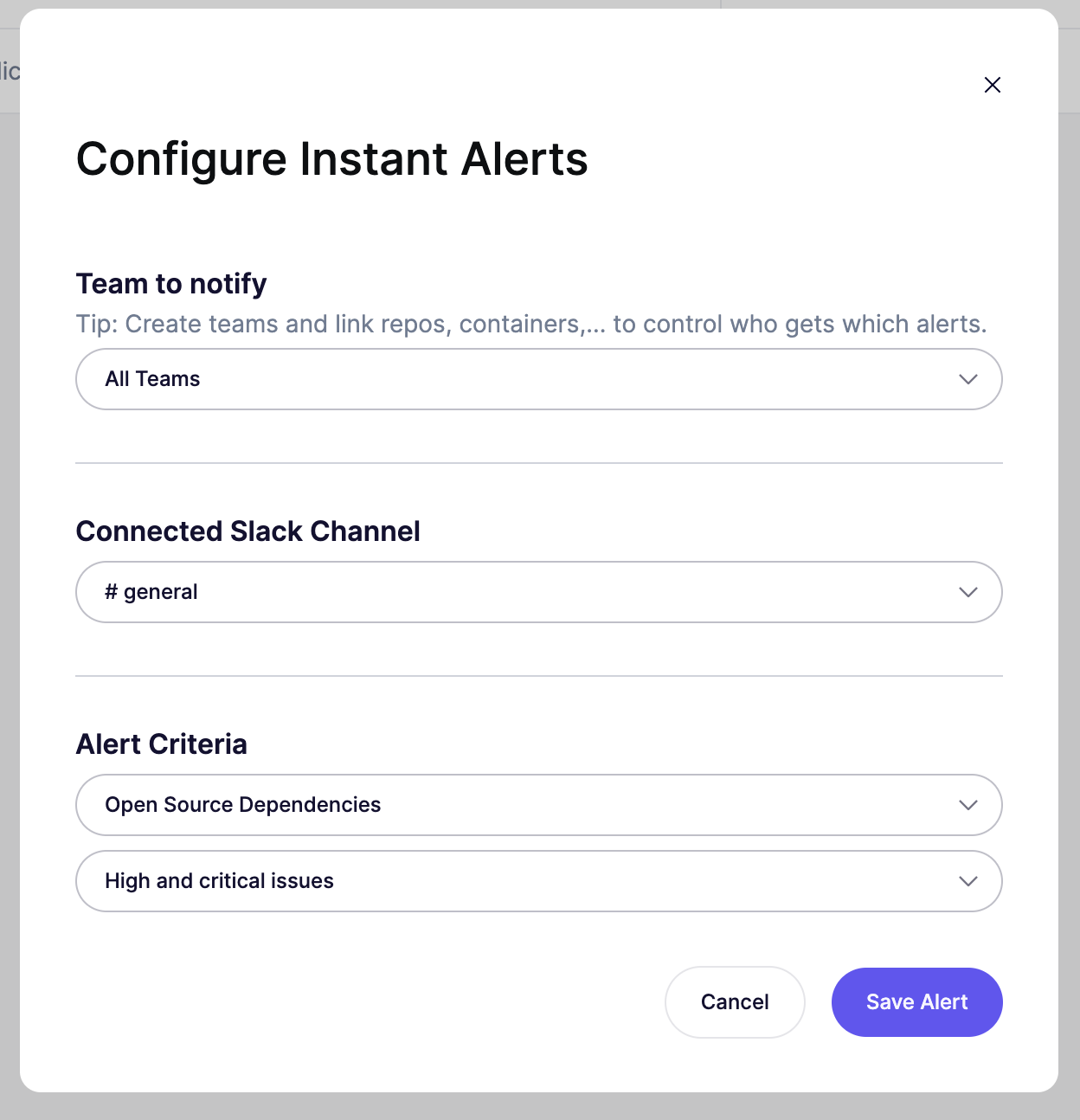
- Team to notify: All Teams, or one team. A team alert only includes issues in the repositories, containers, and other resources linked to that team.
- Connected Slack channel: The channel that receives the alert.
- Issue type & Severity: pick one issue type and one severity level.
- Issue types: All Issue Types, Open Source Dependencies, Cloud, Kubernetes, Containers, Exposed Secrets, SAST, IAC, DAST/Surface Monitoring, EOL, Malware, Mobile, License, AI Pentest, Virtual Machines.
- Severity levels: Critical issues; High and critical issues; Medium, high and critical issues; Any severity issues.
Weekly digest
Aikido sends a summary every Friday. The message includes new critical findings from that week, open issues by severity, the repository with the most open issues, and a short recap of new findings, findings Aikido ignored automatically, and solved findings. It also includes a link back to Aikido.
- Team to notify: All Teams, or one team. A team digest only covers that team's resources.
- Connected Slack channel: The channel that receives the digest.
SLA alerts
Aikido notifies you when an open issue is approaching or has passed its SLA date. These alerts follow your SLA settings, including how many days before the deadline an issue counts as Due Soon. Enable SLAs before you create this alert.
SLA alerts apply to the whole workspace. Aikido notifies you for issues that become due soon or breach their SLA after you create the alert, and sends up to 30 SLA Slack messages per day in order to not create too much noise..
- Alert timing. Choose one:
- Upon Breach: Aikido sends a message when an issue breaches its SLA.
- Due Soon: Aikido sends a message when an issue enters the Due Soon window from your SLA settings.
- Connected Slack channel: The channel that receives the alert.
- Severity: Critical issues; High and critical issues; Medium, high and critical issues; or Any severity issues.
Adding the Aikido Slackbot to a private channel
To add the Aikido Slackbot to a private channel, you first need to invite the bot to that channel. Otherwise you're not able to select that channel. (This is so for all Slackbots)
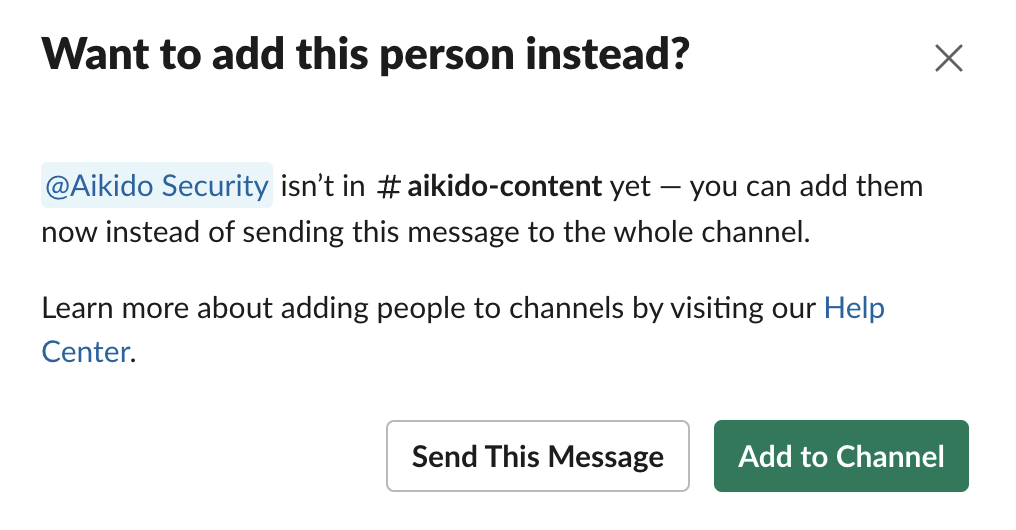
- Type "@Aikido Security" in the channel & send the message
- You'll get a popup asking if you'd like to add Aikido to the channel
- Click "Add to Channel"
Now you should be able to find your private channel in the app. Create an alert and select that channel. See Notification types.
Alternative method
Alternatively you can add the bot in the following steps:
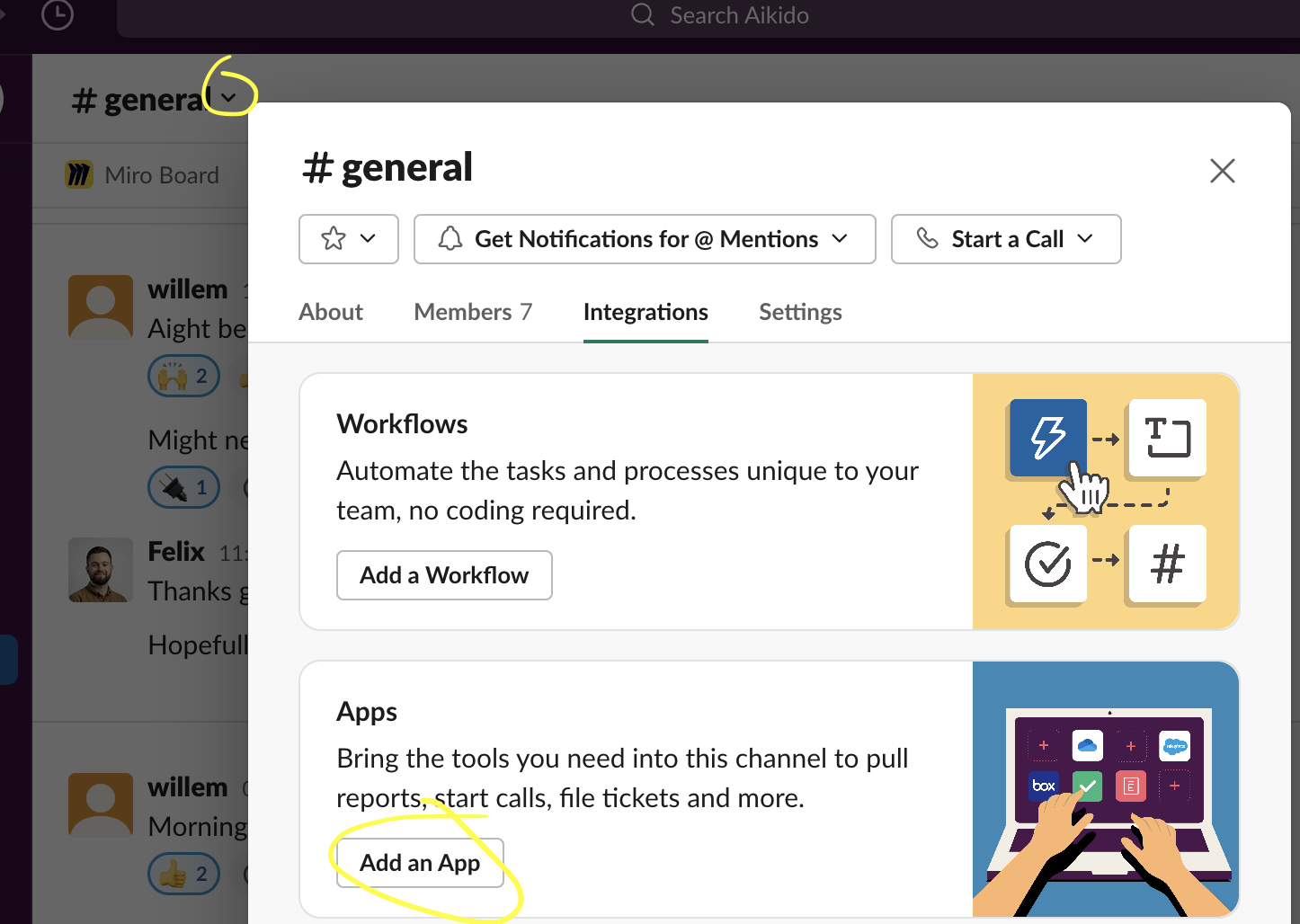
- Navigate to the channel you'd like to add the Slackbot to
- Click the dropdown arrow
- Navigate to the "Integrations" tab
- Click "Add an App"
- Search for "Aikido Security" and click "Add"
Now you should be able to find your private channel in the app.