
Start a Repository Scan
Enable full-repository code quality scanning and confirm the yearly credit cost.
Enabling repository scanning kicks off a full scan of existing code in the repo: everything already merged, not just in-flight changes. That unlocks category scores, the issues list, and the scatter plot. See Understand Repository Scan Results for how to read the output.
Already running PR checks on new code? The two work independently and are designed to be used together.
#Prerequisites
Before you start, make sure:
- You have the manage code quality permission in your Aikido workspace.
- The repository is connected and active in Aikido. See Connect Your Source Code.
- Your wallet has enough credits to cover the quoted cost. You can top up from inside the confirmation modal. See Wallet & Credits.
Repository scanning isn't available for Local Scanning Accounts.
#Enable scanning for a repository
#Open the Code Quality Repositories tab
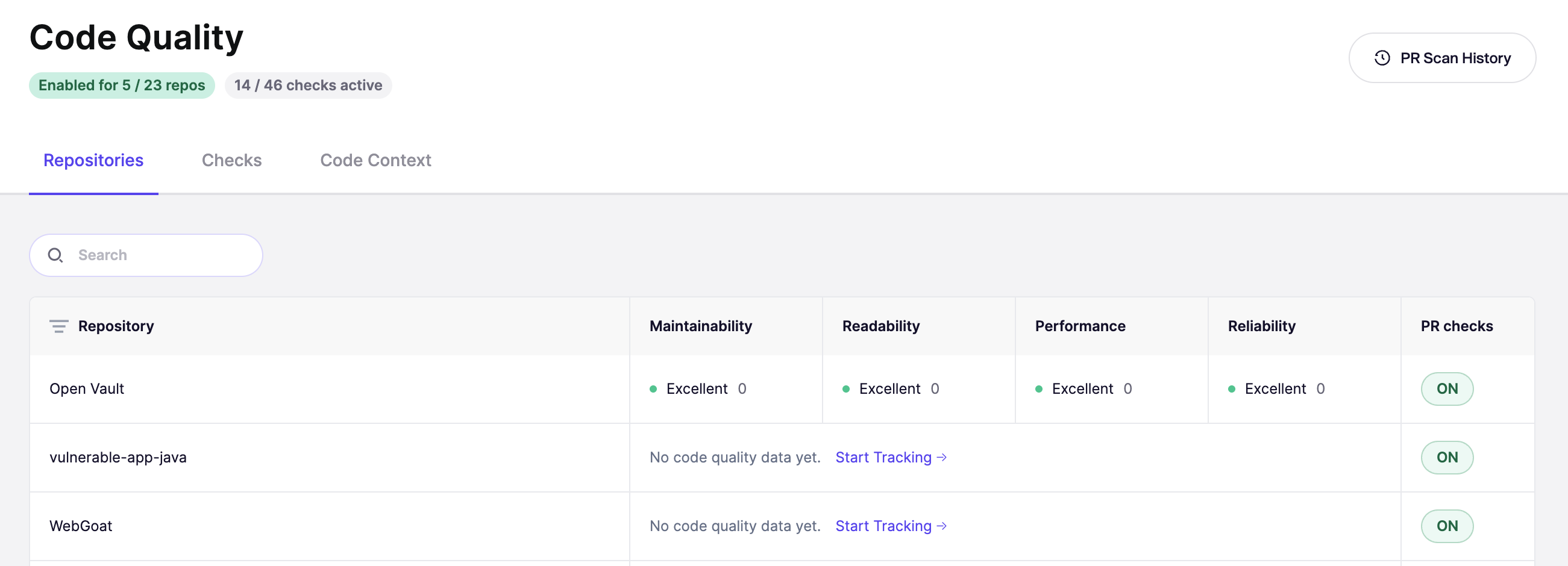
Go to Code Quality in the sidebar and open the Repositories tab. You'll see every connected repository. Repos that are already tracked show category scores; untracked repos show Start Tracking.
#Open the confirmation modal
Find the repository you want to scan and click Start Tracking.
#Confirm the cost and start
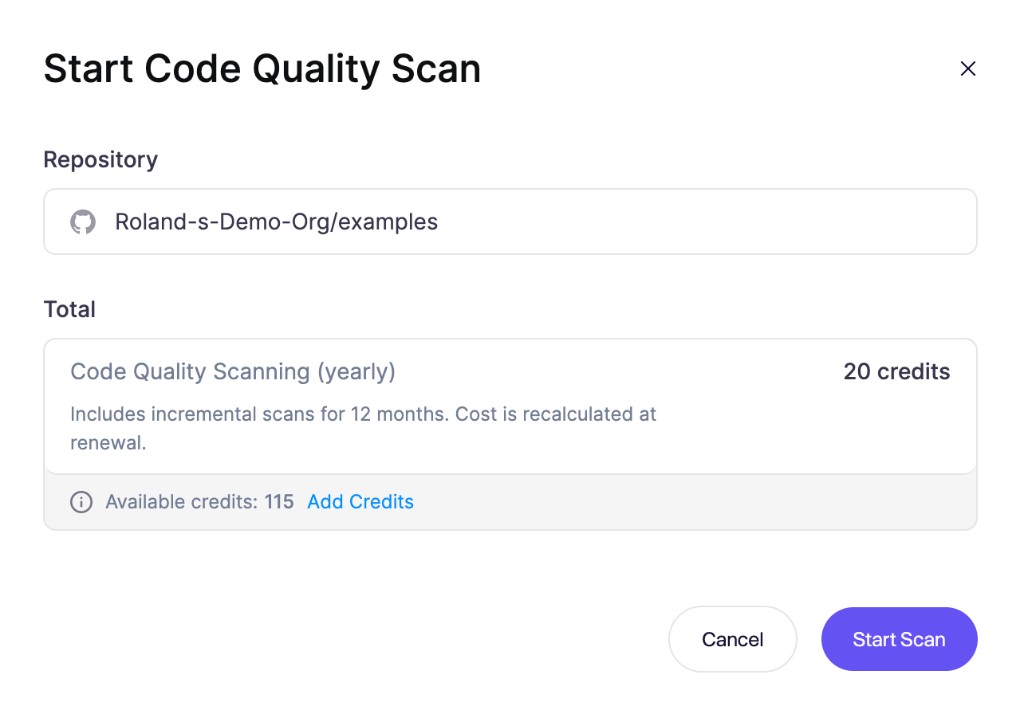
Aikido calculates the credit cost before you commit. Review the total, then click Start Scan. Aikido deducts the credits from your wallet and kicks off the first full scan immediately.
If your balance is too low, click Add Credits in the modal to top up before confirming.
After the scan starts, open the repository from the Repositories tab to follow progress and read findings as they land. See Understand Repository Scan Results.
#Pricing and credits
Repository scanning is sold as a 1-year subscription per repository, paid with Aikido credits. The modal shows the total as Code Quality Scanning (yearly).
Your payment covers a full year of continuous scanning for that repository. Aikido keeps the repository's findings up to date with incremental rescans throughout the 12 months. After the year is up, you pay again to keep scanning it.
The cost scales with the size of the repository. Connect the repository to Aikido and open the Start Code Quality Scan modal to see the exact credit total for your repo before you commit.
#After the year ends
Scanning runs continuously for one year from the day you enable it. Once that year is up, you pay again to keep the repository tracked. The cost is recalculated against the repository's current file count, so the new total reflects how the repo has grown or shrunk since you first enabled scanning.