
Assign Team Responsibilities by Cloud Resource Tags
Assigning cloud resources by tag to teams in Aikido can help to streamline issue management in shared cloud accounts and enable more granular reporting.
Use cases
- Shared cloud accounts: Assign one cloud to multiple teams and show each team only the issues for the resources tagged for that team.
- Existing tagging strategy: Reuse tags like
team:paymentsorenv:productioninstead of maintaining ownership in two places. - More granular reporting: Filter the feed and reports by team and get results scoped to the tagged resources.
Limiting access by tag
Create a team and assign the cloud
Create a new team or select an existing one, then assign the cloud to it. See Managing User Access with Teams.
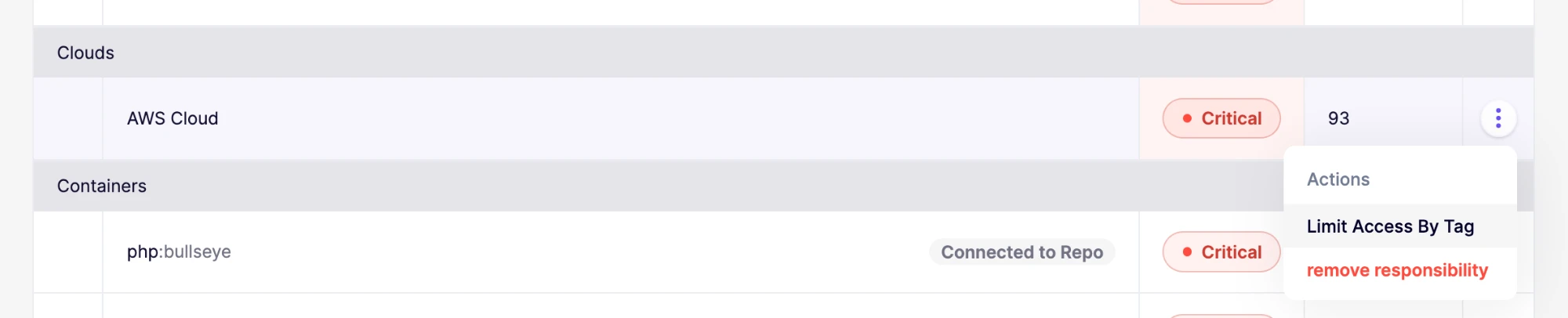
Click Limit Access By Tag
In the team's list of resources, open the actions menu next to the cloud and click "Limit Access By Tag".
Define the tags
Choose whether to include or exclude tags for the team, then enter the tag key and value. Click "Add Another Tag" to add more, then click "Save Changes".
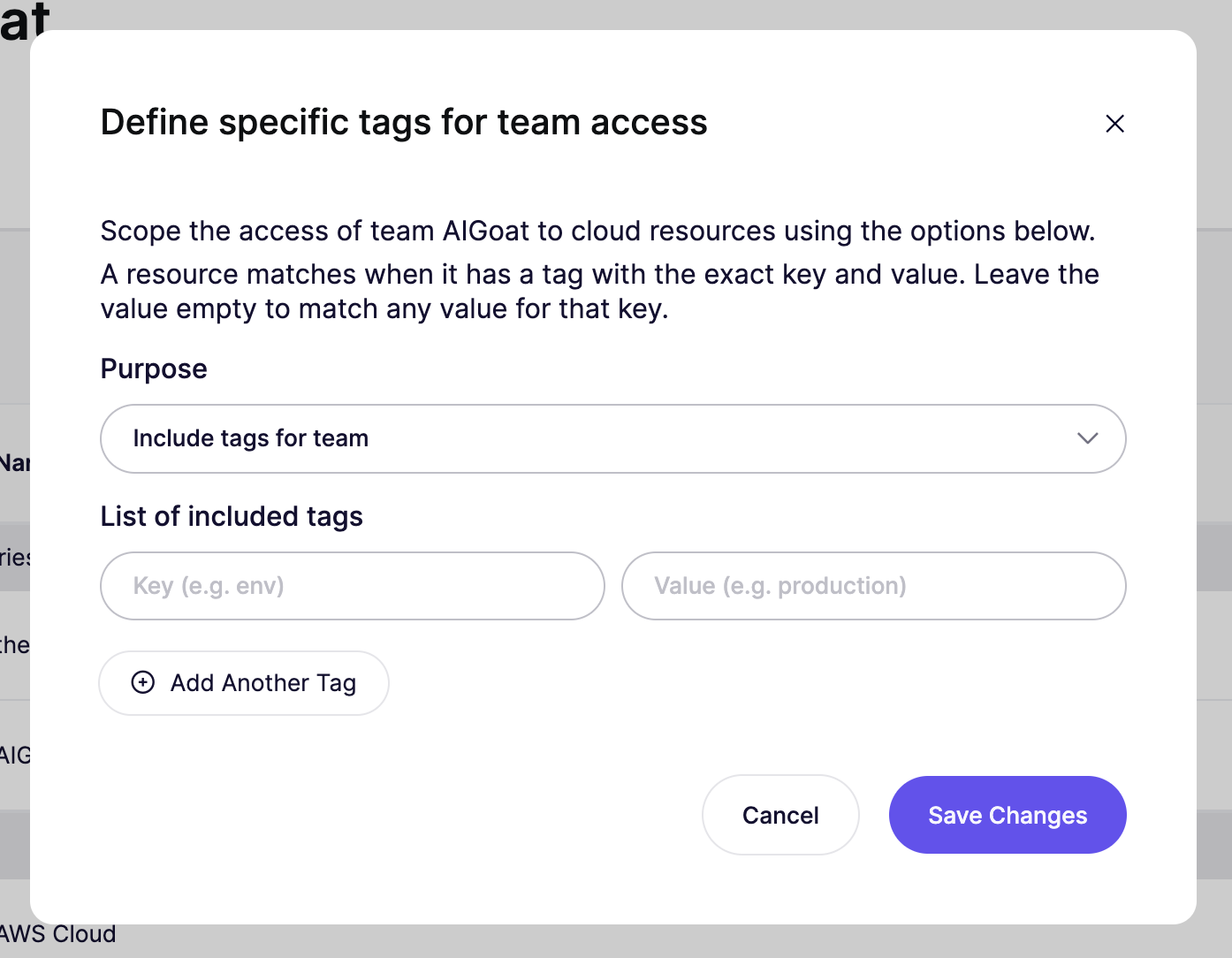
A resource matches a tag when it has a tag with the exact key and value. Leave the value empty to match any value for that key. Tag keys and values are case-sensitive.
When you add multiple tags, a resource matches if it has any of them.
- Include: the team only sees issues on resources that match at least one tag.
- Exclude: the team sees issues on all resources except those that match at least one tag.
Resources without any tags don't match, so include hides them and exclude shows them.
A cloud uses either include or exclude for a team, not both.
For example, including
env=productionandteam=paymentsshows issues on resources tagged with either one.Filter issues in the feed and reports
Go to the Feed or Reports section and filter by the team. You'll only see the cloud issues that match the tag condition. Other issue types, like virtual machine issues, aren't affected by tag filters and are still shown.