# AutoFix for Azure DevOps

Aikdo Autofix is a tool you can use to have Aikido fix vulnerabilities in 3rd party dependencies in your projects. It will do this by creating pull requests that remove the vulnerability via package updates or by other means. In some cases an Aikido Autofix can remove a whole class of vulnerabilities instead of just 1 issue.

**Setup Autofix for Azure DevOps**

> All users within your workspace will need to setup Autofix individually.

By default, Aikido only has read access on your Azure DevOps instance. To use Aikido Autofix, a separate access token with write access is required. Please make sure that "Third-party application access via Oauth" is enabled for your organization, by going to "Organization settings" and then clicking "Policies".
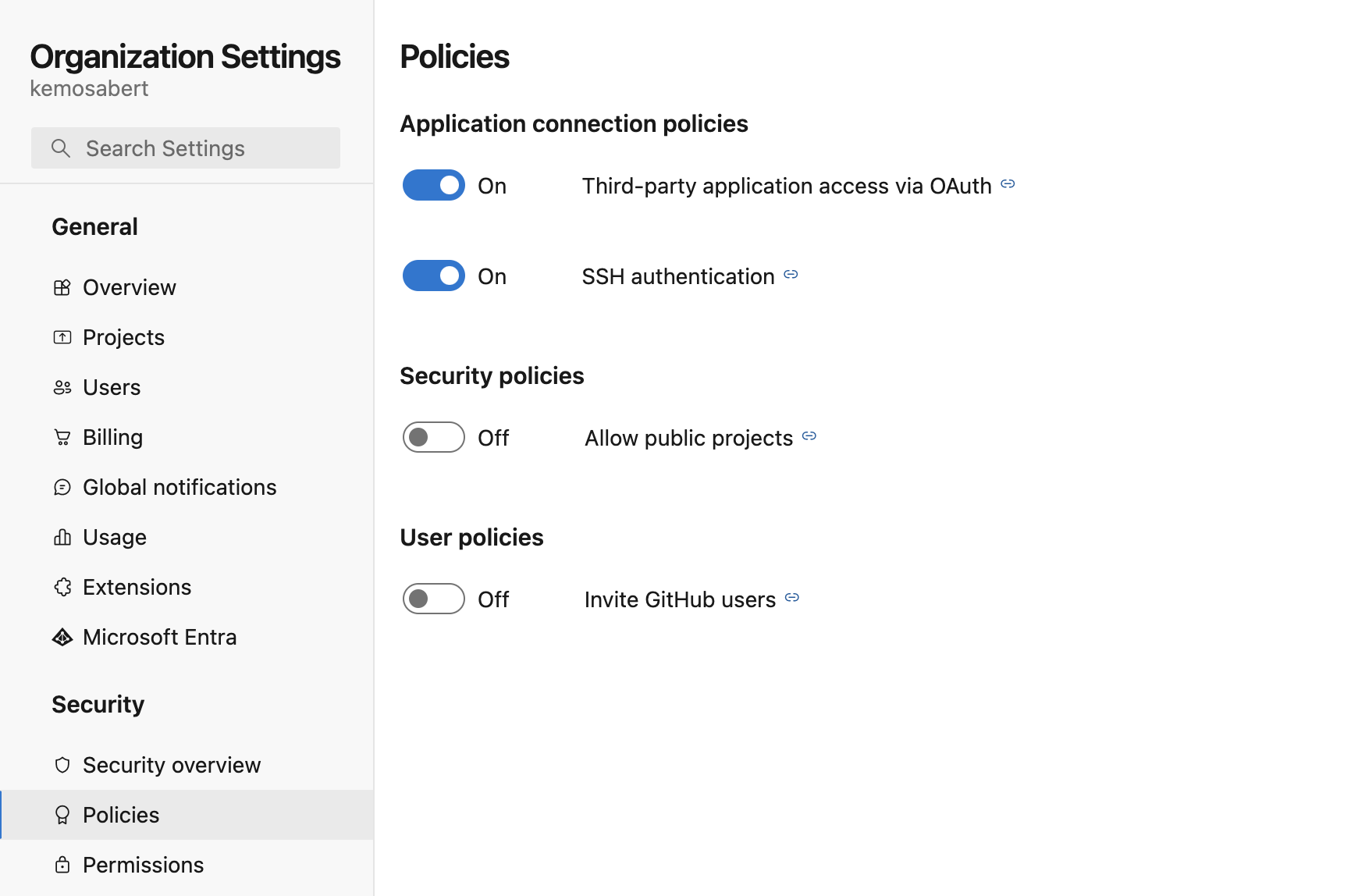
![Organization security policies for application access, public projects, and user invitations.](/files/60DIjFe9sOY9RKGV7Roq)

**Step 1. Enable Autofix on the** [**Autofix Settings**](https://app.aikido.dev/settings/integrations/autofix) **page or go to** [**Autofix Page**](https://app.aikido.dev/issues/fix) **and click on Enable Autofix.**

![](/files/AhPuPKMhuEAE8ffQAAC2)

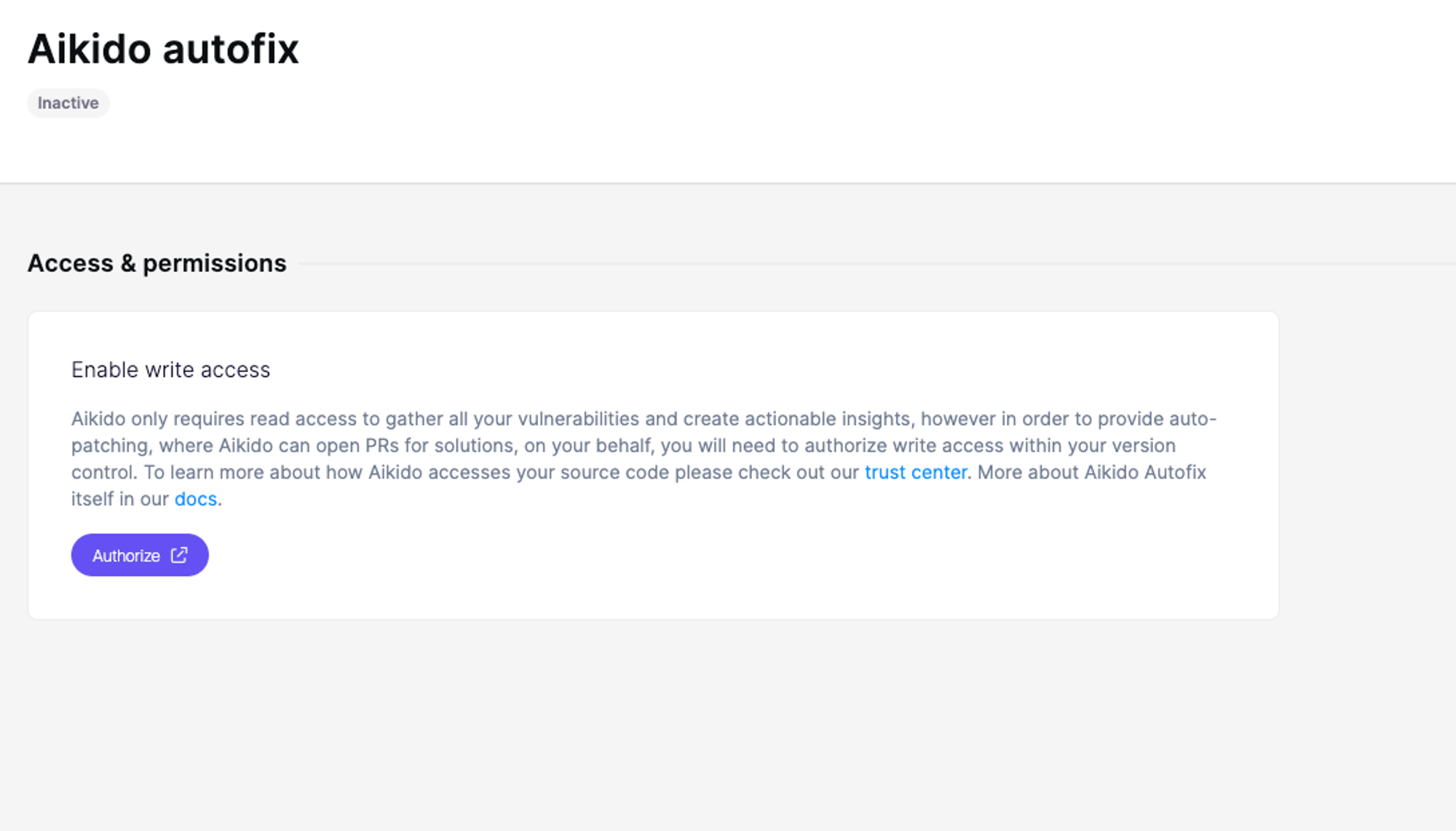
**Step 2.** Click **Authorize**

![](/files/Soz48h7AWQz5ImEsacug)

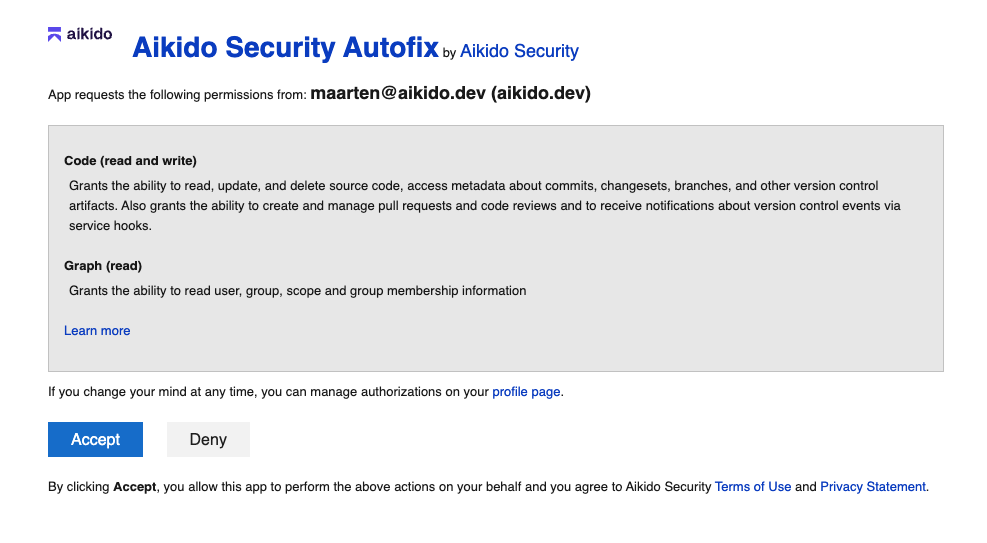
**Step 3.** Grant Aikido permissions to **Write**

![](/files/zqs4QT491i6BH7z7KTE8)

**Step 4.** Click save and you are all set. You will now be able to execute autofix PRs from the [Autofix page](https://app.aikido.dev/issues/fix) or from the action menu for subissues in the sidebar ([read more here](/autofix-and-remediation/scope/autofix-for-open-source-dependencies.md)).


---

# Agent Instructions: Querying This Documentation

If you need additional information that is not directly available in this page, you can query the documentation dynamically by asking a question.

Perform an HTTP GET request on the current page URL with the `ask` query parameter:

```
GET https://help.aikido.dev/autofix-and-remediation/configure/autofix-for-azure-devops.md?ask=<question>
```

The question should be specific, self-contained, and written in natural language.
The response will contain a direct answer to the question and relevant excerpts and sources from the documentation.

Use this mechanism when the answer is not explicitly present in the current page, you need clarification or additional context, or you want to retrieve related documentation sections.