Exploit Further
What Exploit Further does on an Aikido Pentest finding, when to use it, and why the default run stops once a finding is proven.
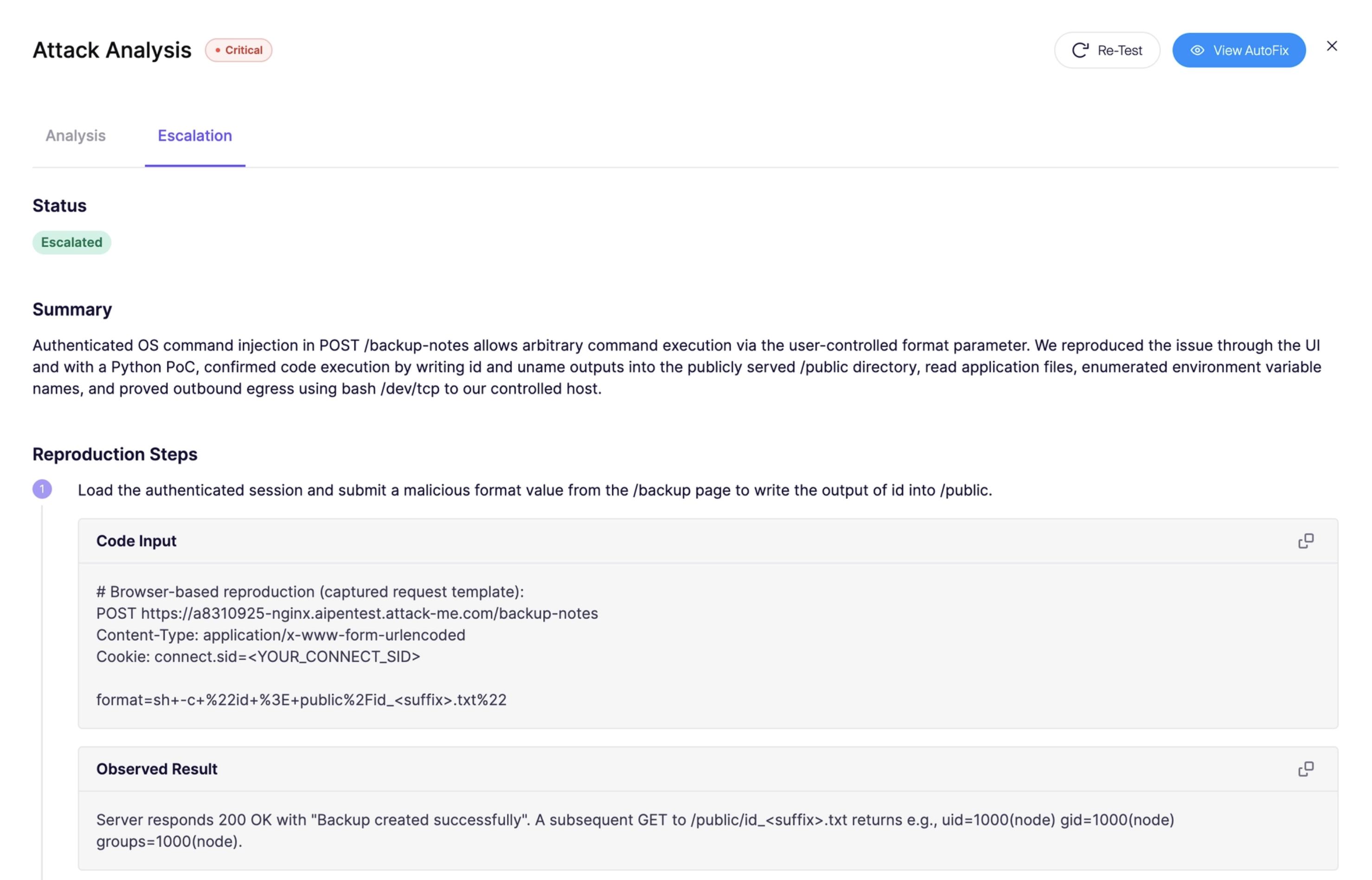
Exploit Further is an opt-in follow-up on one pentest finding. The default run proves the issue and stops. This action tells Aikido to keep going on that finding and show whether it can reach a higher impact, such as secrets, database credentials, or other connected services.
A deeper run can read or change data and can disrupt parts of the application. Run it only on a testing environment.
What it does
Aikido shows Exploit Further in Attack Analysis when a finding still has realistic escalation potential. After you confirm, Aikido starts a follow-up against the same target and updates that same finding with the new results. It does not start a new assessment.
The confirmation lists what the follow-up will try. That can include:
- Reading environment variables and exposed secrets
- Extracting database credentials
- Probing for movement into connected services
Severity, evidence, and remediation on the finding can change when the deeper run finds more impact.
When to use it
Use Exploit Further when you need to know how far a proven finding actually goes, and the target is one you can afford to disturb.
- A Medium or Low finding can become High or Critical once Aikido shows what else it can reach.
- A finding can also look worse than it is. If Aikido cannot read secrets, pull credentials, or move into other services, the impact stays with what the first run already proved.
- You want that evidence before you prioritize the fix.
Skip it when the finding is already clear enough to fix. To check a remediation, use a retest. A retest verifies a fix. Exploit Further continues the attack.
Why the default run stops
Aikido Pentest agents prove a finding, then stop. They do not keep exploiting, dump a database, or map how far one bug can go unless you ask.
That limit is intentional:
- The first run uses the smallest proof that shows the bug is real. Most issues are confirmed with a harmless signal.
- Going further means chasing higher impact. Reading secrets, pulling credentials, or moving into another service can change data or take part of the app down. Aikido waits until you confirm the target is safe.
- Many findings have real impact and no useful next step. An automatic second phase would add risk without changing the fix.
Run Exploit Further
Open Attack Analysis
Open the pentest finding and go to Attack Analysis. The action is available while the finding is open.
Click Exploit Further
If the finding is eligible, click Exploit Further.
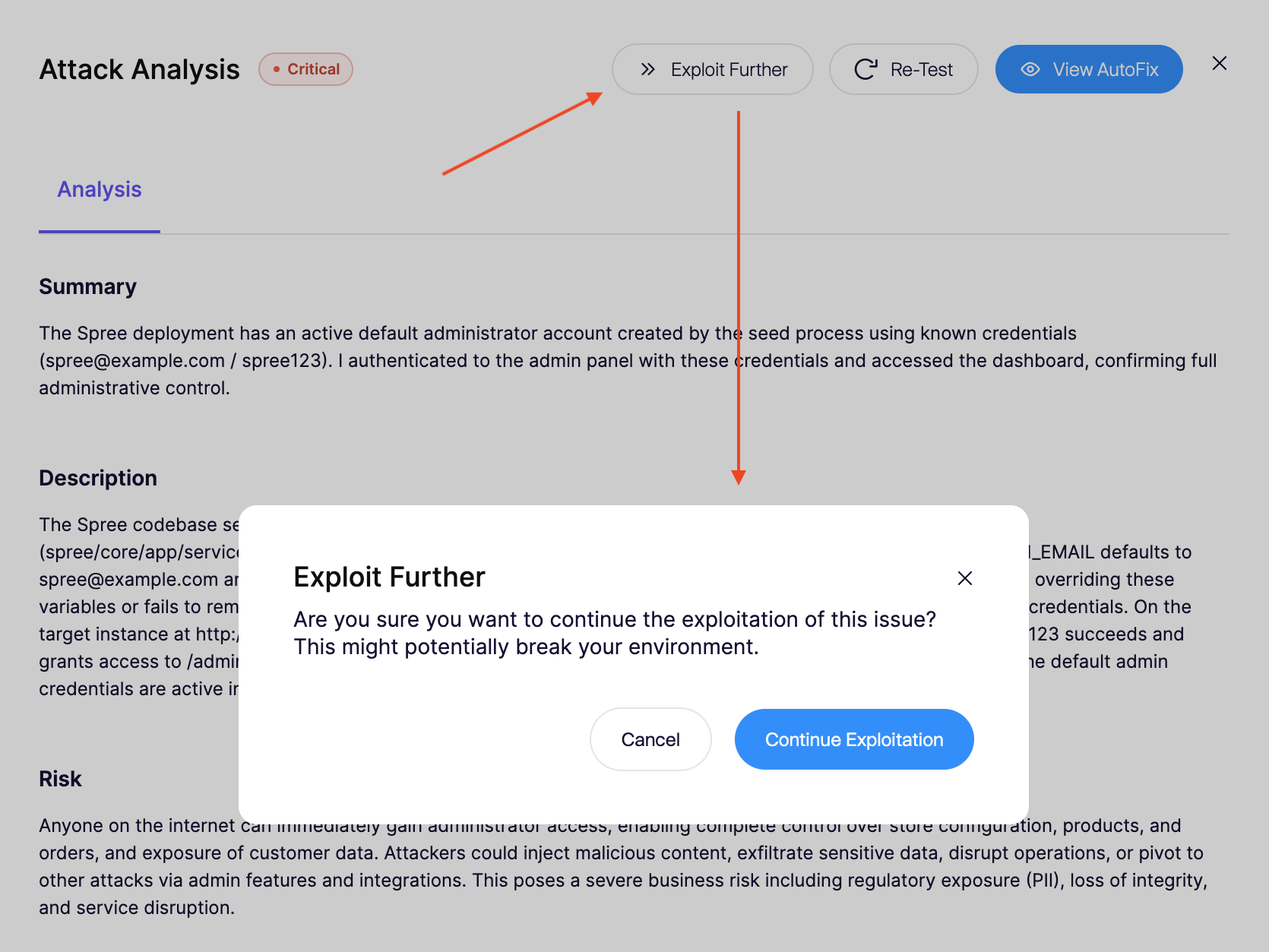
The button stays disabled when the finding has no escalation potential, the finding was already escalated, or this pentest has already used both escalations. Hover the button for the reason. You also need permission to manage pentests.
Confirm the target
Read what the follow-up will attempt. Click Continue Exploitation only if this is a safe test target.
Review the updated finding
Aikido runs the follow-up and updates the same finding with the latest escalation results.