> For the complete documentation index, see [llms.txt](https://help.aikido.dev/llms.txt). Markdown versions of documentation pages are available by appending `.md` to page URLs; this page is available as [Markdown](https://help.aikido.dev/autofix-and-remediation/automation-and-merging/refine-autofixes-with-aikido-ai.md).
# Refine AutoFixes with Aikido AI
Aikido allows to automatically fix different types of findings. The **Refine with Aikido AI** chat panel lets you iteratively adjust AutoFixes using natural language, without leaving the diff view. This is powered by [Aikido Agent](/aikido-agent/aikido-agent.md), the same intelligence behind [Ask Aikido](/aikido-agent/ask-aikido.md).
#### Use Cases
AutoFix gets you most of the way there. Refinement is useful when:
* The fix is correct but doesn't match your codebase's naming conventions or patterns
* You want to add explanatory comments
* You want to include unit tests
* You want to introduce specific logic, like error handling or logging calls
* The fix needs to account for context not available to the AI
* You want to tighten scope, for example limiting what gets sanitized or validated
#### How to Refine a Fix
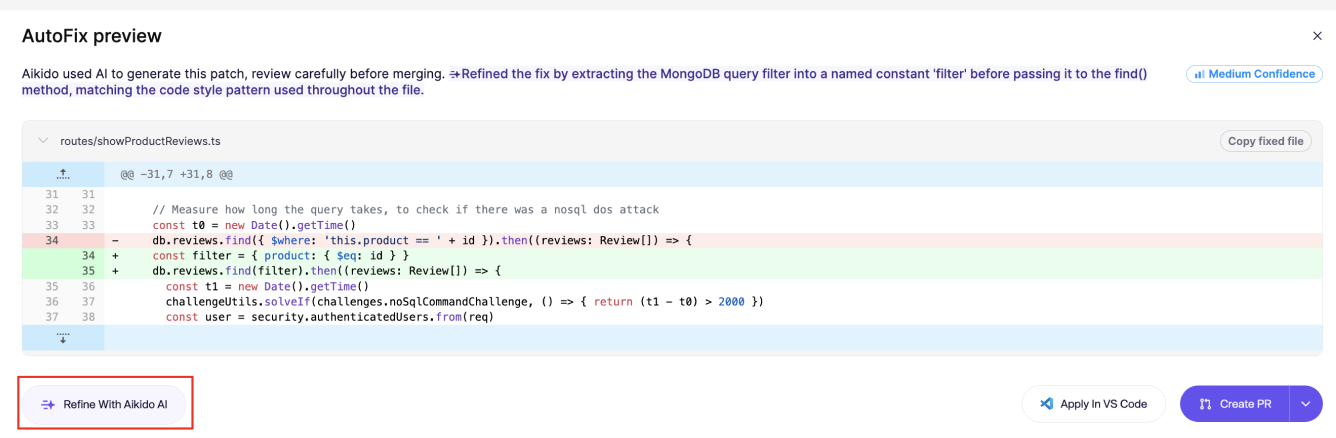
**Step 1.** Open the diff modal via the `View Fix` action and click `Refine with Aikido AI` in the bottom left.
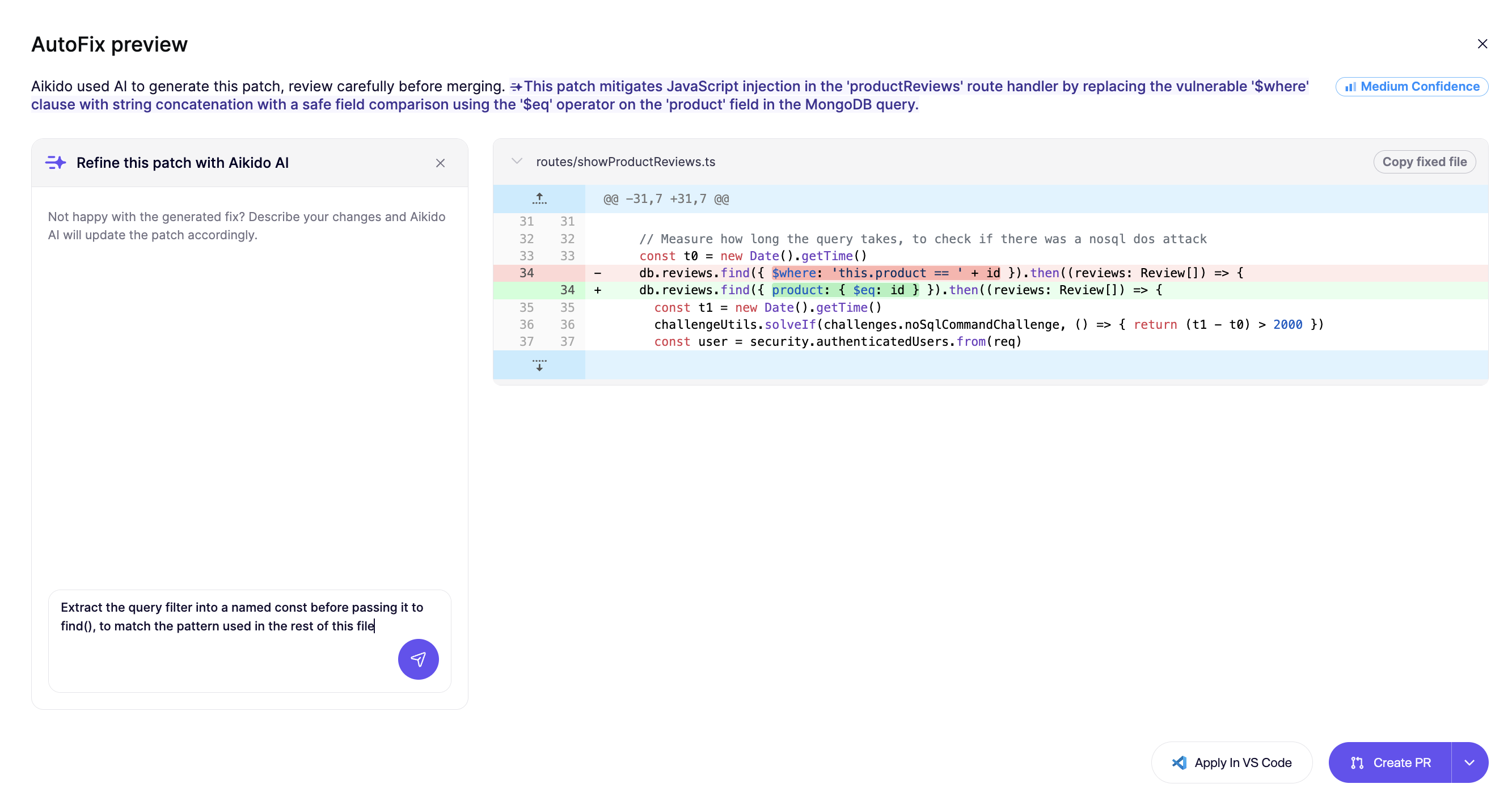
**Step 2.** Type your instruction in the text field.
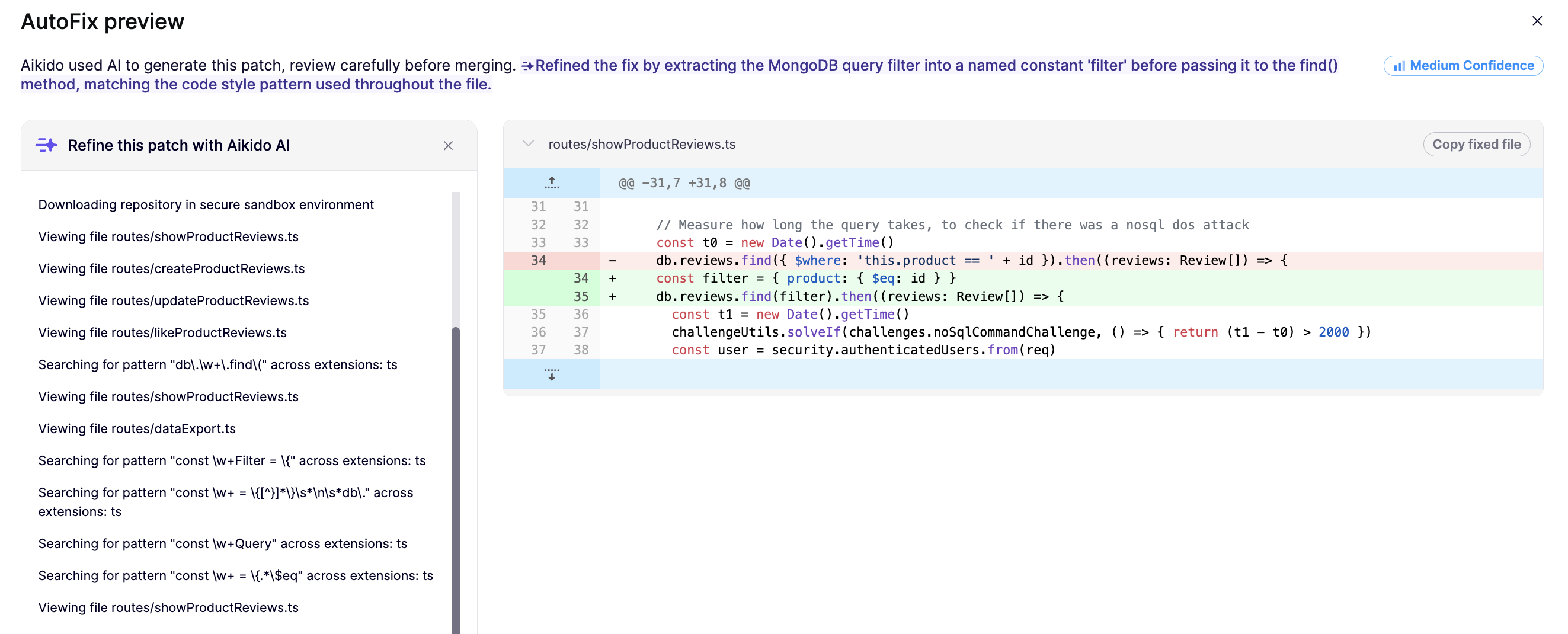
**Step 3.** The diff view updates automatically when the refined fix is ready.
{% hint style="info" %}
Each instruction you send is retained as context for subsequent refinements, so the AI builds on prior instructions rather than starting fresh.
{% endhint %}
#### Tips for Writing Instructions
Be specific about intent, not just the symptom:
* "Thrown an exception instead of returning an empty object"
* "Rename the sanitized variable from `safe_input` to `safeInput` "
* "Add a log when the regex matches"
## Persisting the context
If you want Aikido to always take into account your prefences while creating an AutoFix, use [Custom Context for AutoFixes](/autofix-and-remediation/automation-and-merging/custom-context-for-autofixes.md).
---
# Agent Instructions
This documentation is published with GitBook. GitBook is the documentation platform designed so that both humans and AI agents can read, navigate, and reason over technical content effectively. Learn more at gitbook.com.
## Querying This Documentation
If you need additional information that is not directly available in this page, you can query the documentation dynamically by asking a question.
Perform an HTTP GET request on the current page URL with the `ask` query parameter, and the optional `goal` query parameter:
```
GET https://help.aikido.dev/autofix-and-remediation/automation-and-merging/refine-autofixes-with-aikido-ai.md?ask=&goal=
```
`ask` is the immediate question: it should be specific, self-contained, and written in natural language.
`goal` is optional and describes the broader end goal you are ultimately trying to accomplish on behalf of the user. GitBook uses it to tailor the answer towards what is most useful for that goal.
The response will contain a direct answer to the question and relevant excerpts and sources from the documentation.
Use this mechanism when the answer is not explicitly present in the current page, you need clarification or additional context, or you want to retrieve related documentation sections.