
AutoFix for Gitlab Cloud with Group Access Token
It is recommended to use a Group Access Token to setup the Gitlab AutoFix integration. If you don't have GitLab Premium or require signed commits, then a Personal Access Token (PAT) should be used.
#Choose Authorize via Access Token in Aikido
In Aikido, go to the AutoFix settings page and click Authorize (on initial setup) or Manage Personal Access Token (when a token is already set). Choose Authorize Via Access Token.
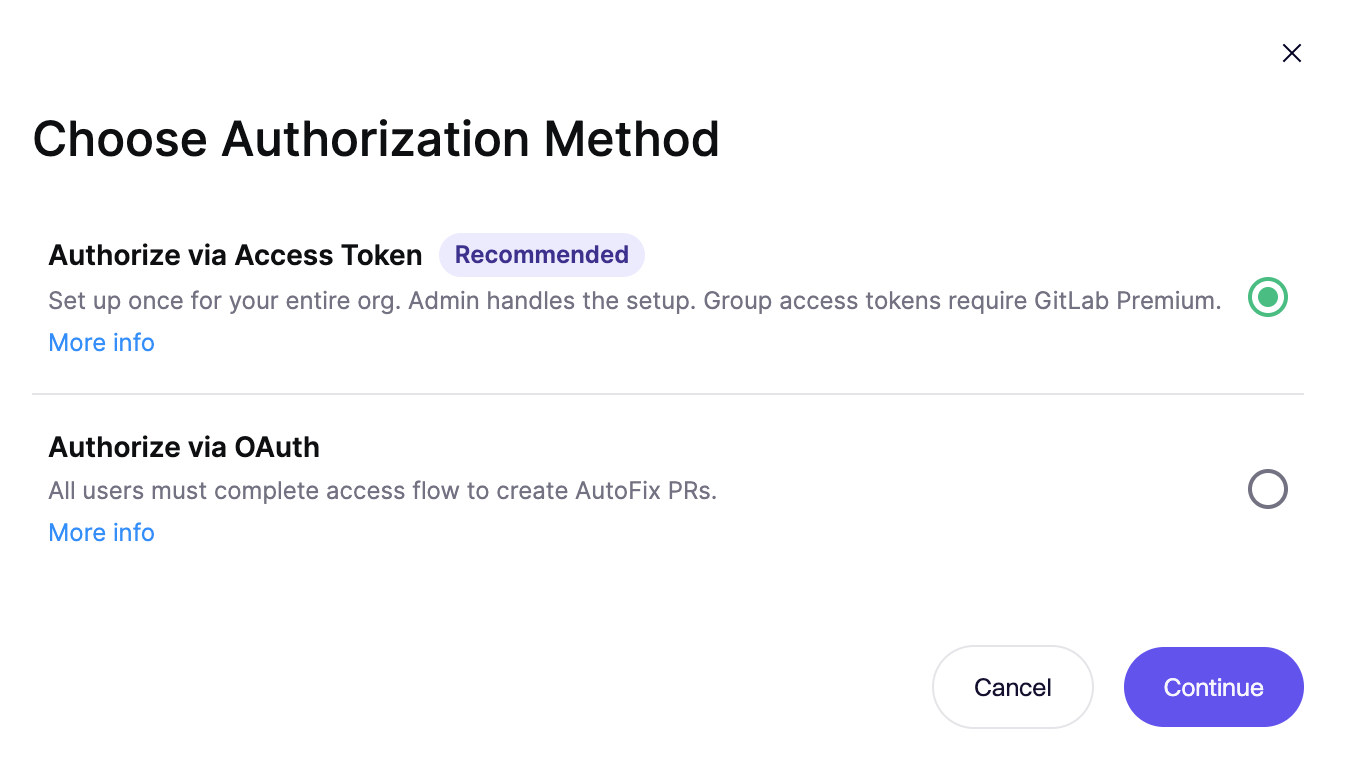
Next, follow the instructions below to generate a Group Access Token in Gitlab.
#Generate a "Group Access Token" in Gitlab
-
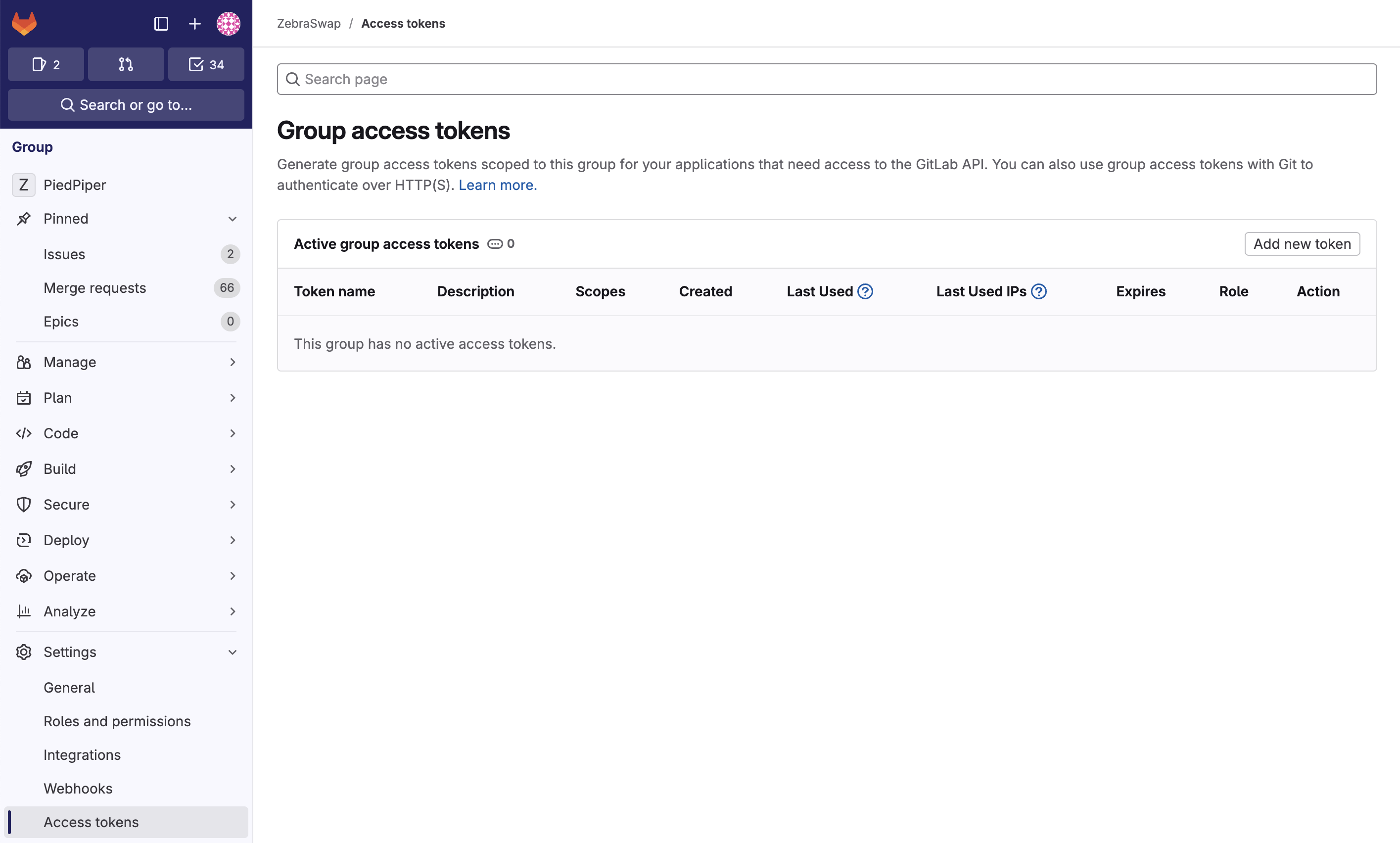
Navigate to 'Settings' > 'Access tokens', via the navigation of your Group's page
-
You should end up on a page similar to this. You can navigate to this page yourself by opening your group's settings menu and selecting "Access tokens"
-
Click on "Add new token"
-
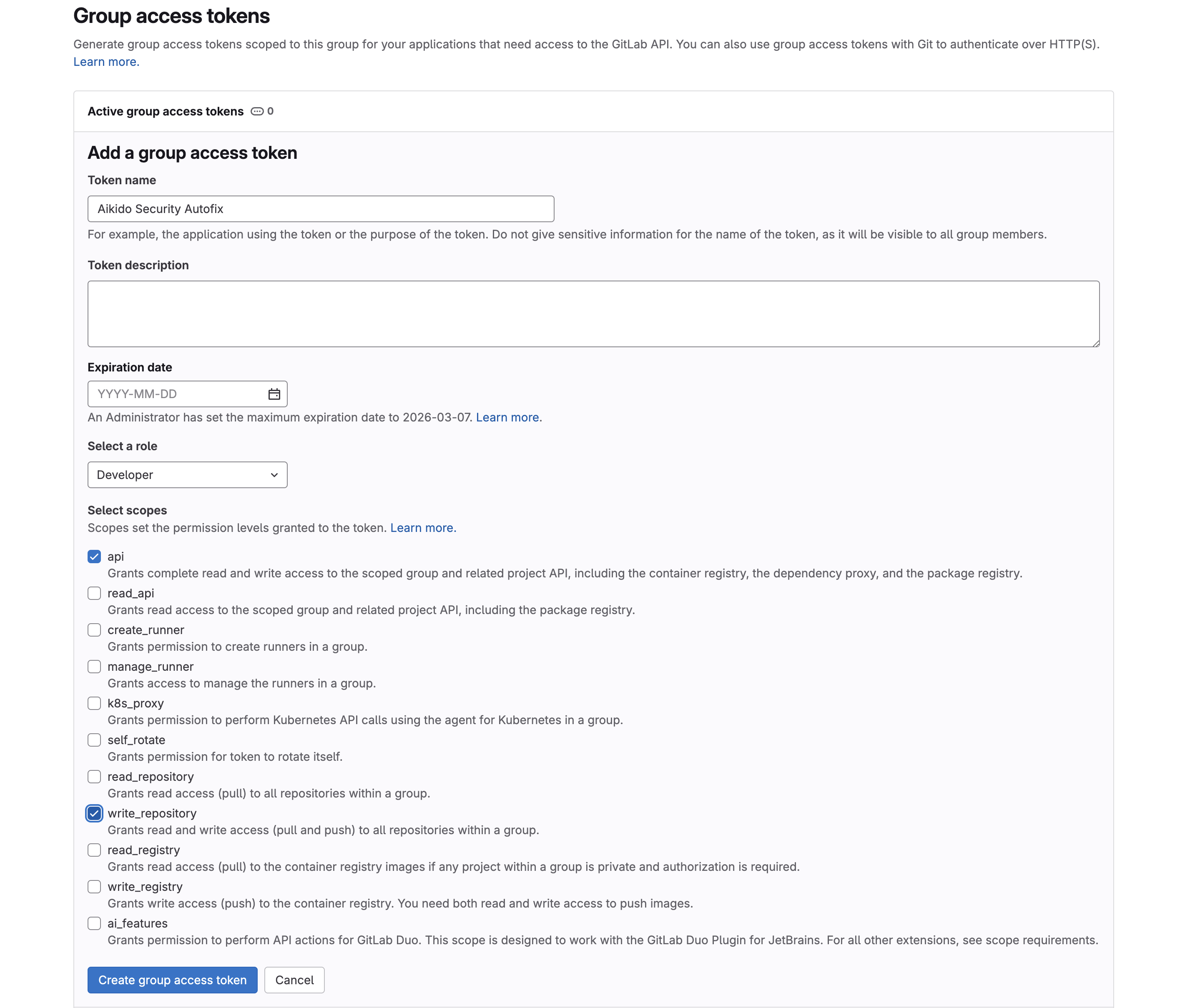
Enter a name for token, we suggest something like: "Aikido Autofix"
-
For the expiration, use custom defined and set it to 1 year from now, or remove it.
-
The token should have at least the role of "Developer"
-
Next you need to select the following permissions for the token: api and write_repository
-
Click on "Create group access token"
-
Copy the token on the next screen and insert it on the access token management page in Aikido