
Monitoring
Aikido Deploy uses your monitoring systems to detect regressions during deployments.
Sentry and AWS CloudWatch are currently supported, after connecting these integrations in the global configuration, Aikido Deploy requires additional information to know where to find the monitoring information for the specific repository and environment.
#Sentry
In the global Aikido Deploy configuration, add Sentry under monitoring and provide the slug for your Sentry organization as found in your Sentry URL (eg. slug.sentry.io).
Create an Auth Token on the Sentry Auth Tokens page. Make sure to give the token the following permissions:
event:readorg:readproject:read
Once the global configuration is done, enable Sentry monitoring in the Aikido Deploy repository configuration. Provide the Sentry Project for the specific repo and environment.
#AWS CloudWatch
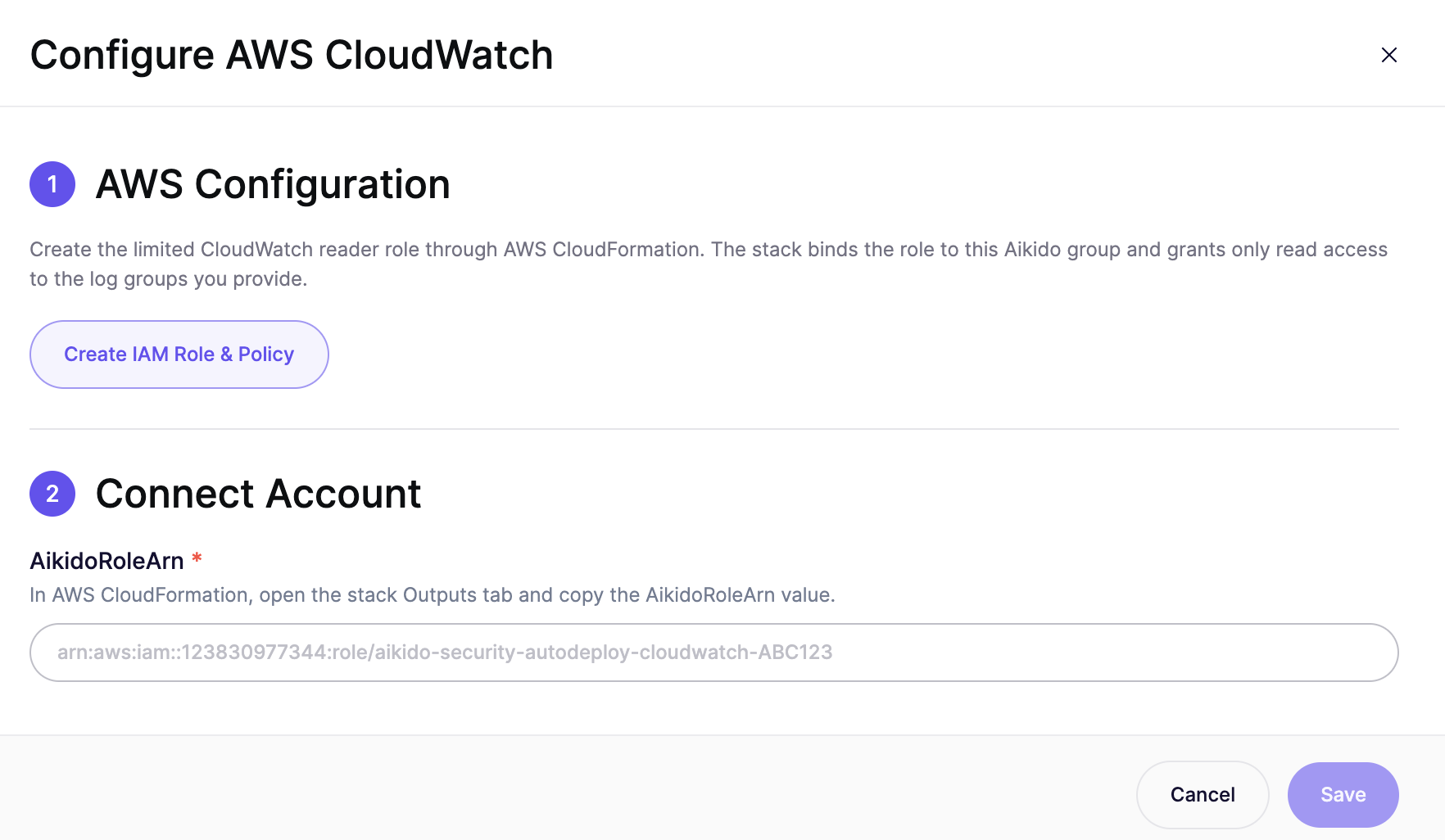
In the global Aikido Deploy configuration, use the Create IAM Role & Policy button to apply a CloudFormation template that creates a IAM role that allows Aikido Deploy to read CloudWatch logs.
The role trusts Aikido Deploy only when it presents your workspace's external ID. The external ID is generated for your workspace (in the format aikido-<group-id>-<random-string>) and is filled in for you in the CloudFormation template. It is stored encrypted, and every IAM role you connect uses the same external ID.
To connect a role, copy the AikidoRoleArn value from the Outputs tab of the CloudFormation stack and add it in the global configuration. You can connect multiple IAM roles, for example to read logs from different AWS accounts.
Once the global configuration is done, enable Cloudwatch in the Aikido Deploy repository configuration. Provide the log group for the specific repo and environment.