
Code Quality in IDE
Code Quality in VS Code lets you run an on demand scan of the active file. It highlights maintainability issues and team guidelines as configured in Aikido, including Custom Rules and Extra Code Context. It does not detect security vulnerabilities.
Code Quality in IDE is in beta and currently available for VS Code (+ variants like Cursor, Windsurf, ..) and Jetbrains. You must enable it in your IDE settings before using it.
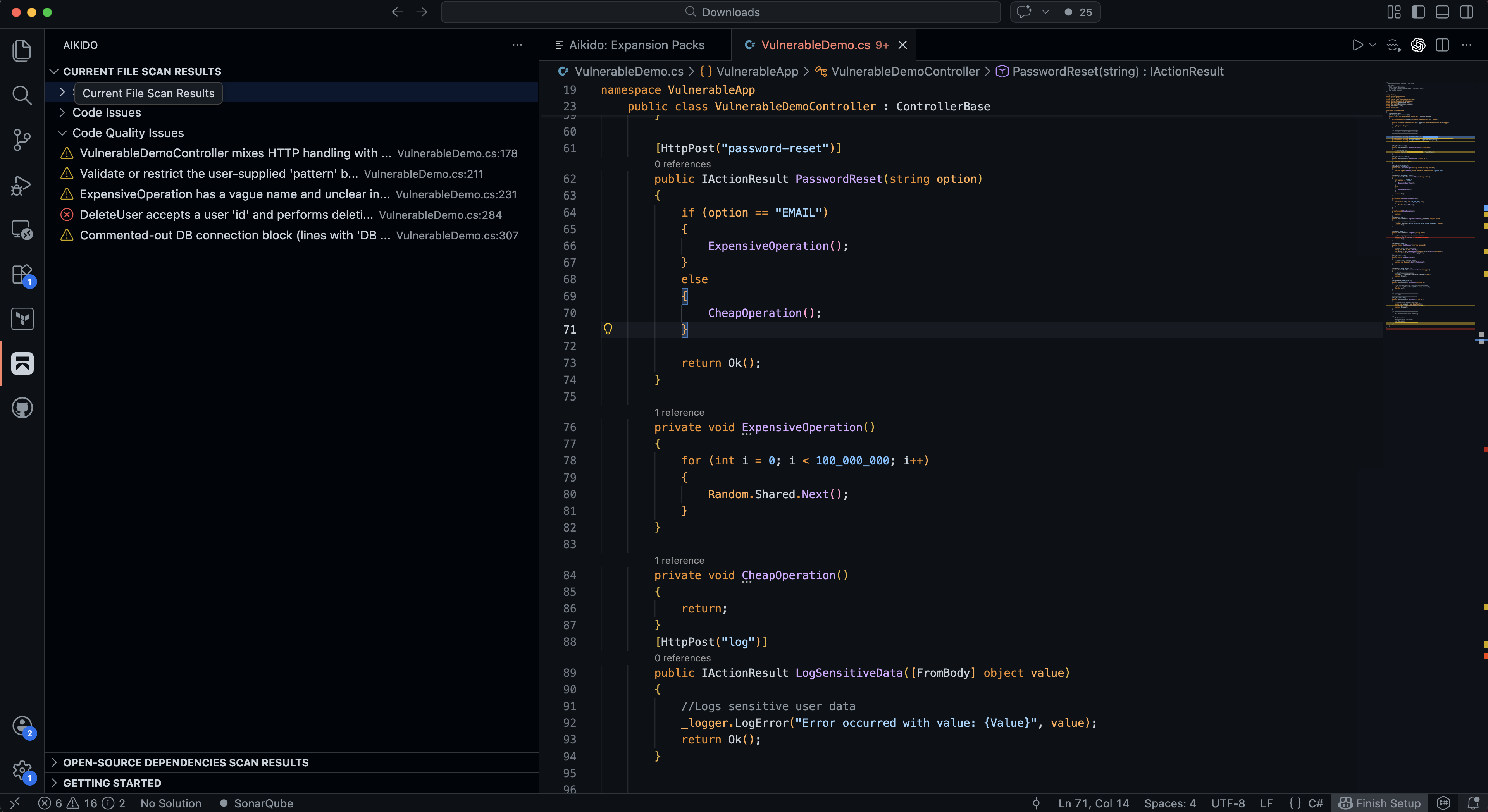
Enable Code Quality (beta)
- Open your VSCode settings
- Search for
Aikido - Enable the
(BETA) Enable Aikido Code Quality Scanningsetting.
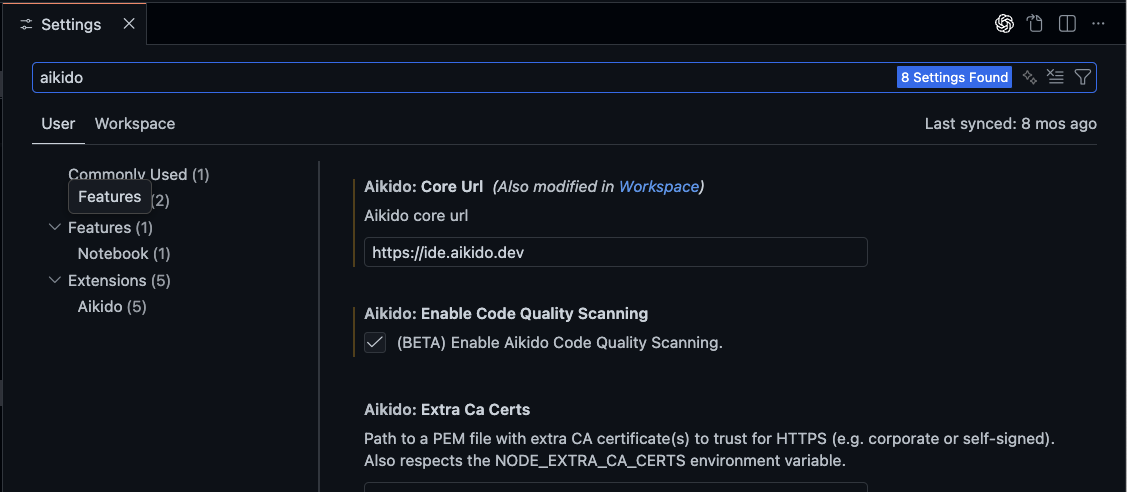
This will add a Code Quality Issues section to the Current File Scan Results view in the Aikido Toolbar.
- Open Settings > Tools > Aikido Security
- Click Enable Code Quality Scanning.

This will add a Code Quality Issues section to the Current File Scan Results view in the Aikido Toolbar.
Run a manual Code Quality scan
- Open the Aikido sidebar/panel.
- Click the icon next to "Code Quality issues"
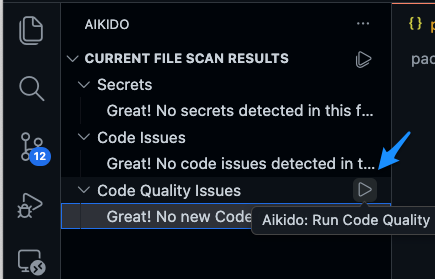
After the scan completes, issues show up in the Aikido results view and inline markers in the editor.
This scan is manual. It won’t re-run automatically until you trigger it again.